7 User Onboarding Case Studies to Learn From to Improve User Onboarding Process
Ever felt the frustration of users slipping away right after signing up? Learn how these 7 brands nailed their onboarding process, and how you can, too!Setting the groundwork for sustained engagement and pleasure, user onboarding is essential in guaranteeing a smooth experience for new users. Gaining knowledge from effective onboarding techniques can help you design a user-centric, effective, and intuitive procedure.
These examples highlight how leading brands improve user experiences and increase retention rates, from streamlining intricate operations to utilising customised lessons. These case studies provide practical suggestions to improve your approach, whether creating a new onboarding procedure or honing an old one.
What makes a great user onboarding experience?
You need to go above and beyond what the user expects in order to build an excellent onboarding experience. To achieve this, you must centre your attention on the person who will be using your product.
Making an onboarding process that is specific to each user's needs is one way to do this. Prioritise the needs of your users and do all in your power to ensure their success.
In addition, you should design an onboarding process that motivates users to do something (for example, providing them with an educational interactive walkthrough).
Additionally, the onboarding process for your app should teach the user how to get the most of your product. 86% of consumers think they would remain loyal to a company if they put money into creating informative and friendly onboarding materials for new customers. 63% of consumers think about the onboarding process when choosing a provider.
A good onboarding experience is created when:
- We make sure that new users have all the resources they need to succeed.
- The onboarding process is thoughtfully crafted to direct consumers to a crucial step that encourages activation.
- Based on segmentation, onboarding experiences are customised.
- A user-friendly and intuitive procedure is achieved by the incorporation of data and input from users into UX and UI design.
- In order to provide users with the experience they have grown to anticipate, you have invested in onboarding tools.
Examples of Top User Onboarding Experiences
1. Slack
Overview
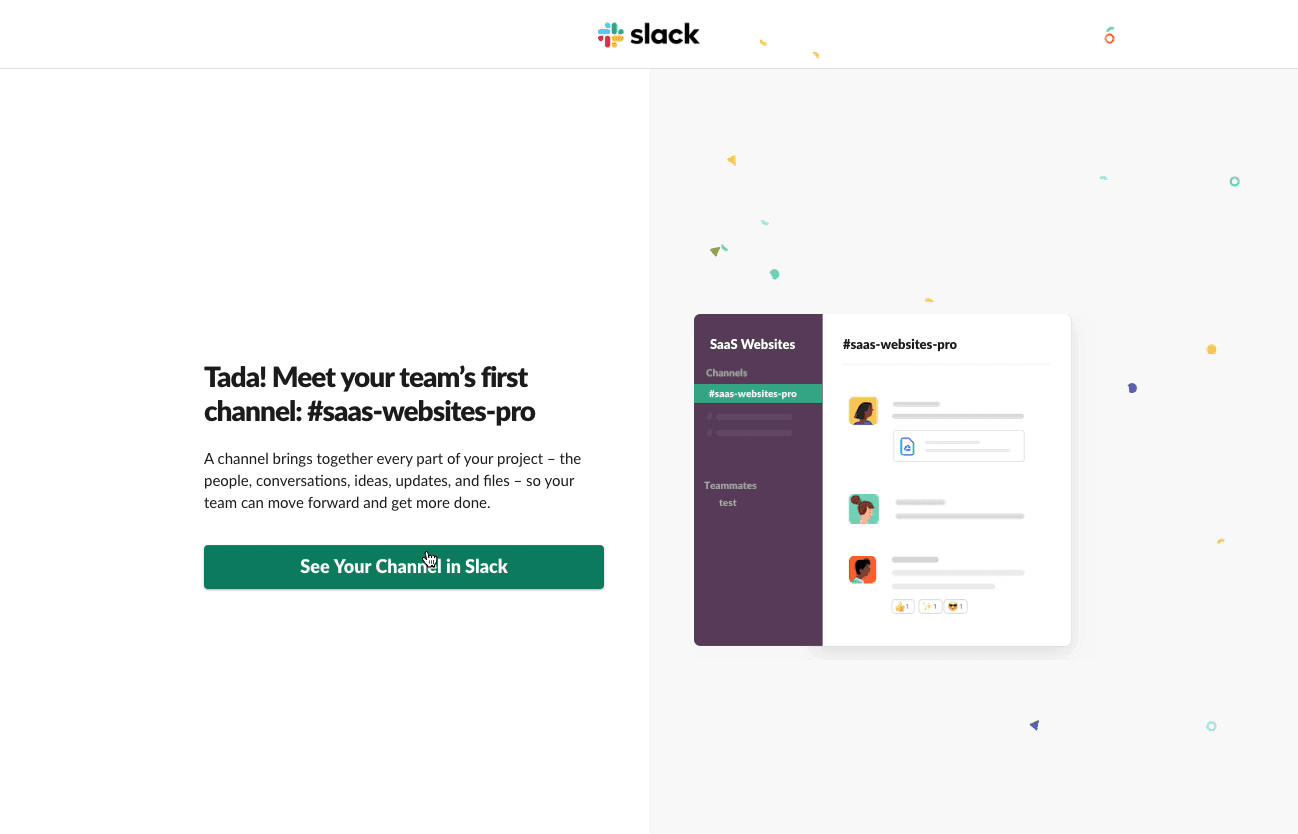
In order to help new users understand what Slack is and how it works, the popular team messaging program makes excellent use of its primary feature, messaging, and has well-designed empty states. 74% of companies have a dedicated customer onboarding team, highlighting the importance of focused onboarding efforts.
What they did right
- After each signup process step, the graphics update to reflect the user's prior inputs. A lovely addition that adds a personal touch to the whole experience.
- A product walkthrough hosted by Slack's very own Slackbot. As they learn to utilise the program, users are motivated to take action by this participatory method.
- Slack skips the tedious tour of every feature and instead walks new users through the empty states of features like Threads and Activity. The helpful microcopy describes how these capabilities will function if the user is active on the platform.
Key Takeaways
They have eliminated most of the introductory material and gotten straight to the point in the most recent version, making it more concise than before. Users are able to quickly become acquainted with the interface and start using it thanks to the basic and contextual onboarding experience that was created.
2. Duolingo
Overview
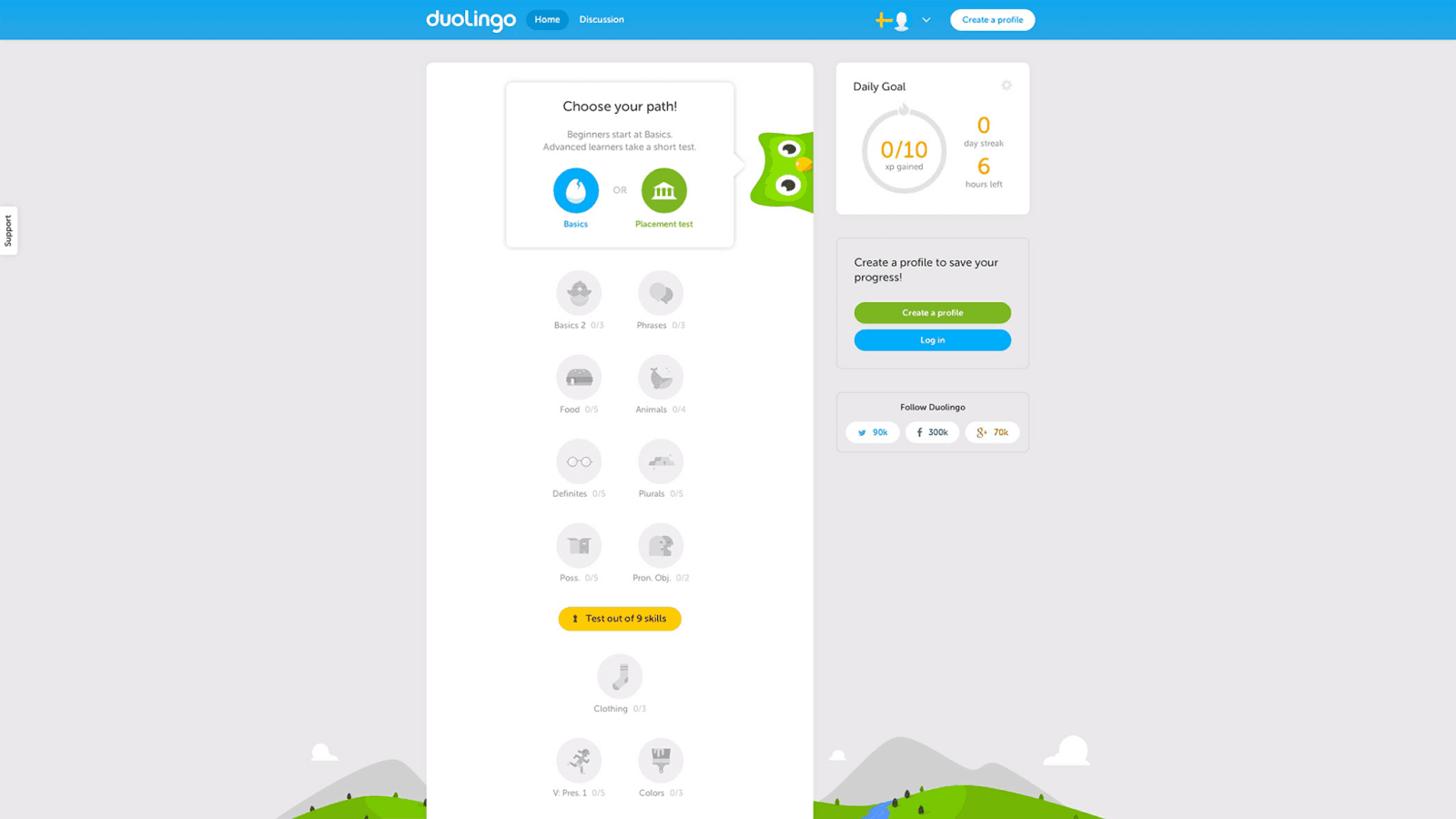
In contrast to the majority of apps, Duolingo's onboarding process starts with the product and concludes with a registration form. This is a perfect illustration of how to engage and postpone the establishment of an account gradually.
What they did right
- The user can select a learning objective. Making users commit to a goal before signing up greatly increases the likelihood that they will remain a site user. That's because being human is all about wanting to finish things.
- Users can better gauge how much work will be required to finish a lesson with the aid of a progress meter. People are more likely to see a project through to completion if they can see their progress displayed. The goal gradient effect states that people exert more effort as they reach a goal; progress bars capitalize on this idea.
- Instead of being an unpleasant roadblock, users can approach registration with a sense of accomplishment because the app allows them to engage with it progressively.
Key Takeaways
Its onboarding process shows customers how easy and fast it is to learn a new language by guiding them through a short translation exercise of their choosing. Then, it asks users to commit to the program by signing up.
3. PLG OS
Overview
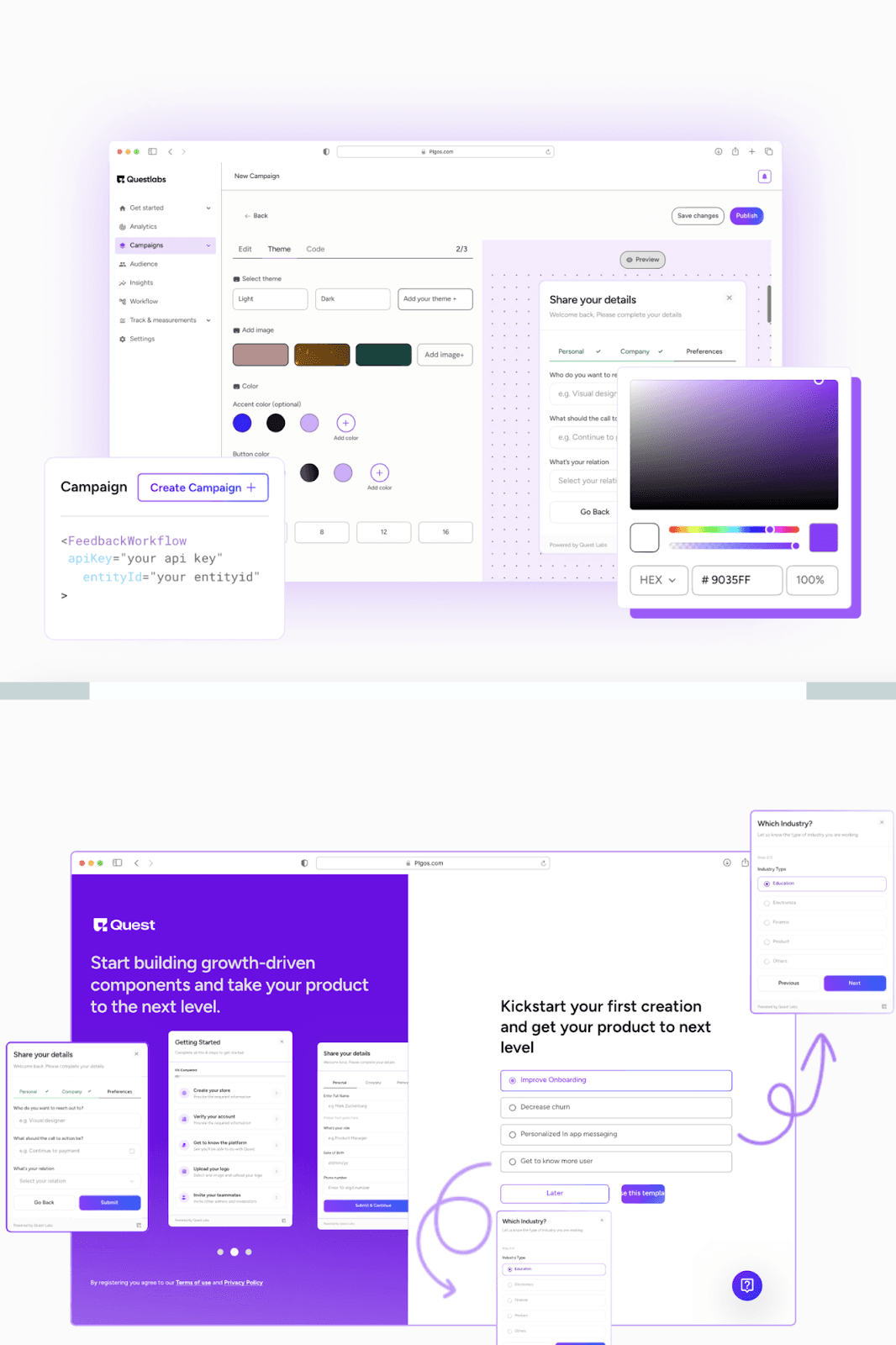
PLG OS simplifies and enhances user onboarding by delivering personalized, interactive, and frictionless experiences. The platform enables businesses to create tailored onboarding journeys that quickly guide users to navigate the platform, driving engagement and long-term retention.
What they did right
- Empowered businesses with tools to build fully customizable onboarding flows.
- Offered contextual guidance and tooltips to simplify feature discovery.
- Enabled data-driven optimization with analytics to improve onboarding performance.
- Provided a plug-and-play solution for rapid deployment without technical expertise.
Key Takeaways
PLG OS makes onboarding a powerful driver of user success and retention by combining personalization, interactivity, and actionable insights. It’s a game-changer for businesses looking to scale their onboarding processes.
4. Grammarly
Overview
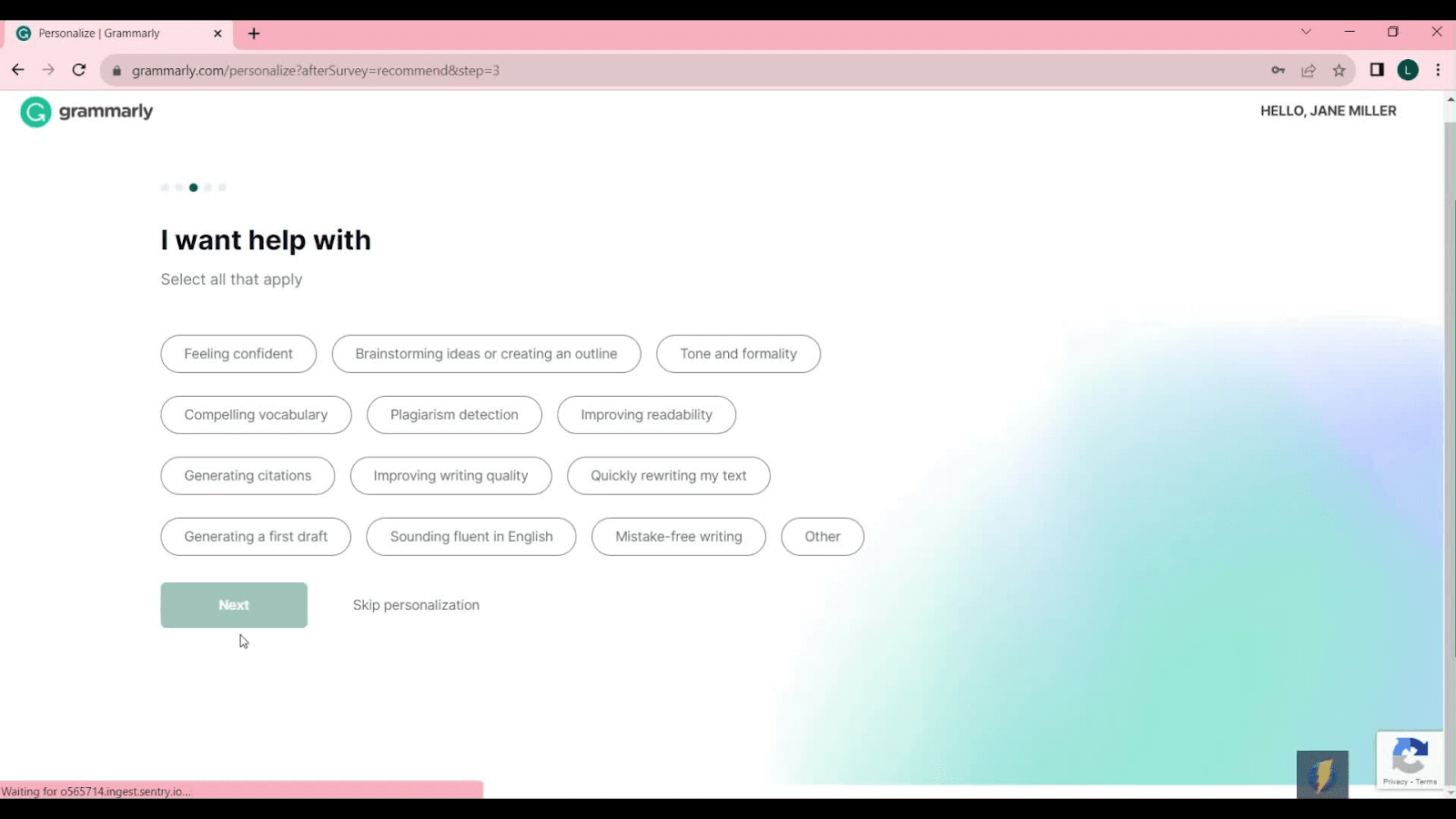
Grammarly is an app that helps you with your writing. Users can inspect for typos, grammatical errors, word choice, and more through in-line suggestions. An onboarding-specific demonstration paper outlining these features includes interactive areas that users can independently investigate.
What they did right
- Grammarly walks users through the UI patterns they'll require. Simply utilising its features will teach you how to use them.
- Pulsing hotspots draw attention to key aspects in a way that is neither obtrusive nor distracting, drawing in users' eyes without overwhelming them. Hotspots, when clicked, display tooltips with brief descriptions of the highlighted feature.
- Users are systematically led through the app's onboarding process. When you correct the first line's spelling mistake, you'll see the 'Correct with Assistant' button, which opens up a feature you might not have looked at before.
Key Takeaways
From emails to upgrade prompts and beyond, it excels at everything. The onboarding process is no different. You may learn how to utilize the tool's features in a controlled setting and have fun doing it with its innovative learn-by-doing demo documentation.
5. Mural
Overview
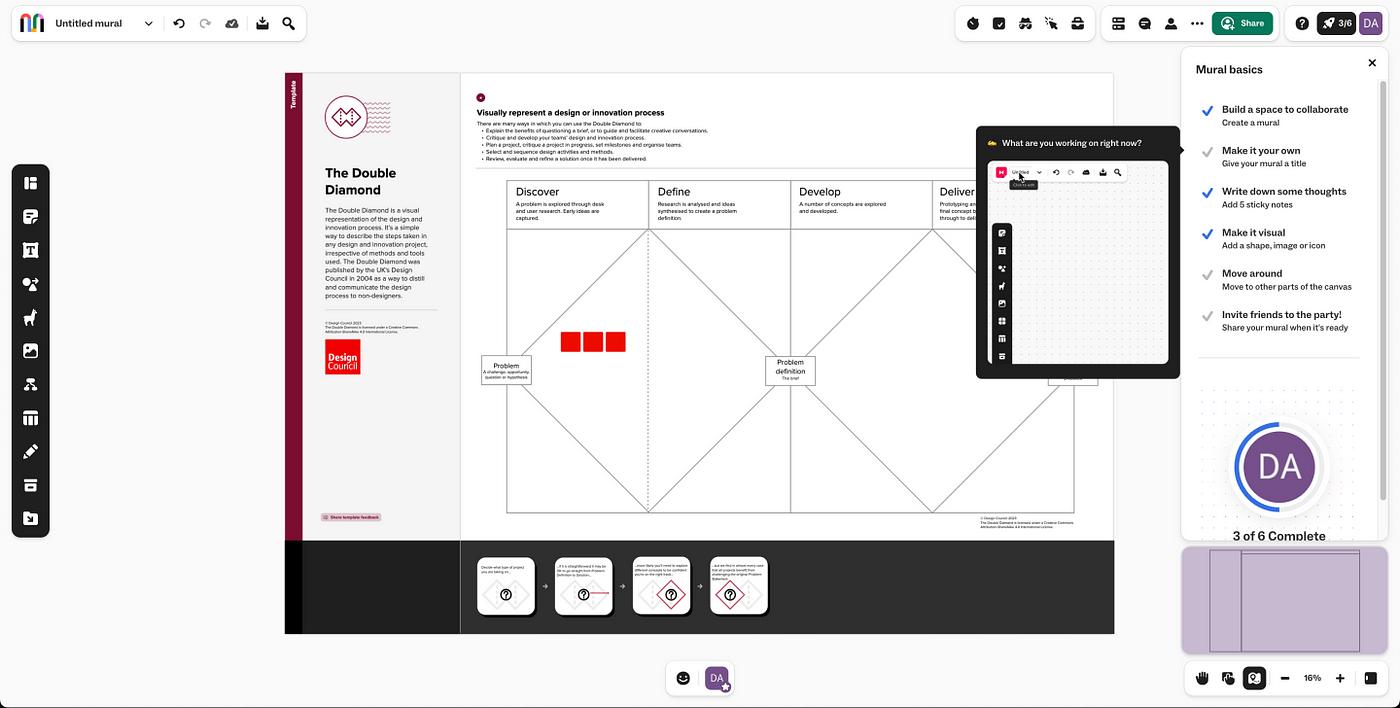
Onboarding through play FTW Mural nails it when incorporating game mechanics into their onboarding process. They make a collaborative digital whiteboard. (Indeed, it is logical, as "play to wow" is a company value.)
What they did right
- Most Mural users opted for the blank canvas when they started, which surprised me because the app also offers templates. Which is why choices are essential.
- First identifying the activities that resulted in user retention, they built an onboarding checklist with the most relevant phases.
- Their onboarding process is based on the principle of 'designing for collaboration', which is why they purposefully sprinkle confetti and other humorous components throughout their programs.
Key Takeaways
Help users find value fast and encourage long-term engagement by prioritizing guided exploration and team collaboration throughout onboarding.
6. Tumblr
Overview
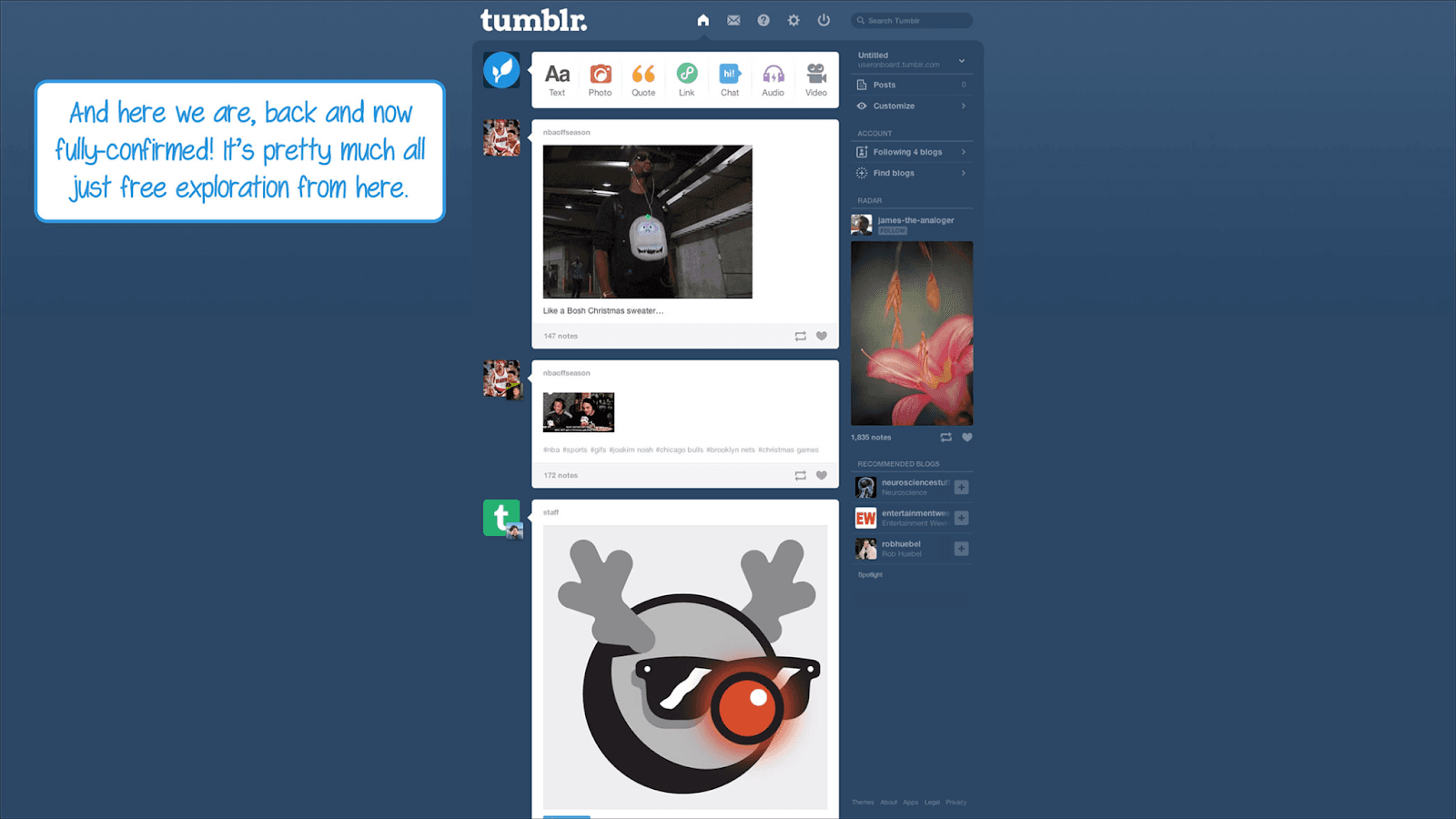
The originality and character of Tumblr's onboarding process are its strongest points. Thanks to persona-based onboarding, Tumblr comes to life with user-generated content (UGC!), personalized visual design, and microcopy. 60% of companies use 4-6 tools for customer onboarding, emphasizing the need for streamlined processes.
What they did right
- In addition to showcasing user-generated content, the signup page skilfully explains the platform and sets user expectations through creative writing.
- Users are prompted to choose five or more interests when they create their login credentials. In addition to empowering users to take charge of their accounts, Tumblr can tailor users' feeds in the future. The endowment effect describes how people are likely to place a higher value on what they believe they already own.
- If you want to know how to use Tumblr, the tutorial will show you all the main parts of the user interface. In addition to helping users reach their initial "aha!" moment, teaching them how to like and share other people's material is essential for keeping and expanding Tumblr's network effects. The value of Tumblr increases for other users as the number of users and interactions with the platform increases.
Key Takeaways
Many B2B software platforms, particularly those that depend on curated content to provide value, can learn from Tumblr's user onboarding strategies, such as personalization, clever copy, and a product tour that focuses on the product's value.
7. IBM's
Overview
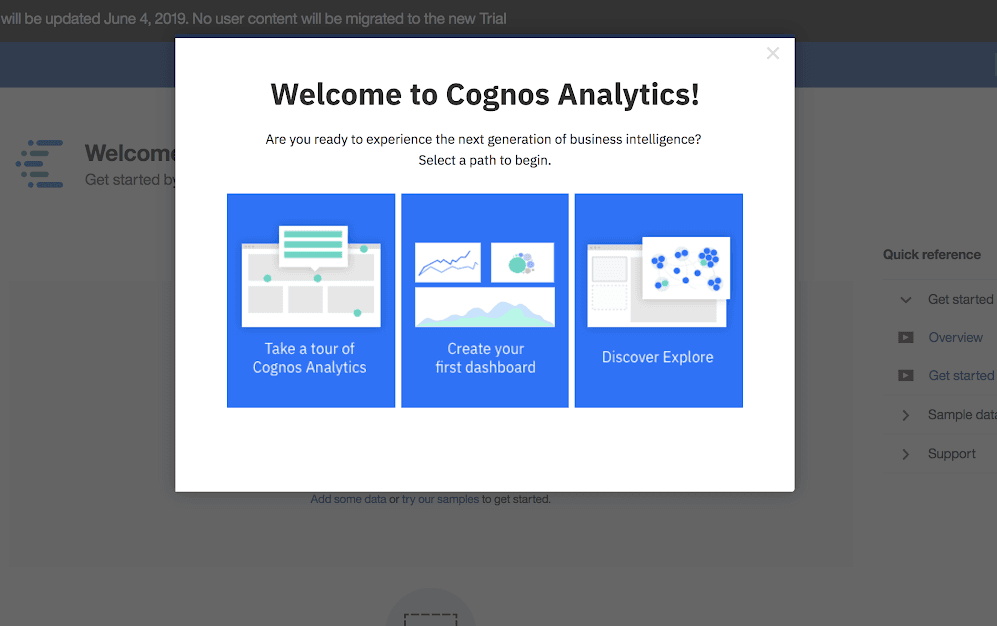
An artificial intelligence (AI) powered business intelligence solution is IBM's Cognos Analytics. Using modals and a product tour styled like a choose-your-own-adventure, IBM introduces consumers to this complicated tool. Once digital communication platform Take began analysing user data during onboarding, they were able to implement adjustments that resulted in activation rates increasing by 124%.
What they did right
- A "choose your adventure" modal allows users to opt into an onboarding experience that suits their needs and is the first stop on the product tour. Users are empowered to take charge of their onboarding experience with this type of segmentation, which also allows for more personalised experiences.
- A streamlined and easy-to-understand onboarding procedure is provided. The text is brief, and the tour provides new users with an overview of the functions without being overly complex.
- By drawing on various strong psychological concepts, a three-item "Getting Started" checklist assists users in prioritising their initial platform actions and encourages them to finish the onboarding process.
Key Takeaways
It's not necessary to walk new users through each function one by one, according to IBM. Utilizing a persona-based product tour and straightforward checklists, it instead concentrates its onboarding experience on a handful of key features.
Great user onboarding UX and UI patterns
- A quick, welcoming greeting that introduces the consumer to the product is what a welcome message is all about.
- A product tour is a great way to show customers the attributes that will be most useful to them.
- Users may see how long the onboarding process will take using progress bars.
- The purpose of a checklist is to give the user a detailed list of things to do.
- Without removing them from their current task, hotspots draw focus to specific product features.
- Miniature windows with helpful hints responding to a user's actions are called action-driven tooltips.
- The user is immediately immersed in the product without having to register thanks to deferred account setup.
- Based on the user's answers to a brief survey, persona-based onboarding customises the product experience.
- Many products will use two or even three of these patterns into their onboarding process, depending on the needs of their users. Think of these as a toolbox. These eight user experience and interface patterns can be incorporated into your onboarding design to enhance the overall user experience. Do not worry if they cannot be accommodated in your onboarding process.
Key Takeaway
With thoughtful onboarding, companies can transform first-time users into loyal advocates, ultimately driving growth and achieving their goals. Use these insights to refine your onboarding journey and create an experience that leaves a lasting impression. Success begins with seamless onboarding! Ready to revolutionize your user onboarding experience? With PLG OS, you can design seamless, personalized, and engaging onboarding journeys that drive user satisfaction and retention.
FAQs
What is user onboarding?:
User onboarding is the process of guiding new users to understand and effectively use a product or service, ensuring they derive value quickly and efficiently.
Why is user onboarding important?:
Effective onboarding boosts user retention, reduces churn, and enhances customer satisfaction by helping users achieve their goals faster.
What are common user onboarding strategies?:
Popular strategies include interactive tutorials, progress checklists, tooltips, and personalized welcome messages.
How can I measure onboarding success?:
Key metrics include time to value (TTV), user engagement, retention rates, and onboarding completion rates.
What tools can improve onboarding?:
Tools like Appcues, PLG OS, UserGuiding, and WalkMe help create interactive and seamless onboarding experiences.