8 Best User Assistance Widgets For User Retention
Getting people to try your product is only half the battle. The real challenge is keeping them engaged. Most users don’t leave because your product is bad; they leave because they feel lost or unsure about what to do next. That’s why user assistance widgets are so powerful.
These are the little helpers built right into your product, like an onboarding prompt widget that shows new users where to start, or a quick checklist that lets them track progress. They don’t shout for attention, but they quietly guide people, answer questions, and make using your product feel easy.
When done right, these widgets turn frustration into confidence and one-time visitors into long-term users. Let’s check out 8 user assistance widgets that boost engagement.
What is a User Assistance Widget?
User Assistance Widget is a small, in-product element designed to guide, support, and engage users while they interact with the software. Instead of forcing users to leave the app to find help or figure things out on their own, these widgets provide real-time, contextual assistance right where it’s needed.
Instead of making users leave the product to search for help or figure things out, a user widget brings that help directly into the experience.60% of customers choose self-service tools like help widgets over talking to a human.
Must-Have Features of a Good User Assistance Widget
- Contextual Help – Offers guidance based on the page or action the user is on.
- Easy to Access – Always visible but never intrusive.
- Personalized – Adapts to user role, stage, or behavior.
- Interactive – Uses tooltips, walkthroughs, or quick actions, not just static text.
- Multi-Function – Combines FAQs, chat, and feedback in one place.
- Lightweight – Loads fast without slowing down the product.
- Feedback Options – Lets users share quick responses or ratings.
- Analytics – Tracks what’s used, skipped, or confusing
- Clean Design – Blends into the product instead of distracting.
- Scalable – Grows with your product and supports different user journeys.
Why User Assistance Widgets Matter
Most SaaS products pour resources into onboarding flows and help centers. But here’s the catch:
- Onboarding is usually front-loaded. What happens when the user comes back weeks later and forgets where a feature lives?
- Help centers assume users will leave the product to search. Spoiler: most won’t.
User assistance widgets engagement bridges that gap. They provide in-product help, right at the moment of friction. That means:
- Lower drop-offs during onboarding.
- Faster time-to-value for new and returning users.
- More confidence in exploring advanced features
- Ultimately, higher retention and revenue.
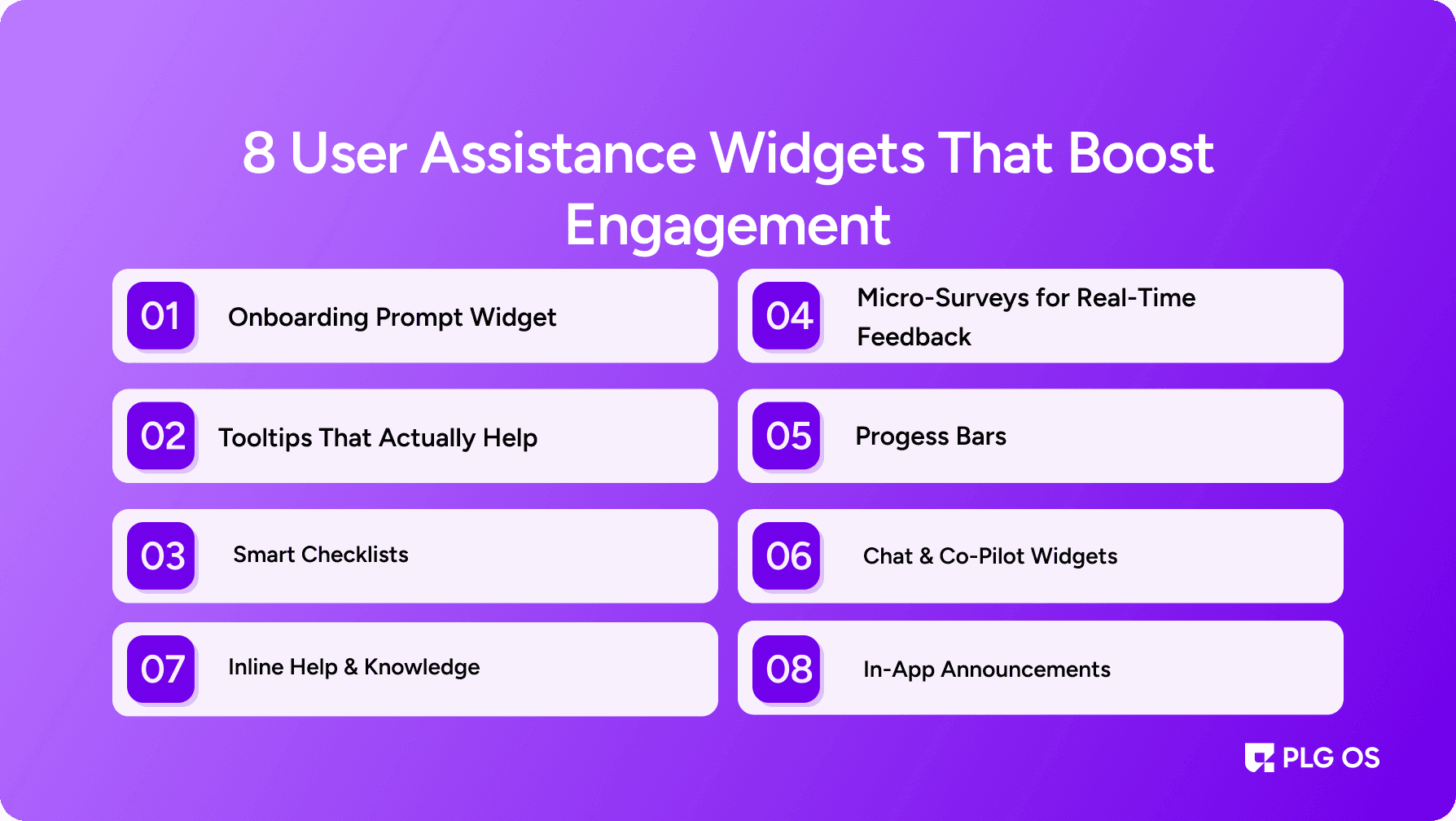
8 User Assistance Widgets That Boost Engagement
1. Onboarding Prompt Widget
Nothing kills excitement faster than confusion on the first login. Anonboarding prompt widget solves this by nudging users toward the most critical first action whether it’s uploading a file, creating a campaign, or inviting a teammate.
Instead of static walkthroughs, the best widgets are contextual. They adjust based on user role, intent, or past behavior.
Example use cases:
- A design tool highlighting “Upload your first asset.”
- A CRM prompting “Import your contacts to get started.”
- A coding platform nudging “Create your first project.”
With PLG OS:
You can deploy onboarding prompt widgets in minutes, targeting them to specific segments like first-time users, trial accounts, or users stuck in onboarding. That level of targeting ensures you’re not overwhelming users but giving the right nudge at the right time.
2. Tooltips That Actually Help
Tooltips are one of the most common assistance widgets for user engagement, but most companies do them wrong. They either bombard users with too many at once or state the obvious (“Click here to save”).
The winning approach?
- Keep them short and outcome-driven. (“Add teammates to collaborate faster.”)
- Trigger them only when users hover, stall, or explore new features.
- Retire tooltips once the user has successfully completed the action.
Why they boost engagement:
They reduce cognitive load without forcing the user to leave the product or open a manual.
With PLG OS:
You can build tooltips linked to feature usage. For example: “Show tooltip if user hasn’t clicked the ‘Invite’ button after 7 days.” That’s how you move from generic tooltips to data-driven engagement nudges.
3. Smart Checklists
Checklists tap into one of the most powerful human motivators: completion.
A well-designed checklist isn’t just a to-do list; it’s a conversion driver. By breaking down onboarding or advanced setup into bite-sized tasks, you create momentum.
Example checklist tasks:
- “Set up your profile.”
- “Create your first campaign.”
- “Invite two teammates.”
- “Integrate with Slack.”
Every ticked box builds progress, nudging the user toward activation.
With PLG OS:
You can design modular checklists that adapt dynamically. If a user has already invited a teammate, that box is auto-checked, making progress feel natural, not forced.
4. Inline Help & Knowledge
Why send users to a static help center when you can bring the help to them?
Inline knowledge widgets surface the most relevant FAQs, videos, or quick guides right inside the product, tailored to the current page or action.
Why they matter:
- Reduce support ticket volume.
- Keep users in the flow instead of bouncing out to search docs.
- Create self-sufficiency at scale.
Example: A billing page with a small help widget that expands into “How to update your card details” or “Why was my payment declined?”
With PLG OS:
You can map inline knowledge widgets to specific URLs or user states. That way, assistance is always in the right place, at the right time.
5. Micro-Surveys for Real-Time Feedback
Traditional surveys often come too late after a user has already disengaged. Teams that prioritize user feedback through tools like micro‑surveys enjoy a 14.5% better customer retention rate.
That’s why micro-surveys are becoming essential user assistance widgets and engagement tools. By asking one or two hyper-relevant questions at the right moment, you get insights and show users you care.
Examples:
- After using a feature: “Was this easy to set up?”
- During checkout: “What almost stopped you from purchasing today?”
- After onboarding: “How confident do you feel using [product name]?”
Why they boost engagement:
They create a dialogue, making users feel heard while also giving you data to refine experiences.
With PLG OS:
You can deploy micro-surveys triggered by specific user actions, then feed insights directly into your analytics stack.
6. Progress Bars
Humans are wired to chase completion. A progress bar widget during onboarding or setup taps into that psychology.
When users see they’re “80% done,” they’re far less likely to abandon the flow. Even better, progress bars set expectations, reducing frustration about time investment.
Examples:
- “3 of 5 steps complete. Almost there!”
- “You’re 70% set up. Unlock advanced features once complete.”
With PLG OS:
You can combine progress bars with gamified nudges (like badges or rewards) to make the journey more motivating.
7. Chat & Co-Pilot Widgets
AI-driven chat widgets are no longer just glorified FAQs. They’ve evolved into co-pilots that can walk users through workflows, troubleshoot issues, or even execute tasks directly. Over 51% of people prefer using chatbots over human agents when they need quick help.
Why they matter:
- Users get instant help without waiting for support.
- Co-pilots can guide users to take the next best action in real time.
- Engagement skyrockets because users feel supported, not stuck.
With PLG OS:
You can embed AI chat widgets that aren’t just reactive but proactive. For instance: “Noticed you’ve added products but haven’t set up checkout want me to guide you?”
8. In-App Announcements
Last but not least, announcement widgets. Think of them as the digital version of a friendly tap on the shoulder. Users who receive in-app messages show 131% higher engagement than those who don’t.
Use them to:
- Announce a new feature.
- Remind users of trial expiry.
- Suggest exploring an underused capability.
The trick is personalization. A blanket announcement about a “new dashboard” means nothing to a user who hasn’t even explored the old one. One company, PlanetHS, switched to in-product guidance and cut over 190,000 support tickets—with help elements used millions of times.
With PLG OS:
Announcements can be segmented and timed perfectly. Example: Only show “Explore our new reporting dashboard” to users who have used analytics 3+ times in the past month.
Putting It All Together: Widgets That Work Together
The real power isn’t in any single widget, but in the orchestration.
- The onboarding prompt widget gets users started.
- Checklists and progress bars sustain momentum.
- Tooltips and inline knowledge widgets remove friction.
- Micro-surveys gather insights.
- Chat co-pilots provide real-time help.
- Announcements re-engage dormant users.
When combined, these assistance widgets for user engagement create a holistic experience one which users never feel lost, and always feel guided.
Why PLG OS is the Perfect Fit for User Assistance Widget?
Building and maintaining all these widgets in-house is a resource drain. That’s why platforms like PLG OS exist.
With PLG OS, you can:
- Deploy any of these widgets without heavy engineering.
- Segment by user traits, behaviors, and journeys.
- Experiment with different widget designs and placements.
- Analyze what drives actual engagement and retention.
Instead of stitching together multiple point solutions, PLG OS gives you a unified toolkit to boost engagement across the entire user lifecycle.
The Future of User Assistance Widgets Engagement
The future isn’t just about more widgets. It’s about smarter widgets.
Here’s where things are headed:
- AI-driven personalization: Widgets that anticipate what a user needs before they ask.
- Predictive onboarding: Onboarding prompt widgets that adapt in real-time based on behavior.
- Proactive assistance: Feedback and support widgets that engage users before they get frustrated.
- Seamless integration: Assistance widgets that feel like part of the product, not bolted-on extras.
Companies that embrace this shift will create products that feel intuitive, supportive, and addictively easy to use.
Final Thoughts
User assistance widgets aren’t just about “help.” They’re about engagement, confidence, and loyalty. They turn clunky software into smooth experiences, confused users into power users, and passive visitors into active advocates.
If you want to harness the full potential of these widgets that boost engagement, don’t just implement them piecemeal. Build them into a strategic engagement ecosystem and that’s exactly what PLG OS empowers you to do.
The bottom line:
- Start with an onboarding prompt widget to make first impressions count.
- Layer in contextual help, checklists, and resource centers to keep users confident.
- Add feedback, banners, and live chat to close the engagement loop.
- Use PLG OS to orchestrate them into a seamless, data-driven system.
Engagement doesn’t happen by chance. It happens by design. And with the right user assistance widgets engagement strategy, your product can become the kind of experience users can’t live without.
FAQs
1. What are user assistance widgets?
User assistance widgets are in-app tools—like tooltips, onboarding prompts, or resource centers—that guide, educate, and support users directly within a product.
2. How do widgets boost engagement?
They provide contextual help, reduce confusion, and create smoother user journeys, making users more likely to stay active and return to the product.
3. What is an onboarding prompt widget?
An onboarding prompt widget is a guided element that introduces new users to a product’s core features, helping them reach value faster.
4. Which user assistance widgets are best for engagement?
The most effective include onboarding prompts, checklists, tooltips, in-app resource centers, guided walkthroughs, feedback forms, banners, and live chat.
5. How can PLG OS improve user assistance widgets engagement?
PLG OS personalizes, automates, and orchestrates widgets—ensuring users see the right help at the right time, leading to higher adoption and retention.