Top 9 Popup Software for High-Converting SaaS Popups
The quick answer
Quick answer: popup software shows targeted overlays (modals, slide-ins, bars and full-screen takeovers) on your website, triggered by rules such as exit intent, scroll depth or traffic source, without code. For a SaaS marketing site, Poptin, OptiMonk and Sleeknote are the strongest all-rounders, Unbounce makes sense if you already build landing pages there, Hello Bar is the simplest option for top bars, and Poptin, OptiMonk, Getsitecontrol, Popupsmart and Hello Bar all have free plans. Exit intent works differently on phones, and the exit-intent table below shows which tools support it on mobile. Popups inside your logged-in product are a different job, covered at the end. Prices below are as of October 2026.
Ever visited a website and had a message pop up at just the right time? That’s not magic, it’s smart popup software doing its job. For SaaS companies, popups can help you get more signups, keep users engaged, and even boost sales. But not all popup tools are good. Some just annoy people. That’s why it’s important to choose the right one. In this blog, we’ll show you 9 of the best pop-up software tools that are easy to use, work well, and help your business grow. Let’s find the perfect tool that pops up with the right message at the right time.
Why Popups Are Essential for Your Website?
Smartly placed popups can do more than grab attention. They can transform how users interact with your website. When done right, popups help you generate leads, increase conversions, and improve user experience without disrupting the natural flow of browsing. The same rule applies inside a product: a prompt that shows up before a new user has seen any value during onboarding is more likely to be closed than read.
Whether you run a SaaS product, e-commerce store, or a content-heavy blog, popups can become one of your most valuable tools.
1. Lead Generation Made Easy:
Popups are one of the most effective ways to grow your email list. Offering a discount, early access, or free content in exchange for an email address? That’s where popups shine. And with the best popup software, new leads sync automatically with your email platform.
2. Highlighting Deals That Matter:
Visitors don’t always spot your latest offers. Popups make sure they do—whether it's a time-limited sale, free shipping, or a holiday promo. Exit-intent popups are especially powerful in converting abandoning users into buyers.
3. Boosting Engagement and Conversions:
Want more signups, feature usage, or webinar attendance? A well-placed popup can guide users to the right action at the right moment—especially when personalized.
4. Cutting Down Bounce Rates:
Exit-intent popups give visitors a reason to stay—whether it’s content suggestions, reminders, or feedback requests.
Popups done right = more value, more conversions, and happier users.
How to Choose the Best Popup Software for Your SaaS
Look for popup software that includes:
- Drag-and-drop editor – Build popups easily without coding.
- Pre-designed templates – For email capture, announcements, promotions, etc.
- Smart visitor targeting – Show popups to the right people at the right time.
- Campaign analytics – Track views, conversions, and emails collected.
- Revenue tracking – See how much money your popups actually generate.
- Mobile-friendly popups – Designed to comply with Google’s mobile guidelines
- A/B testing – Compare different designs, copy, and offers to boost performance.
- Ecommerce features – Like Shopify discount codes and cart-based targeting.
- Goal tracking – Monitor progress toward marketing and sales goals.
- App integrations – Sync collected data with your email or CRM tools automatically.
1. Sleeknote
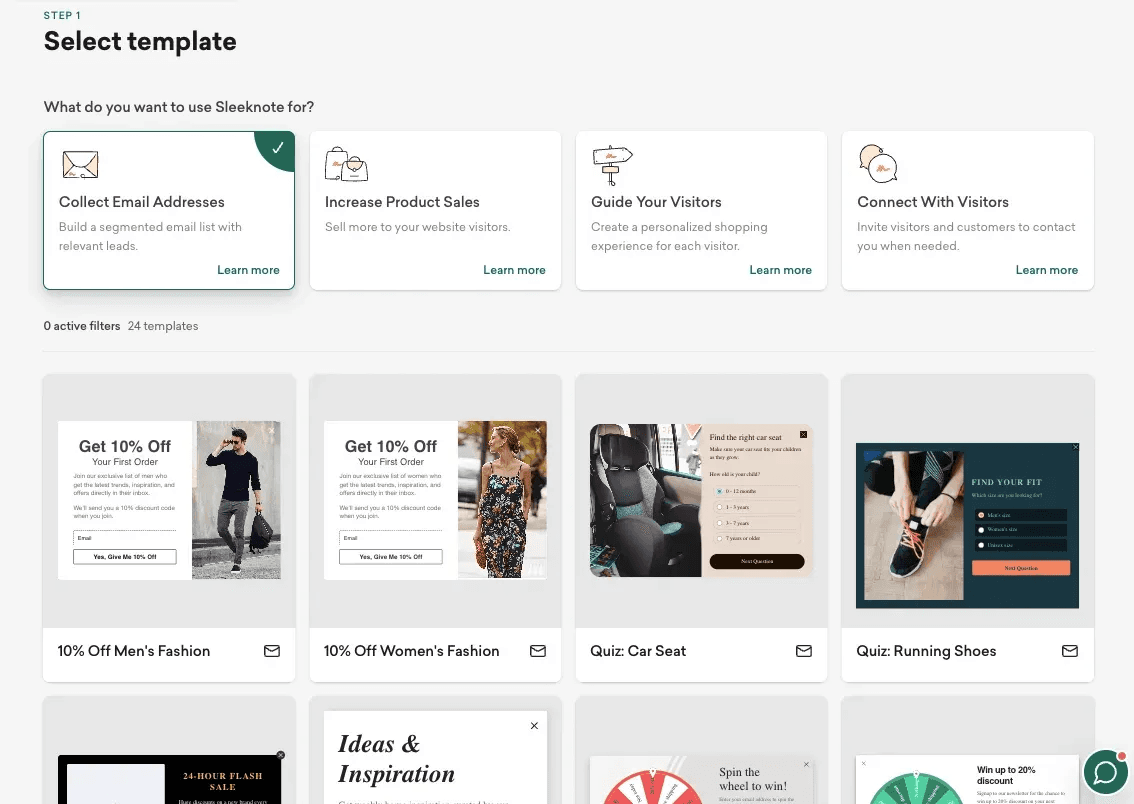
What it is: A no-code popup builder that lets marketers create beautiful, on-brand popups without developers.
Why SaaS loves it:
- Drag-and-drop interface
- Target by traffic source and behavior, with separate mobile and desktop campaigns
- Personalization at scale
Why it stands out:
Sleeknote makes it easy to design non-intrusive popups that feel native to your platform. You can even use "teasers", a small preview visitors see before the full-size popup opens.
Best for:
SaaS companies are looking for an elegant, UX-friendly popup software with granular targeting.
Pricing (as of October 2026): priced by monthly visitors with unlimited domains. Core starts at €62/month billed monthly or €49/month billed annually for up to 25,000 monthly visitors. No free plan; 14-day free trial.
2. Poptin
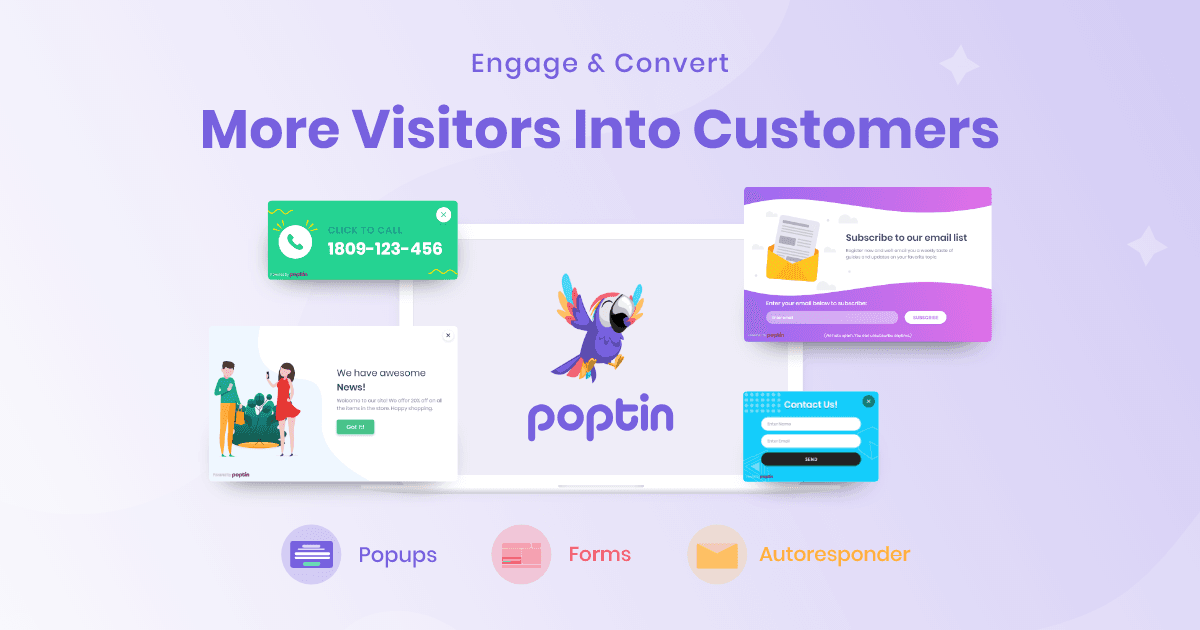
What it is: A popup software that allows you to build everything from exit-intent overlays to slide-ins and countdown popups.
Why it works for SaaS:
- Exit-intent for logged-in users
- Scroll & time-based triggers
- A/B testing and analytics
Why it stands out:
It’s one of the best pop-up tools for SaaS platforms on a budget. It integrates with CRMs, email tools, and more: its pricing page lists 70+ native integrations, including HubSpot, Salesforce and Mailchimp.
Best for:
Startups and mid-stage SaaS businesses that want flexibility with affordability.
Pricing (as of October 2026): priced by monthly visitors and domains. The free plan covers 1,000 visitors a month on one domain; Basic is $25/month billed monthly or $20/month billed annually for 10,000 visitors.
3. OptiMonk
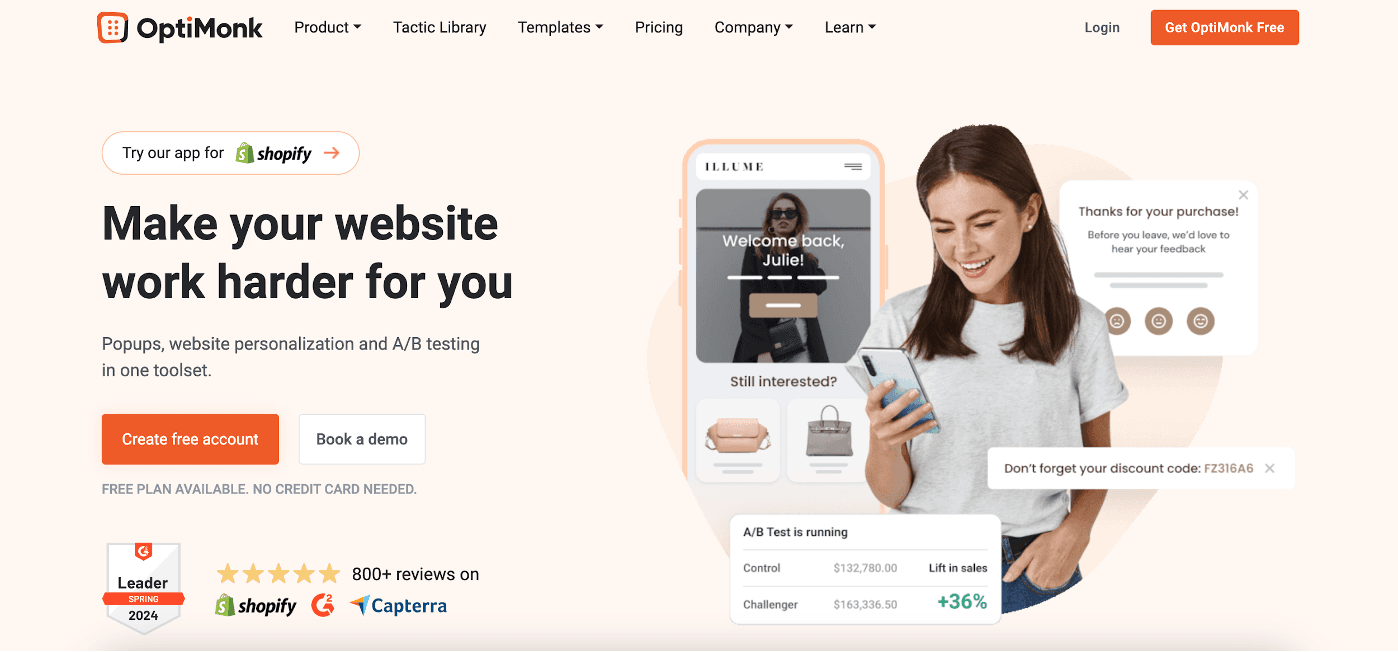
What it is: A personalization engine that happens to do popups very well.
Why it’s great for SaaS:
- Smart segmentation
- Dynamic content based on behavior
- Intent-based offers
Why it stands out:
OptiMonk is not just a popup builder it’s an intent engine. It helps you deliver the right message at the perfect moment in a user’s journey.
Best for:
SaaS marketers who want AI-powered popup software that doesn’t feel cookie-cutter. OptiMonk now calls itself an agentic popup builder: its AI agent designs and writes a campaign and puts it live.
Pricing (as of October 2026): priced by pageviews. The free plan covers 10,000 pageviews a month on one domain; Essential is $19/month billed annually for 20,000 pageviews.
4. ConvertBox
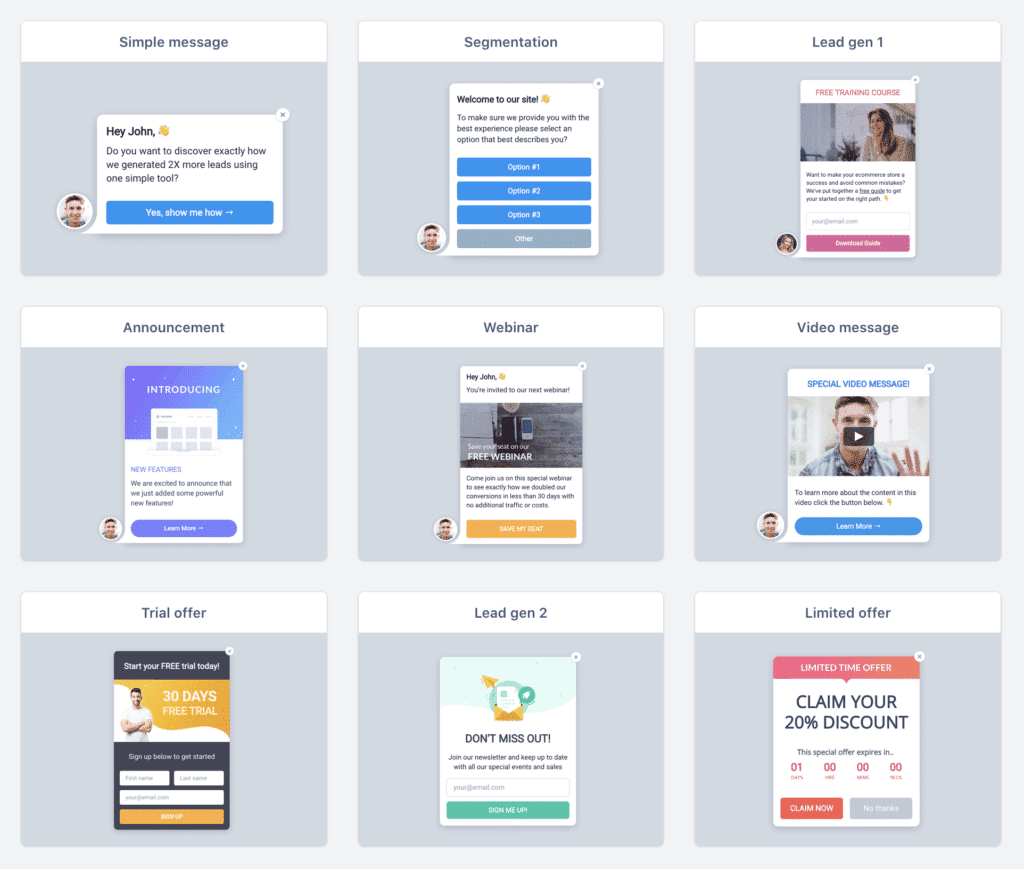
What it is: A popup tool known for its ease of use and deep targeting features.
Why SaaS teams choose it:
- Deep segmentation by URL, referrer, device, and tags
- Integrates with CRMs and email tools
- Real-time performance stats
Why it stands out:
It’s laser-focused on performance and targeting. No fluff, just conversion.
Best for:
Lean teams looking for a lightweight yet effective popup software for SaaS.
Pricing: ConvertBox is sold as a one-time “early access lifetime deal” rather than a subscription: $495 once for 250,000 views a month across 10 websites, according to its homepage as archived on June 18, 2026 (the live site still blocks automated checks in October 2026, so confirm the offer before buying). No free plan.
5. Getsitecontrol
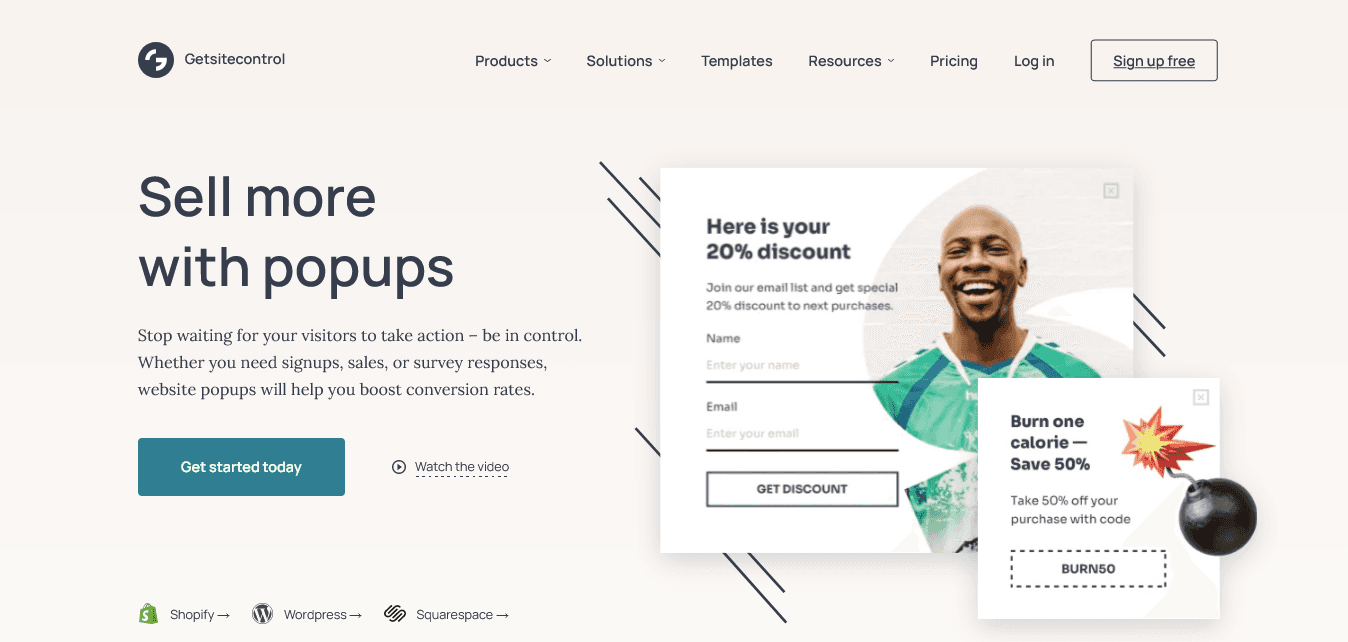
What it is: A versatile popup builder that offers not just popups but surveys, contact forms, and more.
Why it works for SaaS:
- Granular targeting
- Multi-step popup forms
- Triggered by behavior or custom rules
Why it stands out:
This is a popup tool that also lets you run product surveys, collect feedback, and drive demo bookings all within one dashboard.
Best for:
Product and growth teams who want a multi-use popup software beyond just lead capture.
Pricing (as of October 2026): priced per site by monthly widget views, with email sending billed separately. The free plan covers 10,000 widget views a month; Pro is $19/month for 100,000 views.
6. Popupsmart
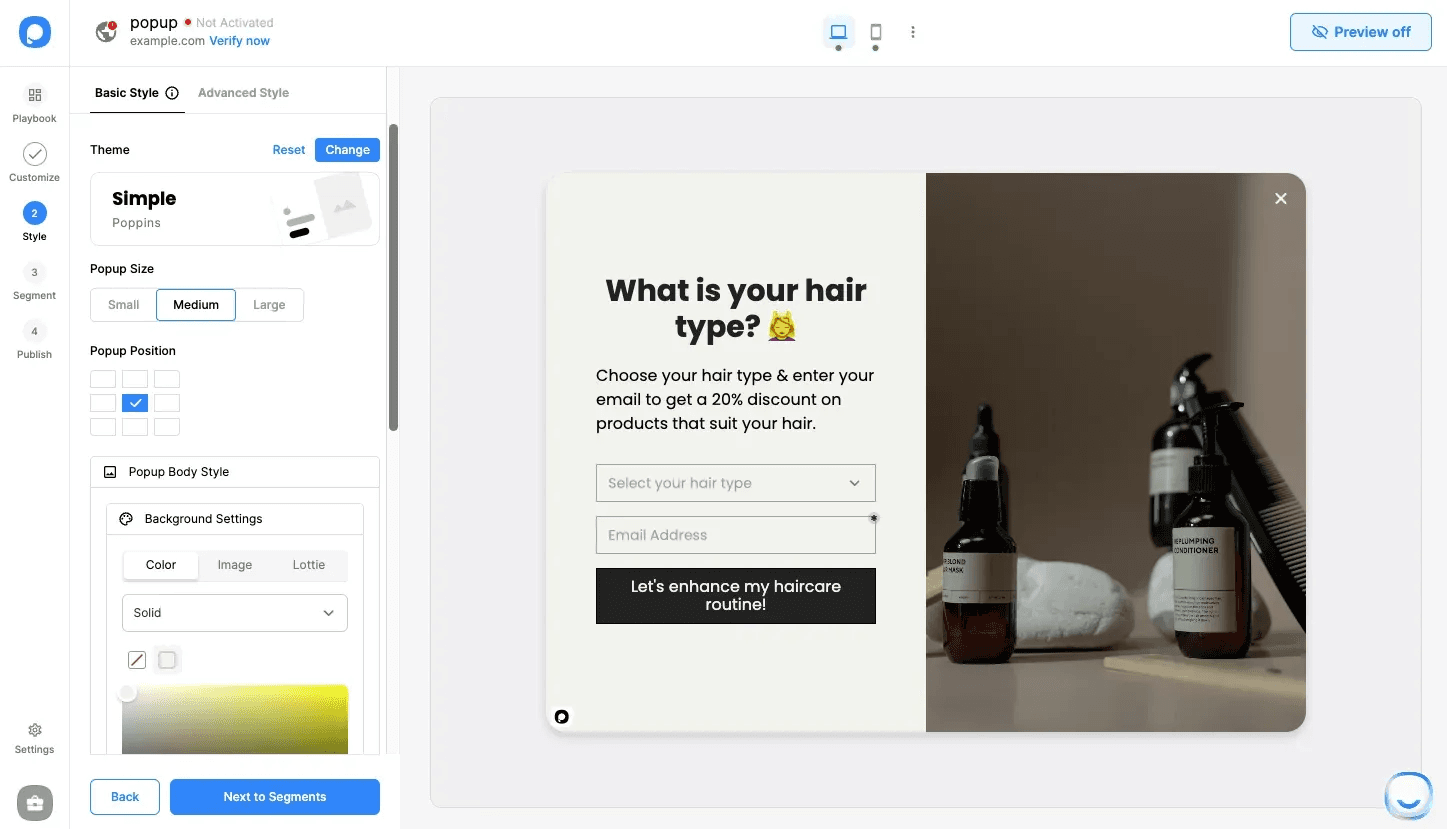
What it is: A lightweight, no-code popup builder that installs with a single embed snippet.
Why SaaS loves it:
- No-code setup
- Modern UI templates (500+, per Popupsmart)
- One embed snippet, with a React popup tutorial on its blog
Why it stands out:
It’s aimed at modern SaaS sites. Popupsmart doesn't document a JavaScript API or route-change handling for single-page apps, so test your own navigation before relying on it inside a React or Vue app.
Best for:
Tech-savvy SaaS teams looking for quick-to-launch popups with modern aesthetics.
Pricing (as of October 2026): priced by pageviews and websites. The free plan covers 5,000 pageviews a month, one website and one live popup; Basic is $39/month billed monthly or $32.50/month billed annually for 50,000 pageviews.
7. Wisepops
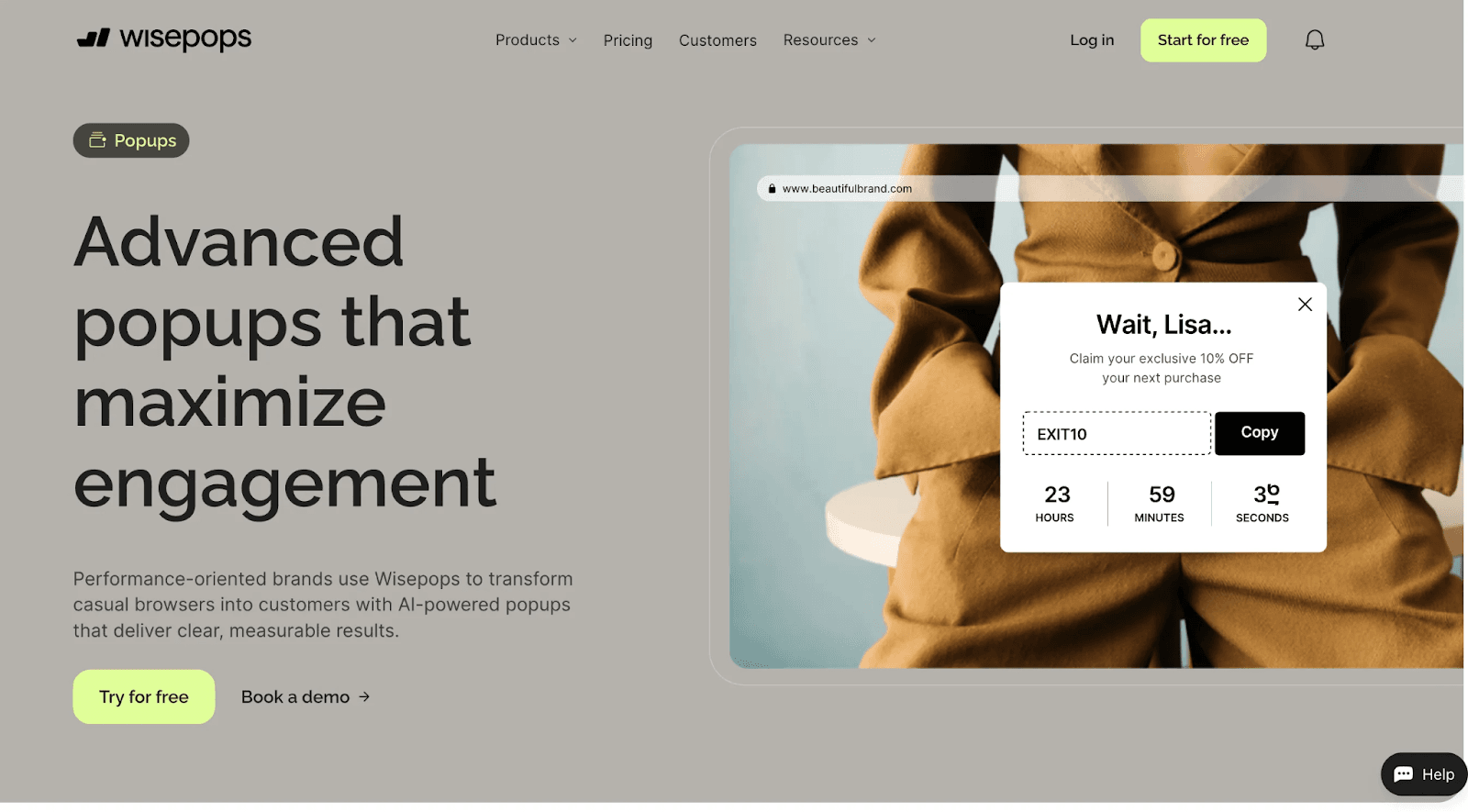
What it is: A popup tool offering a wide variety of on-site messaging options from banners to full-screen overlays.
Why SaaS teams use it:
- Precise audience targeting
- 50+ native integrations, including Klaviyo, HubSpot and Salesforce
- Single-page-app support and a JavaScript API
Why it stands out:
It lets marketers create and test popups fast, while developers can control campaigns from JavaScript.
Best for:
SaaS companies that need a collaborative popup software for cross-functional teams.
Pricing (as of October 2026): sales-led. The pricing page now redirects to a demo booking, which says plans start at $599/month for sites up to 1M pageviews and include every feature, with a 14-day free trial after the demo. No free plan.
8. Hellobar
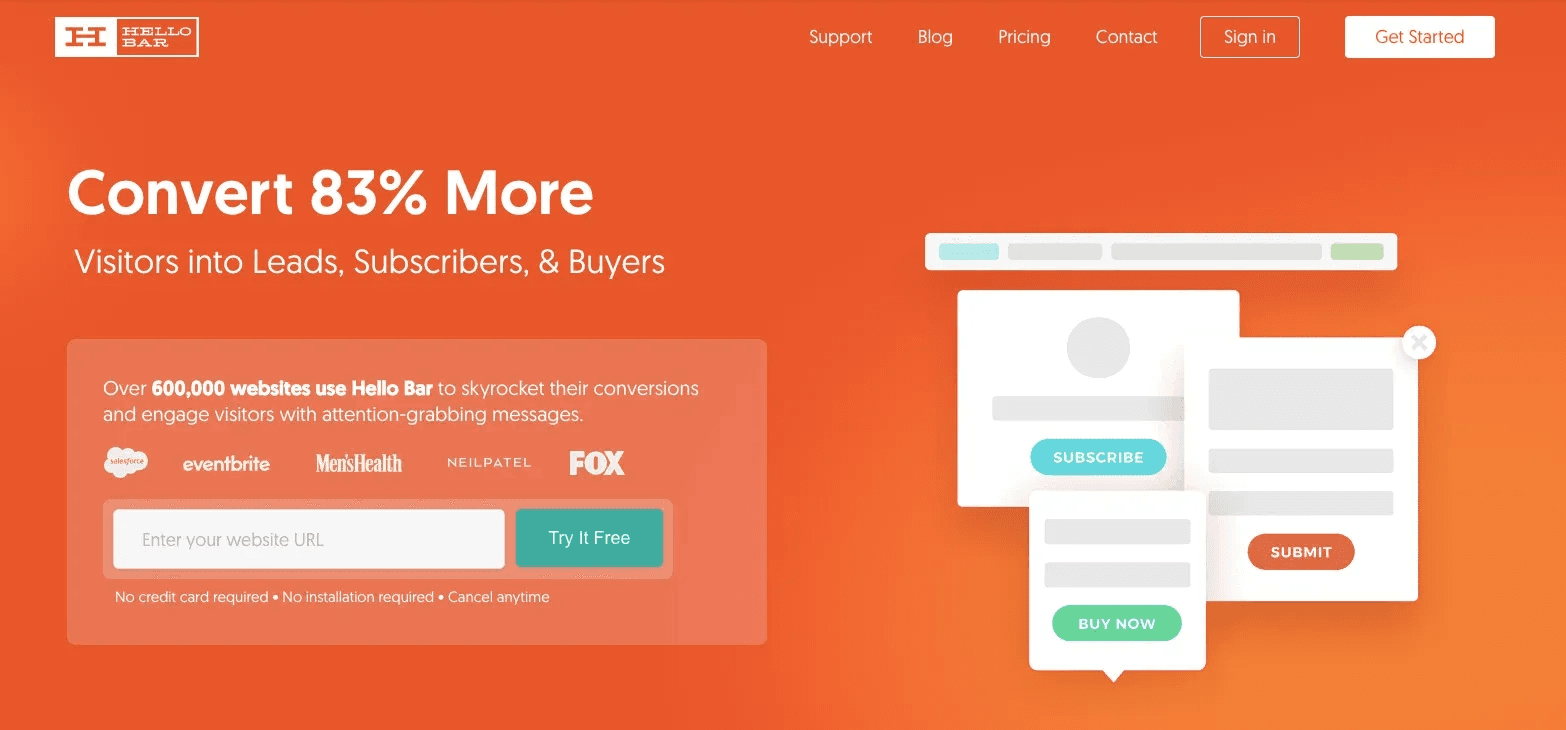
What it is: A simple tool for creating top bars, modals, and popups that drive signups and engagement.
Why SaaS still uses it:
- Dead simple UI
- Ideal for announcements and alerts
- Fast to set up
Why it stands out:
Sometimes, less is more. HelloBar is a quick-fix popup tool that just works when you need it to.
Best for:
Early-stage SaaS platforms needing a basic popup tool for immediate wins.
Pricing (as of October 2026): priced by popup views. The free Starter plan covers up to 5,000 views; Growth is $39/month billed monthly or $29/month billed annually for 50,000 views a month, and A/B testing is included on every paid plan.
9. Unbounce
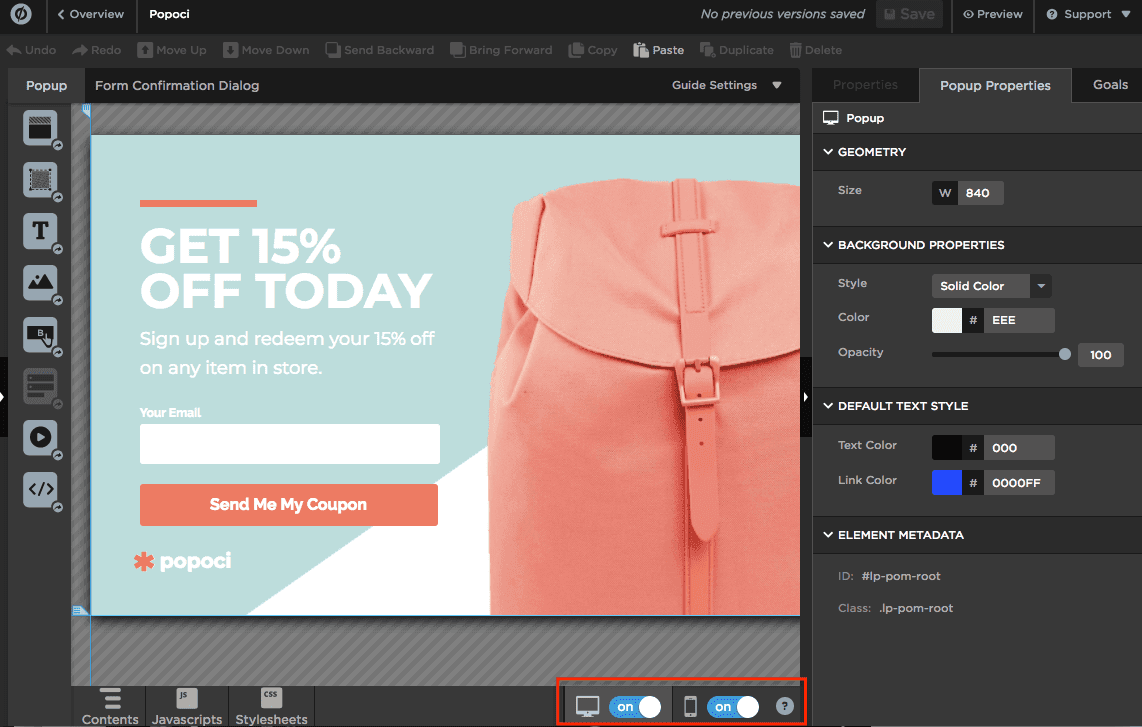
What it is: Known for landing pages, Unbounce also offers popup and sticky bar tools that are deeply customizable.
Why it fits SaaS use cases:
- Built-in A/B testing
- Dynamic text replacement
- Behavior-based targeting
Why it stands out:
If you're already using Unbounce, adding popup campaigns is a no-brainer. Even if not, the conversion focus here is strong.
Best for:
SaaS marketing teams focused on campaign landing pages + conversion flows.
Pricing (as of October 2026): popups and sticky bars are not on the cheapest plan (Starter, $29/month, covers landing pages only). They start on Build at $99/month billed monthly or $74/month billed yearly; unlimited A/B testing and dynamic text replacement are listed on Experiment ($149/month, or $112/month yearly). 14-day free trial. Unbounce merged with CRM vendor Insightly in 2024.
The 9 popup tools compared
Most popup tools price by website traffic (visitors, pageviews or popup views), so check the tier that matches your own numbers. Paid prices are the lowest published plans as of October 2026.
| Tool | Best for | Free plan | Paid plans from (as of October 2026) |
|---|---|---|---|
| Sleeknote | Elegant, on-brand popups with teasers | No (14-day trial) | €49/mo billed annually, €62 monthly (up to 25k visitors) |
| Poptin | Budget-friendly all-rounder | Yes, 1,000 visitors/mo | $20/mo billed annually, $25 monthly (10k visitors) |
| OptiMonk | Personalization and AI-built campaigns | Yes, 10,000 pageviews/mo | $19/mo billed annually (20k pageviews) |
| ConvertBox | Deep targeting without a subscription | No | $495 one-time lifetime deal (June 2026 archive) |
| Getsitecontrol | Popups plus surveys and forms | Yes, 10,000 widget views/mo | $19/mo per site (100k widget views) |
| Popupsmart | Quick no-code popups with modern templates | Yes, 5,000 pageviews/mo | $32.50/mo billed annually, $39 monthly (50k pageviews) |
| Wisepops | High-traffic sites that want a sales-led plan | No (trial after demo) | From $599/mo (up to 1M pageviews) |
| Hello Bar | Simple top bars and alerts | Yes, up to 5,000 views | $29/mo billed annually, $39 monthly (50k views) |
| Unbounce | Teams already building landing pages there | No (14-day trial) | Popups from $74/mo billed yearly, $99 monthly (Build plan) |
Exit-intent popups on desktop and mobile
If you are looking for exit popup software, check how each tool detects exit intent on phones. On desktop, exit intent watches the cursor move toward the browser bar or the close button. Phones have no cursor, so each vendor substitutes a different signal, and some don't offer it on mobile at all. Here is what each vendor's own documentation says, as of October 2026:
| Tool | Exit intent on desktop | Exit intent on mobile |
|---|---|---|
| Sleeknote | Yes, cursor-based | No; Sleeknote suggests a mobile teaser instead |
| Poptin | Yes | Yes, on the Back button, after the visitor has interacted with the page |
| OptiMonk | Yes | Yes: a tab switch, a fast scroll to the top, or the browser or device Back button |
| ConvertBox | Yes | Yes, a scroll pattern (slow scrolling, then a quick swipe up), per a 2020 ConvertBox post |
| Getsitecontrol | Yes | Yes: a rapid scroll toward the top, or the Back button |
| Popupsmart | Yes | Yes, based on how fast the visitor scrolls up (the popup must be enabled for mobile) |
| Wisepops | Yes | Yes: the Back button, or a scroll-up option for mobiles |
| Hello Bar | Yes, on all plans including free | Yes, with device-specific controls (per Hello Bar's own guide) |
| Unbounce | Yes, cursor-based | No; Unbounce says the setting only works on desktop |
Mobile signals such as a quick scroll up also fire for visitors who are simply re-reading the page, so test the trigger on your own traffic and give mobile popups a smaller format than desktop ones.
Should SaaS websites use pop-ups to capture leads?
Yes, on the right pages and in the right form. Popups work best where a visitor is reading rather than trying to finish a task: blog posts, guides and resource pages, or on exit from a pricing page. They work worst as a full-screen overlay on the first second of a visit.
- Offer something specific. A template, a report or a short course gives a visitor a clearer reason to share an email than “subscribe to our newsletter”.
- Keep it small on content pages. Google's Search Central page “Avoid intrusive interstitials and dialogs” says that covering content with intrusive interstitials and dialogs may lead to poor search performance, and suggests banners that take only a small fraction of the screen instead, including for newsletter sign-ups. Slide-ins and top bars fit that advice; our announcement banner examples show the format.
- Cap the frequency. Show each visitor a lead popup once per session at most, and remember a dismissal.
- Measure the cost as well as the signups. Track closes and bounces from the pages that show the popup, not only the emails collected.
Signed-in users are different: they are already customers, so a lead popup inside your product wastes their attention. Use in-app messages for them instead, as described in the next sections.
Choosing the Right SaaS Popup Builder: What to Look For
Let’s be real not all popups are created equal. Here's a quick framework to help you choose the best popup software for your SaaS:
| Criteria | Why It Matters |
|---|---|
| Behavior Targeting | Show popups based on user actions or usage milestones |
| A/B Testing | Optimize popup performance over time |
| No-Code Flexibility | Let marketers ship popups without dev support |
| Integrations | Connect with your CRM, analytics, email tools |
| Speed & UX | Popups shouldn't slow your app or annoy users |
| PLG Support | Especially useful for usage-triggered onboarding nudges |
For a fuller evaluation, our popup software evaluation brief for product teams adds the checks most demos skip: whether a dismissal is remembered across sessions and devices, and whether the tool reports the cost of a popup (closes, bounces, abandoned tasks) as well as its conversions.
Website popups vs in-app popups
All nine tools above are built for your website: they see a visitor, a page and a traffic source. Inside a logged-in SaaS product the job changes. The popup should know who the user is, what plan they are on and what they did yesterday, and it has to share the screen with every other prompt your product already shows. That calls for an in-app messaging tool, or at least a rule about how often any prompt may interrupt someone. Our in-app prompt frequency budget sets a hard cap per session and per week and makes every prompt spend from it.
Before an in-app announcement goes out, check who will actually see it: whether every recipient can use the feature, whether it is still behind a flag for some of them, and when the message stops showing. The in-app announcement audience validation checklist covers those checks. For a wider view of the tools that run in-app messages, see our list of the best user engagement tools for SaaS.
If you are looking for a popup builder SDK, meaning popups you can trigger from your own code, check what each vendor documents. Getsitecontrol has a JavaScript widget API; Sleeknote has a manual trigger, a command API and a URL-change listener for single-page apps; Wisepops detects single-page-app page changes and has a JavaScript API; Unbounce publishes popup and sticky bar API hooks; and Poptin offers a JavaScript trigger on paid plans. OptiMonk says single-page apps need extra setup by its team. For popups inside a logged-in React app, PLG OS ships modal, in-app banner and alert components through its React SDK, with text changed from a no-code dashboard and each component's data added to the user's Customer 360 profile. Before you add one more prompt, decide which prompt wins when several qualify; our feature discovery prompt priority policy sets that order.
How PLG OS Helps with SaaS Onboarding?
PLG OS simplifies the onboarding process by giving SaaS teams a structured, data-driven framework to guide users toward their “aha” moment. It helps identify key activation points in the user journey and enables you to build targeted in-app experiences, such as onboarding tips, modals and in-app banners, without heavy dev work. Keep them short: in a Clutch survey of 501 US app users, 72% said app onboarding should take 60 seconds or less.
With audience segmentation on custom events and attributes (Growth plan), PLG OS lets you target guidance to where each user is, which cuts friction and drop-offs. Its A/B testing and campaign analytics let product, marketing, and success teams run onboarding experiments, measure impact, and iterate fast. Whether you're onboarding new users or re-engaging inactive ones, PLG OS helps convert first impressions into lasting value.
Conclusion
Popups are no longer just about grabbing attention—they're about guiding action. For SaaS platforms, smart, targeted popups can make a real difference in onboarding, retention, and conversion. By choosing the best pop-up software tailored for your users and product, you move beyond generic messaging to personalized growth.
If you run an e-commerce site, a SaaS company, or a content-based website, the right popup application can convert visitors into loyal customers. Test different options, analyze the results, and fine-tune your strategy. A well-planned and timely popup can mean the difference between a missed opportunity and a successful sale.
FAQs
1. What is popup software?
Popup software lets you show targeted overlays on your website, such as modals, slide-ins, top bars and full-screen takeovers, based on rules like exit intent, scroll depth, time on page or traffic source, without writing code. Most tools also collect the emails or answers people enter and send them to your email or CRM tool.
2. What is the best popup software for SaaS platforms?
Tools like Poptin, Sleeknote, and OptiMonk are top-rated for SaaS platforms because they offer behavior-based targeting and no-code customization. Unbounce fits teams that already build landing pages there, Hello Bar is the simple option for top bars, and Wisepops suits high-traffic sites that want a sales-led plan. For popups inside a logged-in product, use an in-app messaging tool instead.
3. Is there free popup software?
Yes. As of October 2026, Poptin (1,000 visitors a month), OptiMonk (10,000 pageviews a month), Getsitecontrol (10,000 widget views a month), Popupsmart (5,000 pageviews a month) and Hello Bar (5,000 views) all have free plans. Free plans are capped on traffic or views, and some keep the vendor's branding on your popups.
4. Are popups annoying to users?
Not if they're personalized, contextual, and relevant. Smart popups enhance UX rather than disrupt it. Show them after a visitor has engaged, cap how often each person sees them, and avoid covering the whole page: Google's Search Central guidance says intrusive interstitials and dialogs may lead to poor search performance.
5. Should SaaS websites use pop-ups to capture leads?
Yes, on the right pages and in the right form. Use them on blog and resource pages, or on exit, with a specific offer such as a template or report, and cap how often each visitor sees them. Prefer slide-ins and small banners to full-page overlays, because Google's guidance says intrusive interstitials and dialogs may lead to poor search performance.
6. What's the role of PLG OS in popup strategy?
PLG OS covers the popups inside your product rather than on your marketing site: modals, in-app banners and alerts shown to signed-in users, targeted by segment and managed from a no-code dashboard. Pair it with one of the website popup tools above for lead capture.