5 Best SaaS Onboarding Tools to Power Multi-Step User Journeys
Most SaaS onboarding discussions revolve around the same familiar platforms. But what if your product needs a more specialized, cost-effective, or developer-friendly solution?
Whether you’re a bootstrapped startup or a scaling B2B platform, powerful SaaS onboarding tools offer flexibility, control, and serious onboarding muscle beyond the big-name tools.
User onboarding is one of the most critical phases in a customer’s journey. For SaaS businesses, it is often the difference between conversion and churn. An effective onboarding experience introduces users to your product’s value step by step. This is where multi-page onboarding comes in—designed to break down complex flows into manageable, goal-oriented segments.
In this article, we’ll explore the 5 best SaaS onboarding tools that specialize in multi-page onboarding.
What is a SaaS Onboarding Tool?
SaaS onboarding software is a tool that helps new customers understand the features and benefits of a SaaS product. According to Wyzowl, 86 percent of consumers are more likely to stay loyal to a company that invests in onboarding content that welcomes and educates them after they've made a purchase. The primary goal of SaaS onboarding software is to provide an improved user experience and help them understand the product's value as soon as they start using it.
What is Multi-Page Onboarding?
Multi-page onboarding refers to a structured, sequential approach that guides users through various onboarding steps one screen at a time. Rather than overwhelming new users with too much information upfront, multi-page flows create a smooth learning path that builds user confidence and increases engagement.
This method works especially well for:
- Complex SaaS products with multiple features
- PLG (Product-Led Growth) models
- Teams needing measurable onboarding progress
Key Features of a Strong SaaS Onboarding Platform
Not every onboarding tool is built for multi-step guidance. The bestSaaS onboarding software platforms have a few important capabilities:
- Visual flow builders to design multiple onboarding steps
- Built-in checklists that reinforce learning and action
- Event-based triggers and logic-based navigation
- In-app messaging and multi-channel reminders
- Progress indicators to motivate completion
- Data tracking and analytics at each onboarding stage
- Integration with CRM and product usage data tools
With these capabilities, teams can build onboarding experiences that feel intuitive, measurable, and aligned with real user needs.
SaaS Onboarding Best Practices
1. Set Clear Goals and Objectives
Start by defining specific, measurable, and realistic onboarding goals that align with your broader business objectives. Clear goals help eliminate confusion for both users and the onboarding team, ensuring everyone is aligned from the beginning. Use metrics like time to first value and product adoption rate to track success.
2. Customize for Different User Personas
Identify your core user personas by collecting key data such as role, industry, and experience level. Design unique onboarding paths tailored to each persona’s goals and needs. Personalization enhances engagement and accelerates product adoption.
3. Use Interactive Tutorials and Walkthroughs
Provide step-by-step, in-product guidance to help users explore essential features. Choose no-code tools that offer customization and analytics. Guide users toward critical activation points to boost success.
4. Automate Repetitive Tasks
Automate tasks like welcome emails and milestone reminders. Use workflow tools to reduce manual effort, improve efficiency, and track automation performance through user feedback.
5 Best SaaS Onboarding Tools for Multi-Page Onboarding
1. PLG OS
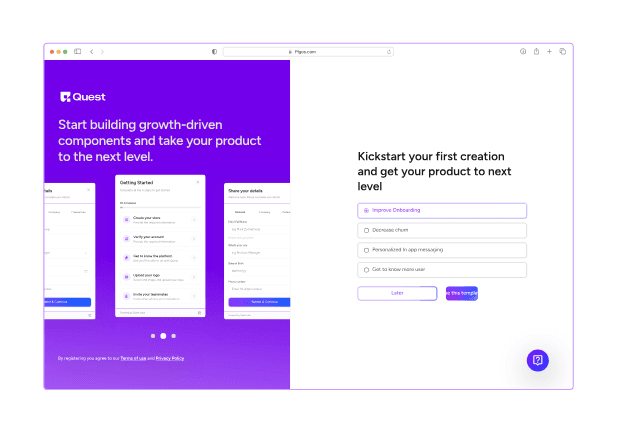
PLG OS is not just another onboarding tool. It is a checklist-first onboarding platform designed for product-led SaaS companies. It allows businesses to build structured, trackable onboarding workflows that focus on action, not just guidance.
Why PLG OS Stands Out:
- Built around actionable onboarding checklists
- Supports event-triggered progress through multi-step onboarding
- Allows task dependencies to guide user flow
- Offers Slack, in-app, and email reminders
- Provides real-time data on task completion, funnel drop-offs, and time-to-value
PLG OS helps you create onboarding flows that move users from sign-up to activation in a predictable, repeatable way. Unlike most tools that focus on static popups or walkthroughs, PLG OS structures onboarding as a mission-based experience—one step at a time. Only 30% of SaaS have a businesses documented onboarding checklist.
If you are building a SaaS onboarding checklist platform that aligns with your product analytics and customer journey, PLG OS is a strong option.
2. Appcues
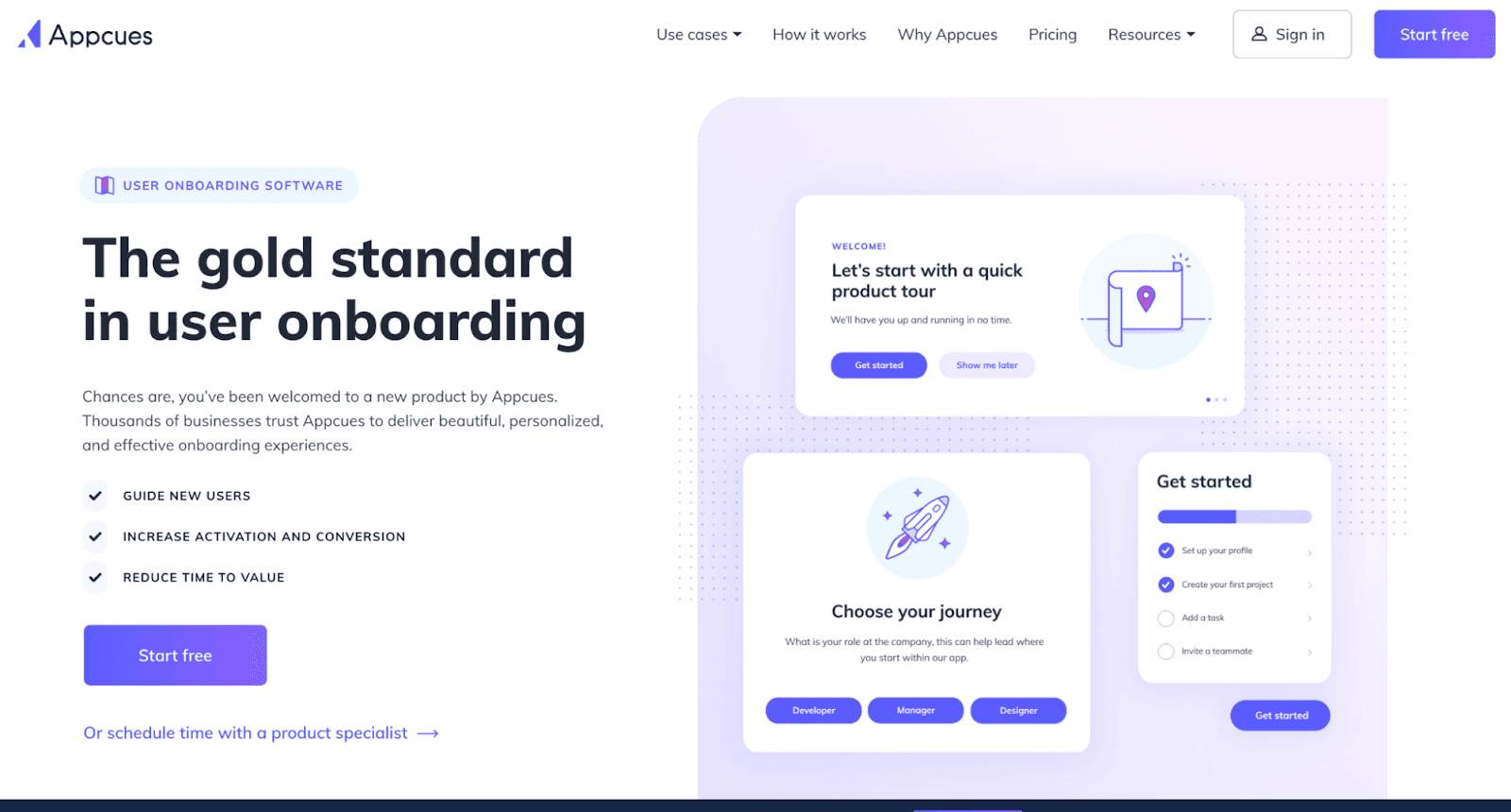
Appcues is known for its easy-to-use interface and drag-and-drop builder. It allows product and marketing teams to build onboarding flows without writing code.
Key Features:
- Design multi-step onboarding flows with modals, tooltips, and bannersAdd progress indicators and completion bars
- Add progress indicators and completion bars
- Personalize onboarding based on user attributes or behavior
- A/B test different onboarding variations
- Works well for marketing-led and product-led teams
Appcues is a great choice for SaaS companies that want to get started quickly and improve onboarding iteratively without relying heavily on engineering.
3. Nickelled
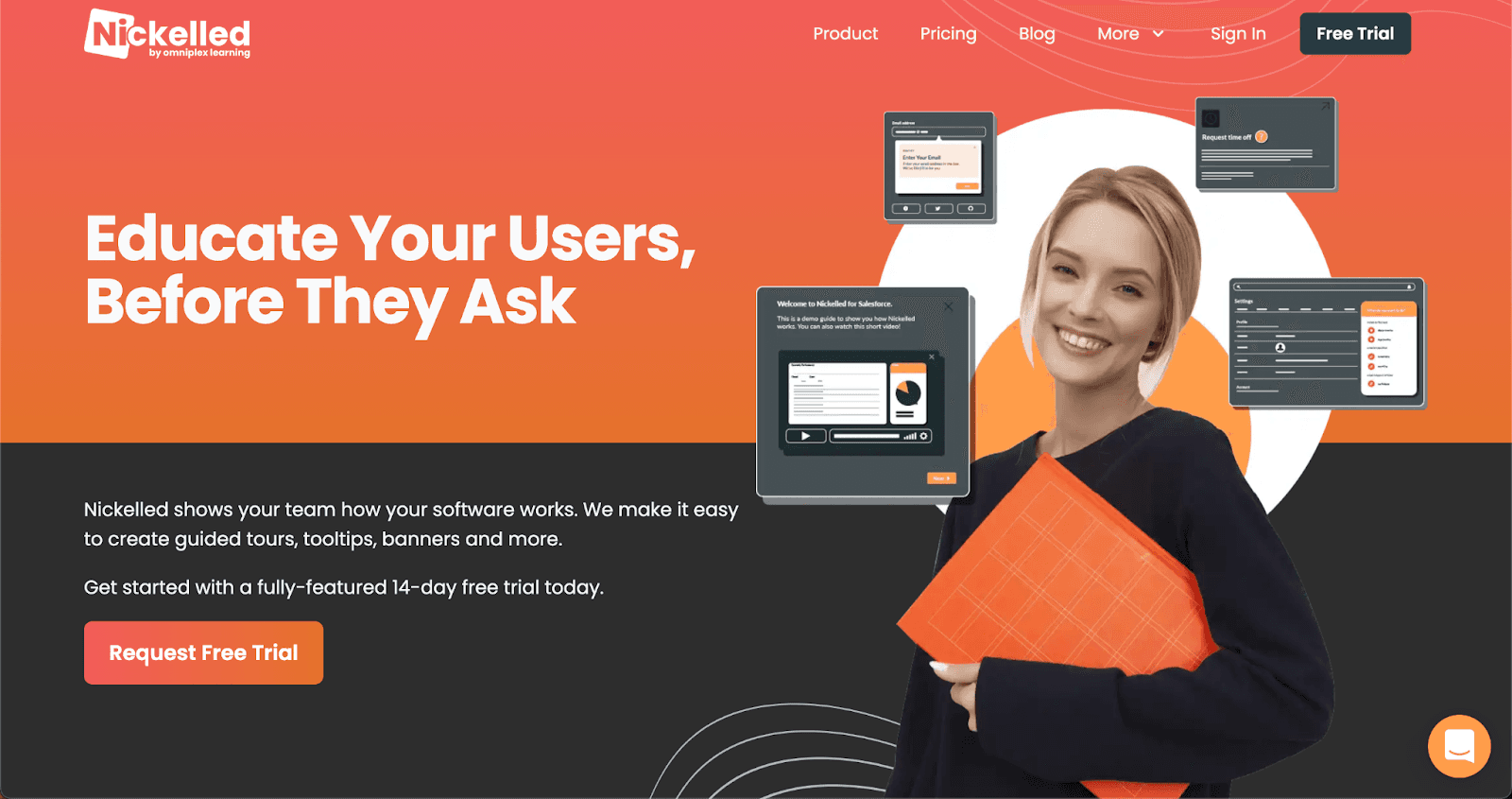
Nickelled offers a no-code approach to onboarding, allowing teams to create click-through walkthroughs that mimic in-app onboarding—even if your app is still in development. Users who complete a multi-step onboarding flow are 3x more likely to become paying customers.
Standout Features:
- Multi-step onboarding tours built without needing access to your app’s code
- Can guide users across multiple pages or screens
- Useful for onboarding before login or during trials
- Easy integration via JavaScript snippet
- Great for internal tools, SaaS apps, and training portals
Best for: Marketing and product teams that want to launch onboarding without relying on engineers.
4. Stonly
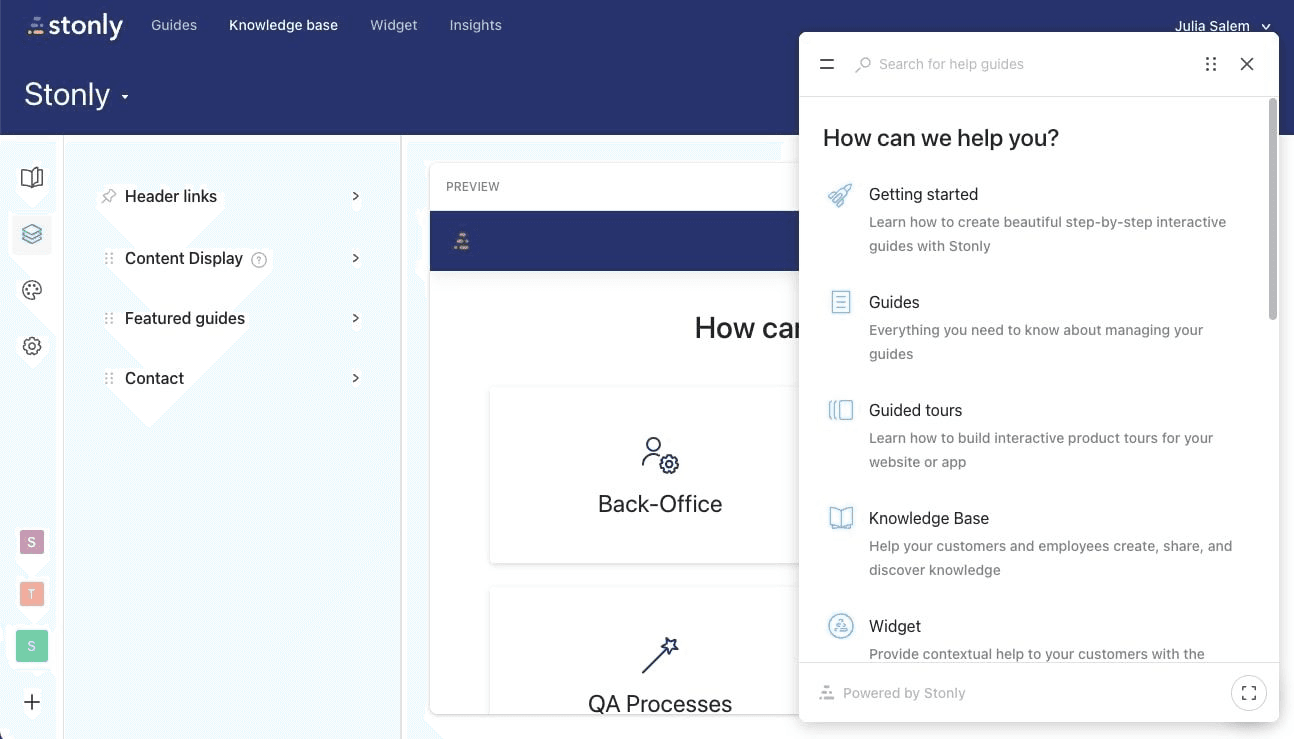
Stonly combines interactive help content with step-based onboarding guides. It’s ideal for SaaS companies that want to reduce support load by integrating learning and onboarding in a single, user-guided flow.
What You Get:
- Modular guides that support multi-page onboarding
- Checklists, progress bars, and decision-tree logic
- Easy embedding into web apps, knowledge bases, and widgets
- Supports multiple languages out of the box
- Strong analytics for each onboarding path
Best for: SaaS platforms with complex workflows and strong customer education needs.
5. WalkMe
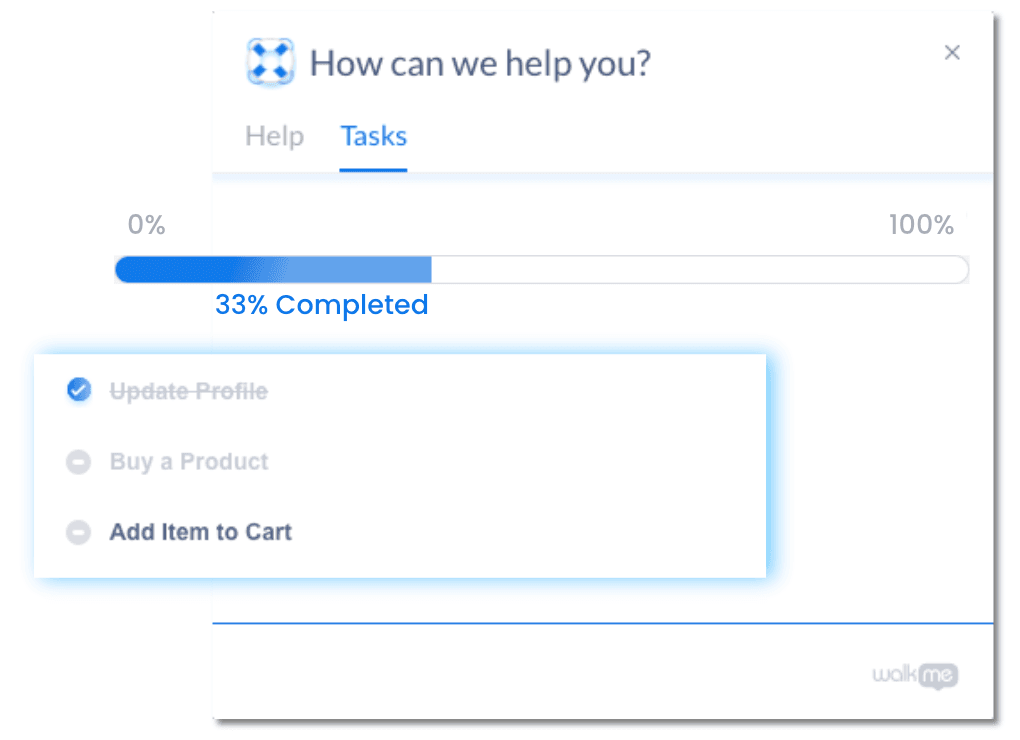
WalkMe is often seen as a digital adoption platform more than an onboarding tool, but it offers rich multi-page onboarding features for large-scale SaaS and internal enterprise platforms.
Why It Works:
- Cross-application, cross-platform onboarding flows
- Data-driven segmentation and path analysis
- Smart automation that adapts in real time
- Enterprise-level analytics and governance
- Integration with CRM, HRMS, and other business systems
Best for: Large SaaS companies or enterprises managing onboarding across complex software environments.
How to Build a SaaS Onboarding Checklist Platform Using PLG OS
If your onboarding goal is to guide users step-by-step while tracking real progress, PLG OS makes it simple.
Step 1: Define Onboarding Milestones
Examples:
- Complete profile
- Connect data source
- Invite team member
- Perform first key action
Step 2: Build a Checklist Flow
Each onboarding step can be structured as a checklist task. These tasks can unlock the next one based on event completion.
Step 3: Add Triggered Reminders
Use Slack, email, or in-app prompts to remind users to complete tasks they’ve skipped or delayed.
Step 4: Monitor and Optimize
Use PLG OS analytics to see:
- Completion rate by step
- Time taken to complete each task
- Where users are dropping off
This structured approach allows you to build onboarding flows that deliver long-term activation and retention.
Tips for Better Multi-Page Onboarding
Here are some practical strategies for optimizing onboarding with any of these platforms:
- Keep steps short and focusedBreak complex actions into simple pages with one objective each.
- Track key onboarding metricsMeasure task completion, time to value, and page drop-off rates.
- Use personalizationTailor onboarding flows by plan type, industry, or user persona.
- Progressively disclose featuresDon’t show every feature at once. Let users grow into the product.
- Test and iterateTry different sequences, messages, and formats to see what drives engagement.
Final Thoughts
Choosing the right SaaS onboarding tools is essential for scaling user activation. If your product requires a multi-step setup, feature education, or goal-based workflows, a multi-page onboarding strategy is your best bet.
Each of the platforms mentioned here—PLG OS, Appcues, Userpilot, Pendo, and Chameleon—offers strong onboarding capabilities. However, PLG OS stands out for companies looking to build structured, checklist-driven onboarding with deep analytics and event-based control.
For SaaS businesses following a Product-Led Growth model, PLG OS offers a complete foundation to guide, measure, and optimize user onboarding across multiple pages.
FAQs
1. What is the goal of SaaS onboarding?
To guide users toward early value by helping them understand and use key product features efficiently.
2. Why should onboarding be personalized for user personas?
Different users have different goals and experience levels—personalized onboarding improves engagement and adoption.
3. How can interactive walkthroughs help onboarding?
They provide real-time, step-by-step guidance, reducing confusion and helping users complete important tasks faster.
4. What onboarding tasks can be automated?
Common tasks include welcome emails, product tips, progress reminders, and feedback collection.
5. How do you measure onboarding success?
Track metrics like time to first value, feature adoption rate, and user satisfaction scores to gauge effectiveness.