User Story: Definition, examples and common pitfalls
Creating software that meets users' needs isn't just about coding and deploying—it's about understanding what the users actually want and why. In Software as a Service (SaaS), one of the best tools for understanding user needs is the User Story. User stories help development teams see the product from the user's perspective, ensuring that features solve real problems. Let's dive into what a user story is, why it's essential for SaaS success, and how you can use it to build better products.
What is a User Story?
A user story is a simple, user-focused way to describe a feature or functionality of a product. It tells a short story of who the user is, what they want to accomplish, and why they want to accomplish it. User stories are typically written in plain language and avoid technical jargon so that everyone on the team, from developers to product managers, can understand what's being built and why it matters to the user.
A basic user story template looks like this:
As a [type of user], I want [goal or task] so that [benefit or reason].
Here's an example:
As a busy project manager, I want to organize tasks by priority so that my team can focus on what's most important.
This format keeps everyone focused on the user and the problem being solved, rather than getting bogged down in technical details too early in the process.
Why Are User Stories Important for SaaS?
Keeps Development User-Focused:
User stories ensure that the user's perspective is always at the forefront of the development process. Rather than building features because they're 'cool' or 'innovative,' you're building them because they solve a real problem for users.
Aligns the Team:
With user stories, everyone on the team understands the goal of a feature, making it easier to work toward a common purpose. This alignment can lead to fewer misunderstandings and a more cohesive product.
Increases Flexibility:
User stories are often created without specifying all the details upfront, allowing teams to stay flexible and responsive to changes. This makes user stories especially useful in agile development, where the team iterates and adjusts based on user feedback.
Improves Customer Satisfaction:
By focusing on user needs, you're more likely to create a product that customers find valuable and are willing to pay for. This improves retention and customer loyalty in the SaaS model, where recurring revenue is crucial.
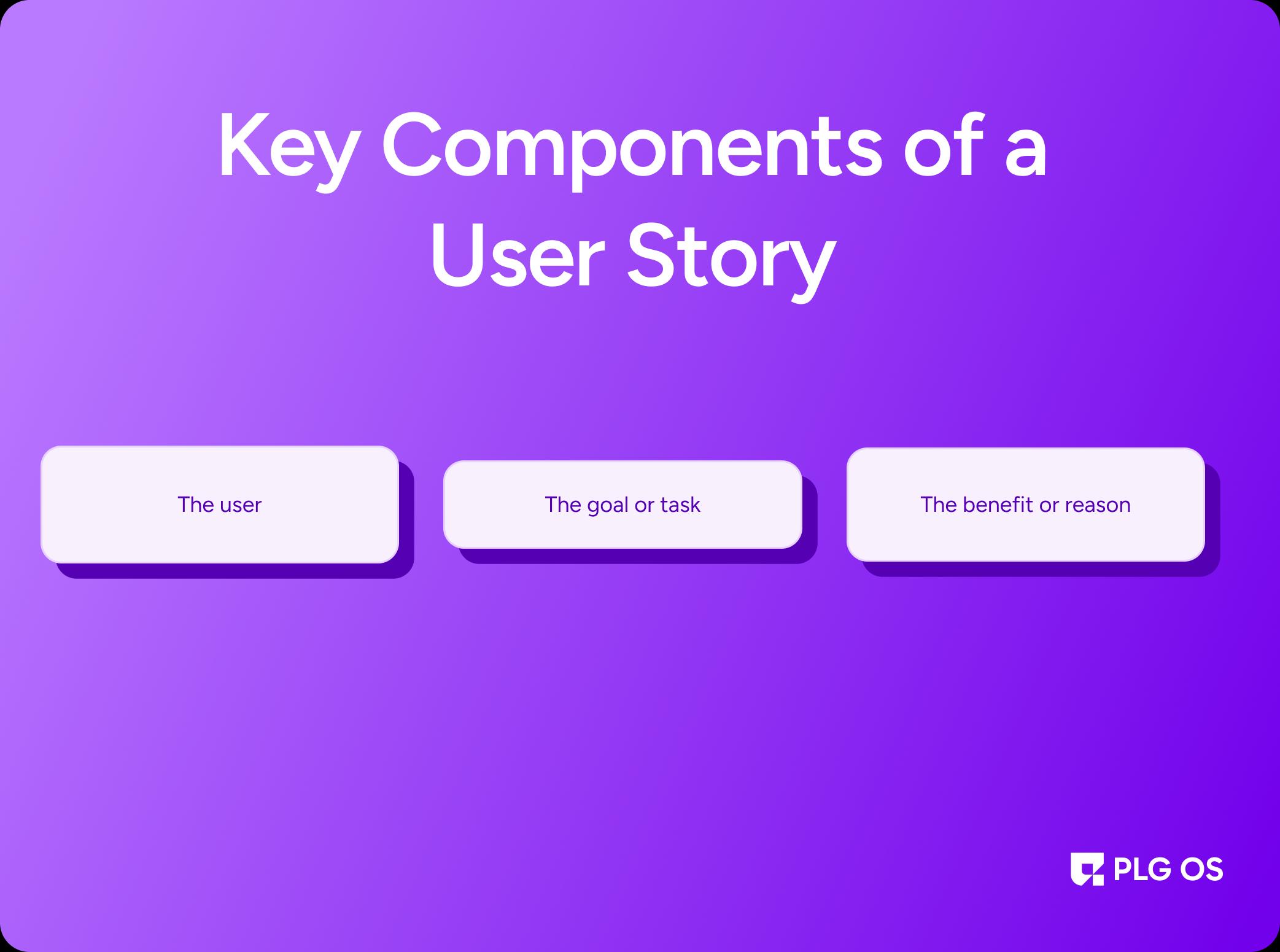
Breaking Down the Key Components of a User Story
The User:
This part of the story identifies who will be using the feature. It could be a specific type of user, such as an 'HR manager' or a 'marketing intern,' or a more general user, like a 'team member.' Identifying the user helps clarify whose needs you're addressing.
The Goal or Task:
This section describes what the user wants to accomplish. It should be clear and concise, focusing on the user's desired outcome rather than specific actions they take. This clarity helps the team understand the core functionality of the feature.
The Benefit or Reason:
This part explains why the user wants to accomplish their goal. Understanding the 'why' provides context and helps prioritize the feature, especially if time or resources are limited.
For example:
As a customer service agent, I want to view a customer's previous support tickets so that I can provide better, faster assistance.
Examples of User Stories in SaaS
Let's look at some examples to see how user stories can be applied across different SaaS products:
In a Project Management Tool
"As a team member, I want to set reminders for upcoming deadlines so that I don't miss important tasks."
In a Communication Platform
"As a remote worker, I want to mute notifications during certain hours so that I can focus on deep work without interruptions."
In an E-Commerce Platform
"As a customer, I want to save items to a wishlist so that I can easily return to them when I'm ready to purchase."
Each of these user stories addresses a specific need or pain point, ensuring that the features developed will have a meaningful impact on the user experience.
How to Create Effective User Stories
1. Keep It Simple and Clear
A good user story is concise and easy to understand. Avoid technical language or detailed requirements. The goal is to keep the story focused on what the user wants to accomplish.
2. Focus on the Problem, Not the Solution
User stories should describe what the user wants to achieve, not how to achieve it. This leaves room for the development team to brainstorm the best ways to implement the feature.
3. Involve Stakeholders
User stories are most effective when they reflect real user needs. Involve stakeholders like customer support, sales, and actual users in the process to make sure the stories are relevant and accurate.
4. Prioritize Based on User Value
Not all user stories are equally important. Prioritize stories that offer the most value to users, whether that's through improving productivity, solving a common pain point, or enhancing the overall experience.
5. Iterate and Refine
User stories can evolve over time. Don't be afraid to refine or split stories as you gather more information or as user needs change. The goal is to stay responsive to user feedback and new insights.
Using User Stories in Agile Development
In agile development, user stories play a crucial role in guiding each sprint or iteration. By breaking down features into smaller stories, the team can tackle development in manageable chunks, making it easier to adjust based on feedback.
Each sprint typically starts with a sprint planning session where the team selects user stories to work on. As the sprint progresses, these stories guide the team's work and help ensure that each feature provides real value to the user.
User stories also serve as a foundation for testing. When each feature is complete, the team can test it to make sure it fulfills the user story, ensuring that it meets the intended purpose and is easy to use.
Common Pitfalls to Avoid with User Stories
Being Too Vague:
Avoid writing stories that are so broad they lack direction. For example, 'As a user, I want the app to be fast' doesn't provide enough context for the team to create a specific feature.
Getting Too Detailed:
Conversely, if a story includes every little detail, it can become confusing. Leave the 'how' out of the story and let the development team handle the specifics.
Ignoring the User's Perspective:
The user story should always focus on the user's goal, not the company's or development team's objectives.
Conclusion
User stories are more than just a writing exercise, they're a tool that helps teams build products that solve real problems for users. In SaaS, where user satisfaction and retention are key, effective user stories ensure that every feature developed has a clear purpose and value to the user. By staying focused on user needs, SaaS companies can create products that are not only functional but also enjoyable and meaningful for their customers.
PLG OS can be an invaluable tool for SaaS companies looking to enhance their user story development process. By providing in-depth insights into user behavior and feedback, PLG OS helps teams create user stories that are rooted in actual user data. With PLG OS, SaaS teams can better understand which features users find valuable, track feature usage, and gather feedback that informs and refines user stories. By integrating PLG OS, you can ensure that every user story is backed by data, making your product development more aligned with user needs and driving higher engagement and satisfaction.