How to Increase Daily Active Users: 7 UX Triggers
The quick answer
Quick answer: to increase daily active users, give people a reason to come back every day and make coming back cheap. Pick the one action that makes a day of use worthwhile, cut the steps between opening your product and doing it, attach a visible progress marker such as a streak to that action, remind people at a time they choose, and reward them when they do it. The seven UX triggers below are the building blocks. Measure the result as DAU/MAU, not raw DAU: a signup campaign can lift DAU for a week while fewer existing users return.
How DAU and DAU/MAU are defined
Daily active users (DAU) is the number of distinct users who were active in your product on a given day, and monthly active users (MAU) is the number who were active in the last 30 days. The hard part is the word “active”. Meta, when it still reported the metric, defined a daily active user as a registered and logged-in Facebook user who visited Facebook through its website or a mobile device, or used Messenger, on a given day, and it treated DAUs as a percentage of MAUs as a measure of engagement. For your product, decide which action counts before you chase the number: a user whose app refreshed a token in the background is not a daily user.
DAU/MAU, often called stickiness, is the share of monthly users who are also active on a given day. Google Analytics 4 defines it in its reporting API as “the rolling percent of 30-day active users who are also 1-day active users”, and GA4 offers DAU/WAU and WAU/MAU alongside it. A ratio of 0.25 means a quarter of last month’s users came back that day. Compare it with products used on a similar rhythm: a payroll tool that people open twice a month should not be judged against a messaging app. For a longer primer, see our guide to what daily active users are.
Every product manager, growth marketer, or founder obsesses over one metric: Daily Active Users (DAU). After all, DAU isn’t just a number it’s proof that your product has a heartbeat, that people find enough value in it to return again and again.
But here’s the truth: simply building a great product isn’t enough. What really drives DAU is the user experience (UX). Specifically, the hidden psychological triggers baked into your product that turn first-time visitors into loyal, daily users.
Let’s check out the 7 UX triggers that boost daily active use, grounded in behavioural psychology, product-led growth, and real-world examples.
What are UX triggers in SaaS?
In SaaS, UX triggers are specific design elements, features, or interactions that encourage users to take action, engage more frequently, or form habits around the product. They’re essentially behavioural nudges baked into the user experience to guide usage, retention, and long-term engagement.
Think of them as subtle “pushes” that influence user behavior without feeling intrusive. In SaaS, UX triggers are especially important because user retention is as critical as acquisition if users don’t engage repeatedly, churn goes up and growth stalls.
Here’s a breakdown:
Key Characteristics of UX Triggers in SaaS
- Behavioral Motivation: They tap into human psychology like the desire for progress, reward, or social validation.
- Contextual Relevance: The trigger appears at the right moment when the user is most likely to act.
- Action-Oriented: They encourage specific actions, like completing onboarding, using a feature, or returning daily.
- Measurable: You can track how the trigger impacts engagement, retention, or conversion.
Why UX Triggers Are the Real Growth Engine
Before we dive into the triggers, let’s clarify why UX is the secret weapon for growth.
Most teams focus on marketing hacks or acquisition campaigns to bring users in. That’s fine but acquisition without retention is like pouring water into a leaky bucket. Adjust’s app retention benchmarks (April 2024) put median retention across all app categories at 26% on day 1 and 7% by day 30, and Appcues, citing Localytics data, reports that 71% of app users have churned by the 90-day mark.
What actually sustains DAU growth?
- Designing experiences that users want to come back to daily.
- Making every interaction rewarding, intuitive, and just a little addictive (in a healthy way).
- Using UX strategies for app retention that are intentional, not accidental.
Think of UX triggers as the nudges, cues, and reinforcements that shape user behavior. If you get them right, you’re no longer begging users to return they want to.
The 7 UX Triggers That Increase Daily Active Users
1. Progress Loops
Ever noticed how Duolingo shows you that little streak counter? Or how LinkedIn’s profile level meter moves you from Beginner to Intermediate to All-star as you fill in sections? That’s the progress loop in action.
Humans are hardwired to seek closure. When you show progress, you trigger a powerful motivation to complete the loop.
How to implement:
- Show streaks (learning apps, fitness trackers, even SaaS dashboards).
- Visualize progress toward goals (e.g., filling out forms, completing setups)
- Highlight incomplete actions as open loops.
Boost DAU with UX example:
Duolingo’s streak is “the feature that tracks the number of days in a row you’ve completed a lesson”, in Duolingo’s own words. The open loop is always today’s lesson, which is exactly the daily action you want to count. LinkedIn’s profile level meter works the same way over a longer arc: four completed sections take a profile from Beginner to Intermediate, and all seven recommended sections make it All-star.
A streak only builds a habit if users trust it. Before you ship one, decide what counts as a day, whose timezone decides it and what happens after a miss; our daily streak timezone and recovery specification walks through those rules and the travel and daylight-saving cases that break them.
How PLG OS helps:
PLG OS ships Daily Streak and Quest List components for web and mobile apps, and you change their text and settings from its no-code dashboard. That lets you add a streak or a list of quests to increase daily active users UX-wise without building one from scratch.
2. Micro-Wins
Your users shouldn’t wait weeks to feel the value of your app. If they do, they’ll churn. Instead, bake in micro-wins: small, immediate rewards that validate their effort.
Small rewards work because they arrive while the effort is still fresh, before the user has a chance to wonder whether it was worth it.
Tactics that work:
- Give visual celebrations (confetti, badges, animations)
- Provide instant results, even if partial (like Grammarly underlining a sentence).
- Personalize feedback to amplify the feeling of success.
DAU retention UX techniques:
When users consistently feel rewarded, they naturally re-engage. It’s reinforcement at scale.
How PLG OS helps:
PLG OS has ready-made Badges, Challenges and Confetti components for handing out micro-wins, and each component’s data is added to the user’s profile in PLG OS, next to the rest of what you know about them.
3. Habits and Rituals
Want to know the real difference between an app people try and an app they use daily? Rituals. Products that tie into daily habits (like morning routines) get opened because of the routine, not because someone remembered them.
Think about Spotify’s “Discover Weekly,” a playlist that updates every Monday, Slack reminders that you can set to repeat on chosen days, or Headspace’s meditation reminders, which users schedule for the time that suits them. They all tie usage to predictable rhythms.
How to increase daily active users UX-style:
- Anchor your app to existing daily routines (morning commutes, lunch breaks, evening wind-downs).
- Use notifications sparingly but strategically (not spam, but ritual builders).
- Create recurring value drops (daily tips, challenges, playlists).
Boost DAU with UX example:
Calm lets users set a Daily Mindfulness reminder for a time of their choosing and a Bedtime reminder that nudges them “when it’s time to wind down”, according to Calm’s help center. Over time, the reminder becomes part of the user’s evening ritual.
Reminders stop working when every team sends one. Set a ceiling for the whole product before adding more: our in-app prompt frequency budget caps unrequested interruptions per session and per week and makes every prompt spend from that cap.
How PLG OS helps:
PLG OS components list A/B testing and personalization on their component pages, so you can test two versions of a daily prompt, such as different copy or a different streak reward, before rolling one out. That helps you find the sweet spot between “helpful nudge” and “push fatigue.”
4. Social Proof
Humans are social creatures. We crave belonging and validation. That’s why social proof is one of the strongest UX strategies for app retention.
Ways to apply it:
- Show how many people are using your app daily.
- Highlight trending content or popular features.
- Use leaderboards, communities, or collaborative spaces.
DAU retention UX technique in practice:
Duolingo doesn’t just show you your streak. Its weekly leagues rank you against learners with similar study habits in a similar time zone, and in 2025 Duolingo added friends to its leaderboards, so you can also see and compete with them there. Its Friend Streak lets you share a streak with up to five friends, and Duolingo reports that learners with at least one Friend Streak are 22% more likely to complete their daily lesson. That competitive nudge keeps people coming back daily.
How PLG OS helps:
PLG OS has a Leaderboard component with customizable scoring rules, and on its Growth plan you can segment audiences by custom events and attributes. Instead of one global leaderboard, you can rank people against others at a similar stage, which keeps the board winnable for more of them.
5. Variable Rewards
In psychologist B.F. Skinner’s operant-conditioning research, a variable-ratio schedule, where a reward comes after an unpredictable number of actions, produced high, steady response rates and was the most resistant to extinction of the four schedules. Gambling is the textbook example.
How to design for it:
- Use surprise-and-delight tactics (randomized rewards, hidden features).
- Rotate content daily (news apps, fitness tips, curated playlists).
- Introduce gamified challenges that evolve over time.
Boost DAU with UX:
Think about how the feed on X (formerly Twitter) feels “endless.” That variability is what gets users to check in multiple times a day.
How PLG OS helps:
PLG OS includes Spin the Wheel and Scratch the Card components, which are variable rewards by design. With A/B testing on its components, you can compare a fixed reward with a variable one on your own users and keep the one that works, one of the more practical UX techniques to increase daily engagement.
6. Make It Easy
Nothing kills DAU faster than friction. If logging in, loading, or completing a core task feels heavy, users won’t return daily. Count the steps between opening your product and finishing its most common task; every one of them is a small reason not to come back tomorrow.
UX strategies for app retention here include:
- One-click logins or biometric authentication.
- Pre-filled defaults and smart recommendations.
- Progressive disclosure (don’t overwhelm with options at once).
Real-world example:
Apple markets Apple Pay as “faster and easier than using cards or cash.” Removing that one step at the moment of paying is the whole pitch.
How PLG OS helps:
PLG OS’s embedded onboarding tips and Help Hub put answers next to the task, so users don’t leave the screen to find help. Removing that detour is one of the simplest ways to increase daily active users UX-wise.
7. Identity Lock-In
The ultimate trigger isn’t about streaks, rewards, or even ease of use. It’s about identity.
When people start seeing your app as part of who they are, usage becomes non-negotiable. That takes time, which is why identity lock-in shows up in products people have used for weeks, not in a first session.
How to build identity lock-in:
- Personalize experiences deeply (Spotify Wrapped is genius here).
- Allow self-expression (avatars, profiles, customizations).
- Create rituals that tie to personal values (fitness, productivity, learning).
Boost DAU with UX example:
Notion users don’t just “use an app” they build a workspace that reflects their thinking. That sense of ownership locks them in daily.
How PLG OS helps:
PLG OS’s onboarding quiz asks new users who they are and what they came for, and its Feature Usage Survey component collects feedback on how they use your features. Double down on the features they value most, and you’ll strengthen identity-driven engagement.
The seven triggers compared
Each trigger works on a different part of the return trip. Use the last column to check whether the one you add is moving DAU/MAU, not just the metric closest to the feature.
| Trigger | What it does | Example | What to measure |
|---|---|---|---|
| Progress loops | Shows how close the user is to finishing something | Duolingo’s streak; LinkedIn’s profile level meter | Share of daily users with an active streak or open checklist |
| Micro-wins | Rewards effort within the same session | Grammarly’s suggestions as you type | Time from signup to the first reward |
| Habits and rituals | Ties use to a fixed moment in the user’s day or week | Spotify’s Discover Weekly, updated every Monday | Return rate on the scheduled day |
| Social proof | Shows that other people are using it too | Duolingo leagues, friend leaderboards and Friend Streaks | DAU/MAU of users connected to others vs. solo users |
| Variable rewards | Makes the next visit unpredictable | The feed on X (formerly Twitter) | Sessions per daily user |
| Make it easy | Removes steps between opening and doing | Apple Pay | Steps and time to finish the core task |
| Identity lock-in | Makes the product part of how users see themselves | Spotify Wrapped | 30-day retention of users who personalized vs. those who didn’t |
Operationalising UX Triggers With PLG OS
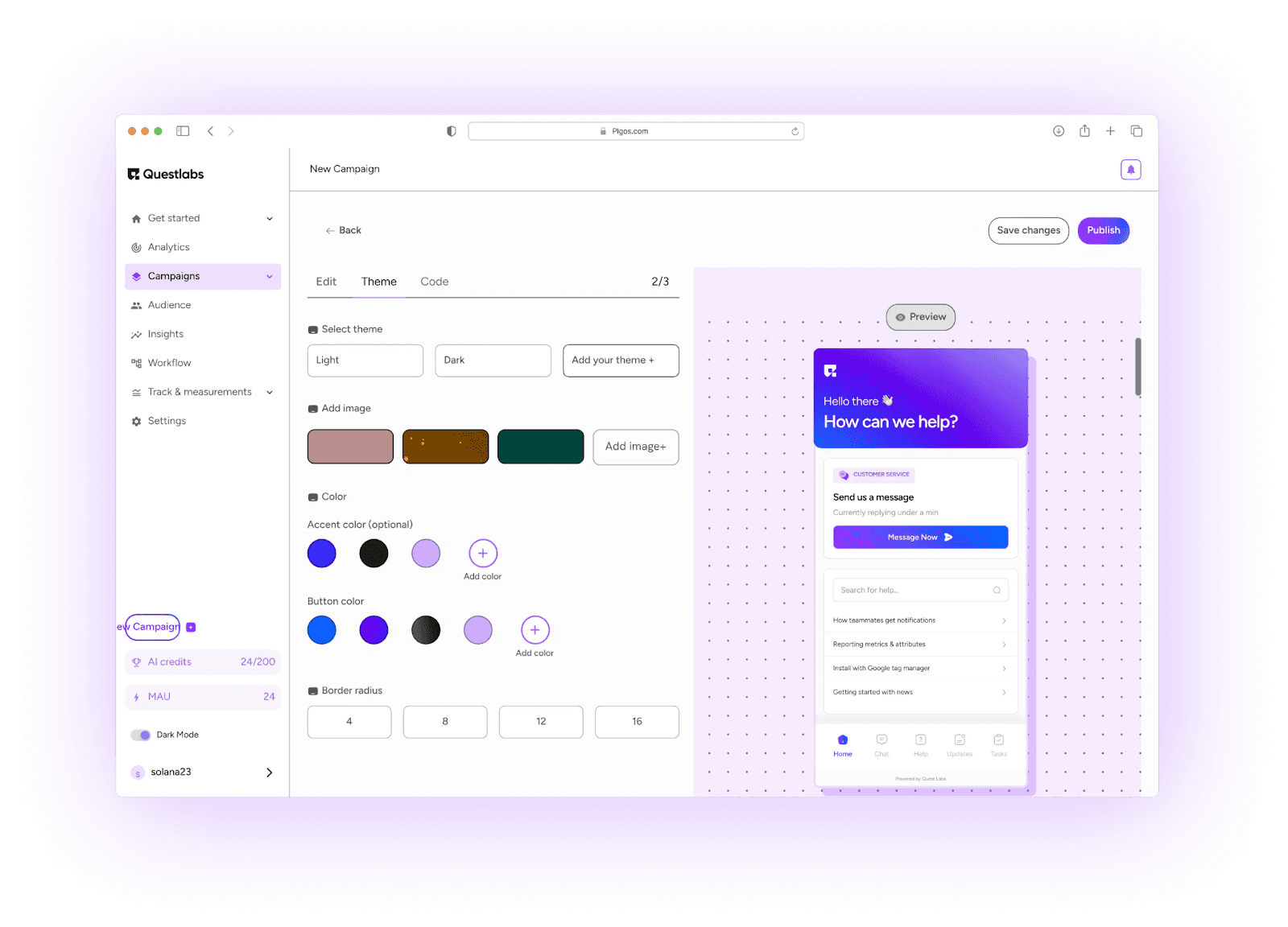
Now that you know the seven triggers, the next question is: how do you operationalize them systematically, instead of randomly experimenting?
That’s where PLG OS shines.
Think of it as your operating system for product-led growth. With PLG OS, you can:
- Add streaks, badges, leaderboards, challenges and quests as ready-made components for web and mobile apps.
- Change their text and settings from a no-code dashboard instead of waiting for a release.
- A/B test and personalize them, and on the Growth plan segment audiences by custom events and attributes.
- Send the data each component collects to your CRM or other tools.
As of September 2026, PLG OS has a free tier for 100 monthly tracked users, and its Starter and Growth plans cost $49 and $149 a month on monthly billing, according to its pricing page.
Instead of guessing which UX techniques to increase daily engagement will work, you can test, measure, and refine until you find the perfect mix.
UX Tactics Most Companies Ignore
Most blogs stop at theory. Let’s go a step further. Here are three unique, rarely-discussed UX strategies for app retention you can steal:
1. Inverted Onboarding
Instead of forcing users through tutorials before they see value, let them act first and guide them contextually. This reduces time-to-value and makes first use addictive.
2. Community as a Feature, Not a Channel
Don’t treat the community as “support.” Make it a core UX feature where progress, social proof, and rituals happen naturally.
3. Personalized “Comeback Stories”
When a user drops off, don’t just send a generic “We miss you” email. Show them a personalized snapshot of what they’ve missed (progress lost, new content, streaks broken).
Measure it against a holdout group that gets the generic message, so you know the story brought people back rather than the users who were returning anyway. What they come back to matters as much as the message: our returning-user onboarding resume policy decides whether a returning user resumes where they left off, gets a short recap or starts fresh.
Wrapping It Up
If you want to boost DAU with UX, it’s not about guesswork or surface-level design tweaks. It’s about:
- Using psychological triggers (progress, rewards, rituals, identity).
- Reducing friction relentlessly.
- Operationalizing growth with a system like PLG OS.
The functionality of these DAU retention UX techniques is that they compound. One trigger alone can lift engagement. But when combined, they create an ecosystem where daily use becomes inevitable.
FAQs
1. How do you increase daily active users?
Pick the one action that makes a day of use worthwhile, remove the steps between opening your product and doing it, attach a visible progress marker such as a streak to that action, remind people at a time they choose, and reward them when they do it. Then measure the change as DAU/MAU rather than raw DAU, so that new signups don't hide a fall in how often existing users come back.
2. What is the difference between DAU and MAU?
Daily active users (DAU) counts the distinct users who were active on a given day; monthly active users (MAU) counts the distinct users who were active in the last 30 days. Both depend on what you count as activity, so define the qualifying action (for example, sending a message or completing a lesson) before you compare the numbers.
3. What is the DAU/MAU ratio?
DAU/MAU, often called stickiness, is the share of your monthly active users who are also active on a given day. Google Analytics 4 defines it as the rolling percent of 30-day active users who are also 1-day active users, so 0.25 means a quarter of last month's users came back that day. Compare it with products used on a similar rhythm rather than chasing a universal target.
4. What are UX triggers?
UX triggers are small design choices or nudges in your app that encourage users to come back and engage regularly. Streak counters, progress meters, instant rewards, leaderboards and well-timed reminders are common examples.
5. Which UX trigger is most effective for retention?
It depends on your app, but progress loops and micro-wins often have the fastest impact, because they reward the user inside the session they are already in. Social triggers and identity lock-in take longer to build and tend to matter more once people have used the product for a few weeks.