How to Create Mobile Surveys to Gather Real-Time User Feedback

Getting feedback from your users is no longer a nice-to-have—it’s a must. But traditional surveys? Let’s be honest—they’re clunky, get ignored, and often show up way too late in the user journey. If you want insights that actually matter, mobile surveys are where it’s at.
In today’s mobile-first world, users live on their phones. So why not meet them where they are? Mobile surveys allow you to gather real-time feedback directly from your users when their experiences are still fresh. That means better accuracy, higher engagement, and faster decision-making.
If done correctly, mobile surveys can provide valuable insights, whether you're developing a new product, testing features, or simply gauging user sentiment towards your app.
What is a mobile survey?
Smartphones and tablets are the ideal devices for conducting mobile surveys, which are interactive questionnaires.
Small layouts, touch-friendly interfaces, and responsive design components are some of the mobile-first ideas that informed the development of these surveys. When done right, mobile surveys receive up to 3x higher response rates than traditional web surveys.
Why Mobile Surveys Beat Traditional Feedback Methods
Let’s kick things off by looking at why mobile surveys are such a powerful tool:
Real-Time Context:
Mobile surveys capture a user’s sentiment during or immediately after an action, making the data more accurate.
Higher Response Rates:
Mobile users are likelier to respond if surveys are short and embedded within their journey.
In-App Delivery:
You can ask questions without sending users to another platform.
Behavior-Triggered:
Ask the right question at the right time (e.g., after a purchase, feature use, or app exit).
These advantages combine to give product and marketing teams actionable insights faster, helping them iterate, optimize, and grow confidently.
Step-by-Step Guide to Creating Effective Mobile Surveys
1. Define Your Objective
Before drafting any questions, start by asking: What exactly do I want to learn?
Some common mobile survey goals include:
- Measuring user satisfaction (e.g., CSAT, NPS)
- Identifying friction points
- Validating new features
- Understanding user demographics or behaviors
- Getting product suggestions
Once you’re clear on your objective, you can choose the right type of survey and tailor your questions accordingly.
2. Choose the Right Moment
Timing is everything.
You don’t want to interrupt your users in the middle of an important task. Instead, choose moments when they’re either:
- Idle (e.g., browsing content)
- Just completed a key action (e.g., placing an order, using a new feature)
- About to exit the app
Contextual timing boosts engagement and response quality.
3. Keep It Short and Focused
This is non-negotiable. People are busy, and attention spans are shorter than ever.
Here are some best practices:
- Limit to 1–3 questions for in-app surveys
- Use clear and direct language
- Avoid open-ended questions unless truly necessary
- Use sliders, multiple choice, and yes/no formats for speed
Remember: the shorter the survey, the higher the completion rate.
4. Use the Right Question Types
Choosing the right format can make a big difference in user engagement and the usefulness of the feedback.
Here are some examples:
| Survey Type | Purpose | Example |
|---|---|---|
| NPS (Net Promoter Score) | Measure loyalty | "How likely are you to recommend our app to a friend?" |
| CSAT (Customer Satisfaction) | Gauge satisfaction with an experience | "How satisfied are you with your recent purchase?" |
| CES (Customer Effort Score) | Measure how easy a task was to complete | "How easy was it to complete this task?" |
| Multiple Choice | Collect specific, comparable answers | "What feature did you use most today?" |
| Open-Ended | Gather qualitative insights | "What would you improve about our app?" |
Match the question type to your goal for maximum impact.
5. Segment and Personalize
Blanket surveys don’t cut it anymore. The more tailored your survey is, the better the response.
Segment users by:
- Device type
- Geography
- Past behavior
- Time since last login
- Plan type (free vs premium)
Example:Show a different survey to first-time users vs long-term users. One might ask about onboarding, the other about feature satisfaction.
Tools like PLG OS make it easy to set up behavior-based targeting for mobile surveys without code.
6. Design for Mobile UX
Mobile design matters. If your survey feels clunky, users will abandon it.
Here’s how to optimize for mobile:
- Keep questions above the fold
- Use large touch targets for buttons
- Make sure fonts are readable on small screens
- Use progress indicators to show how many questions are left
You want it to feel like a seamless part of the app, not a popup ad.
7. Test Before You Launch
Always test your survey with internal users or a small group before going live.
Check for:
- Technical bugs
- Logic errors in branching questions
- Confusing wording
- Time taken to complete
A well-tested survey builds user trust and ensures the data you collect is clean and actionable. The Temkin Group found that companies that earn $1 billion annually can expect to earn, on average, an additional $700 million within 3 years of investing in customer experience.
8. Analyze & Act on the Feedback
Collecting feedback is just the first step. The real value lies in how you use it.
- Tag responses based on sentiment (positive, neutral, negative)
- Use tools to visualize trends over time
- Share feedback with relevant teams (product, marketing, support)
- Prioritize issues that affect high-value users or cause churn.
Better yet, use a platform like PLG OS that brings product usage data and survey results into one view, so you can act on feedback in real time.
9. Close the Loop with Users
Users love knowing their feedback made a difference.
Here’s how to do it:
- Thank them immediately after submission
- Send updates when you make changes based on feedback.
- Highlight customer-inspired features in release notes or emails.
It boosts engagement, trust, and loyalty.
Examples of customer satisfaction surveys from inspiring brands
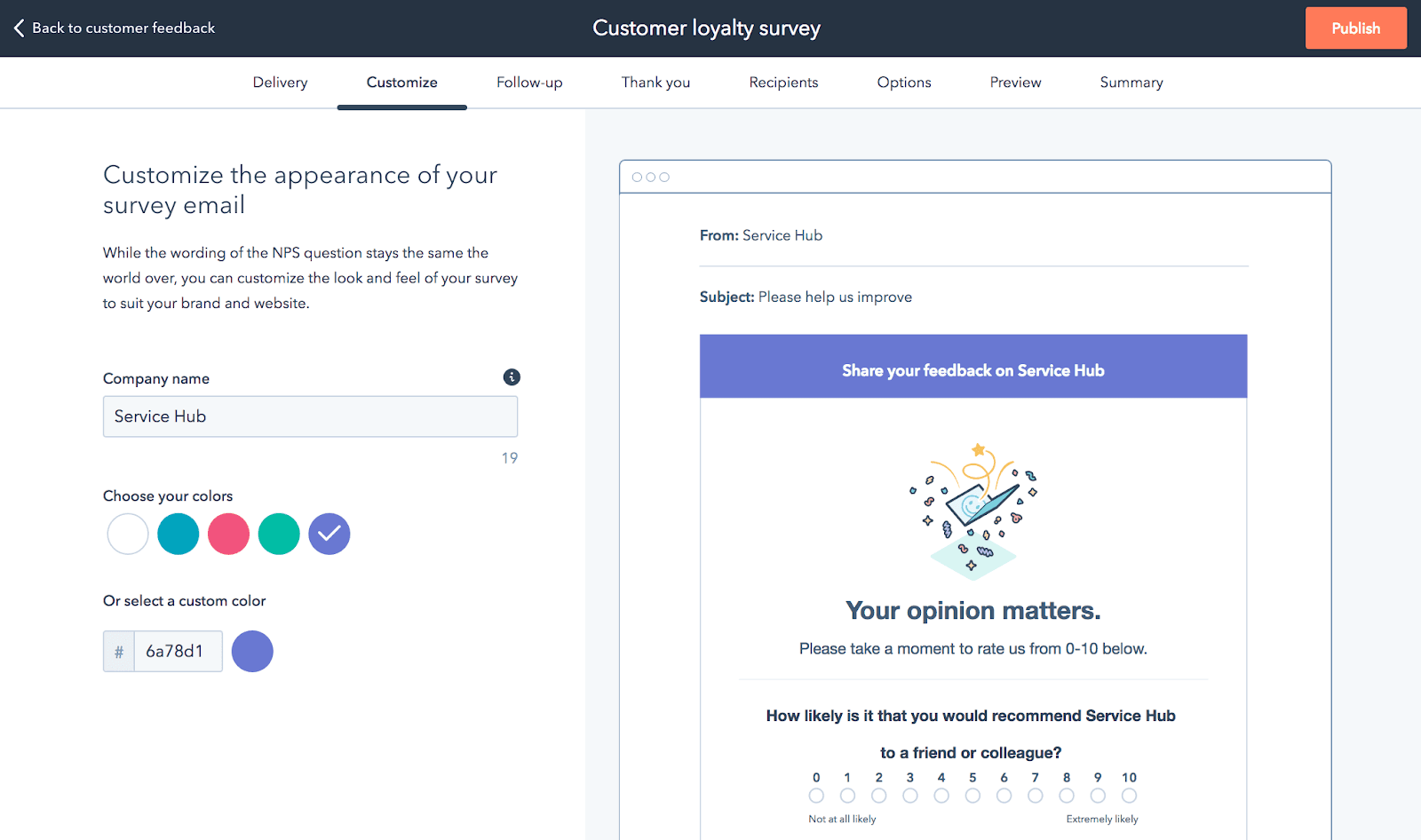
- Hubspot sends an easy survey to customers after important interactions with them to get their feedback.
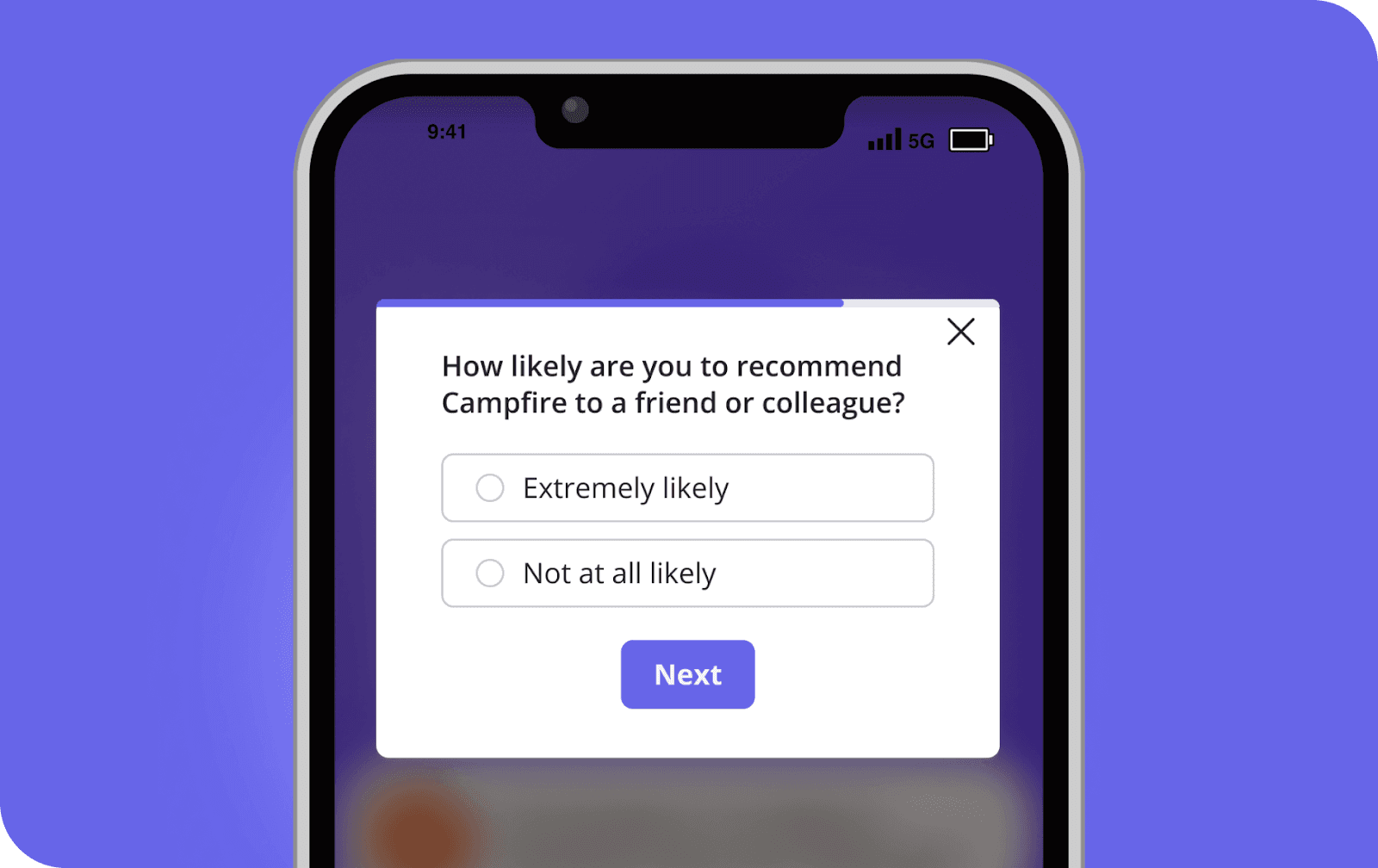
- Userpilot uses NPS polls every three months to find out how happy and loyal their customers are.
- Postifty starts a survey when a customer uses a new function to find out how they feel about it.
- Hubspot uses an email poll to find out how happy customers are with the onboarding program about halfway through it.
- A transactional poll is sent to customers by email so that Wise can get feedback right away.
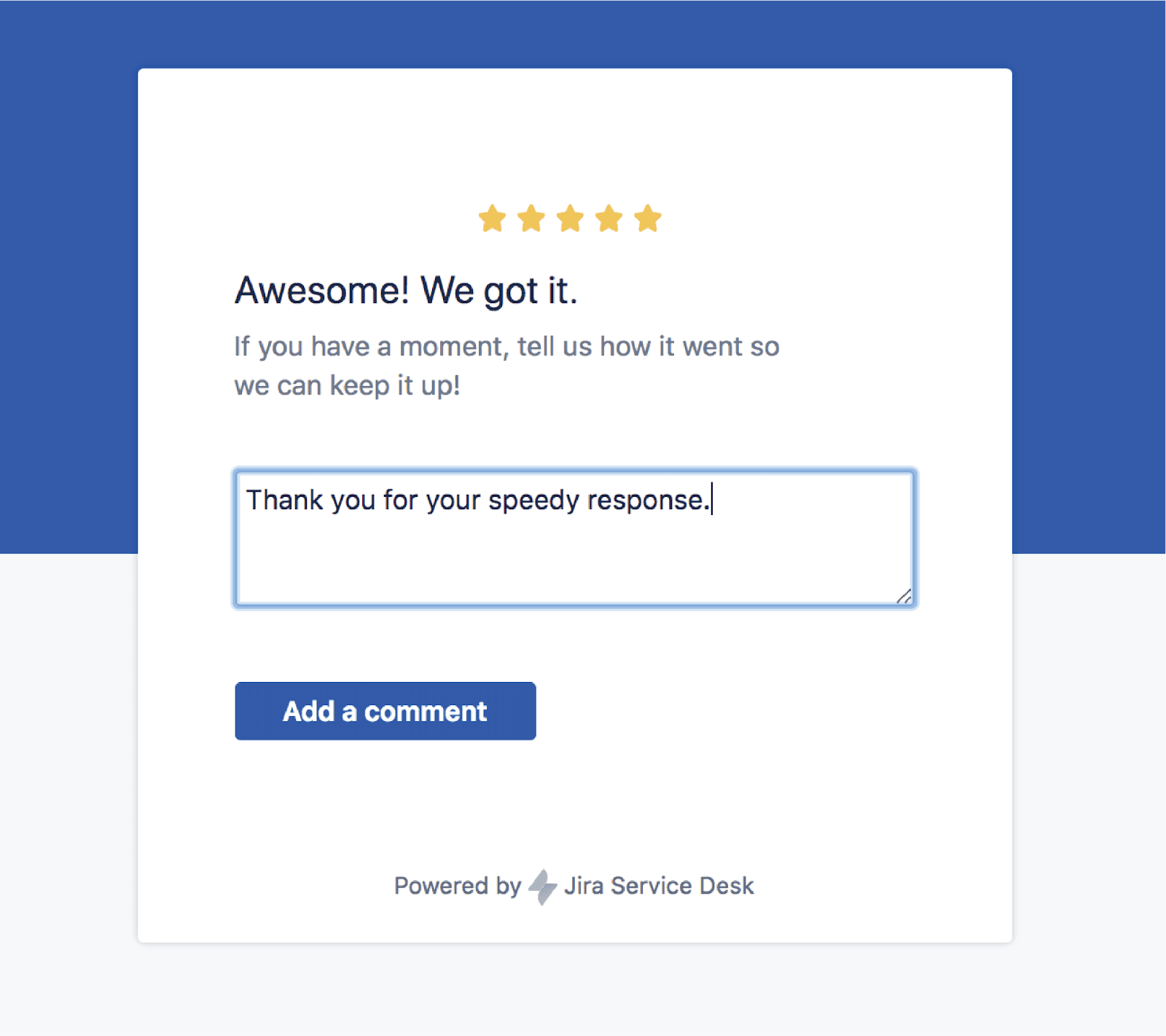
- Jira sends out a short CSAT survey to find out how happy people are with a new feature.
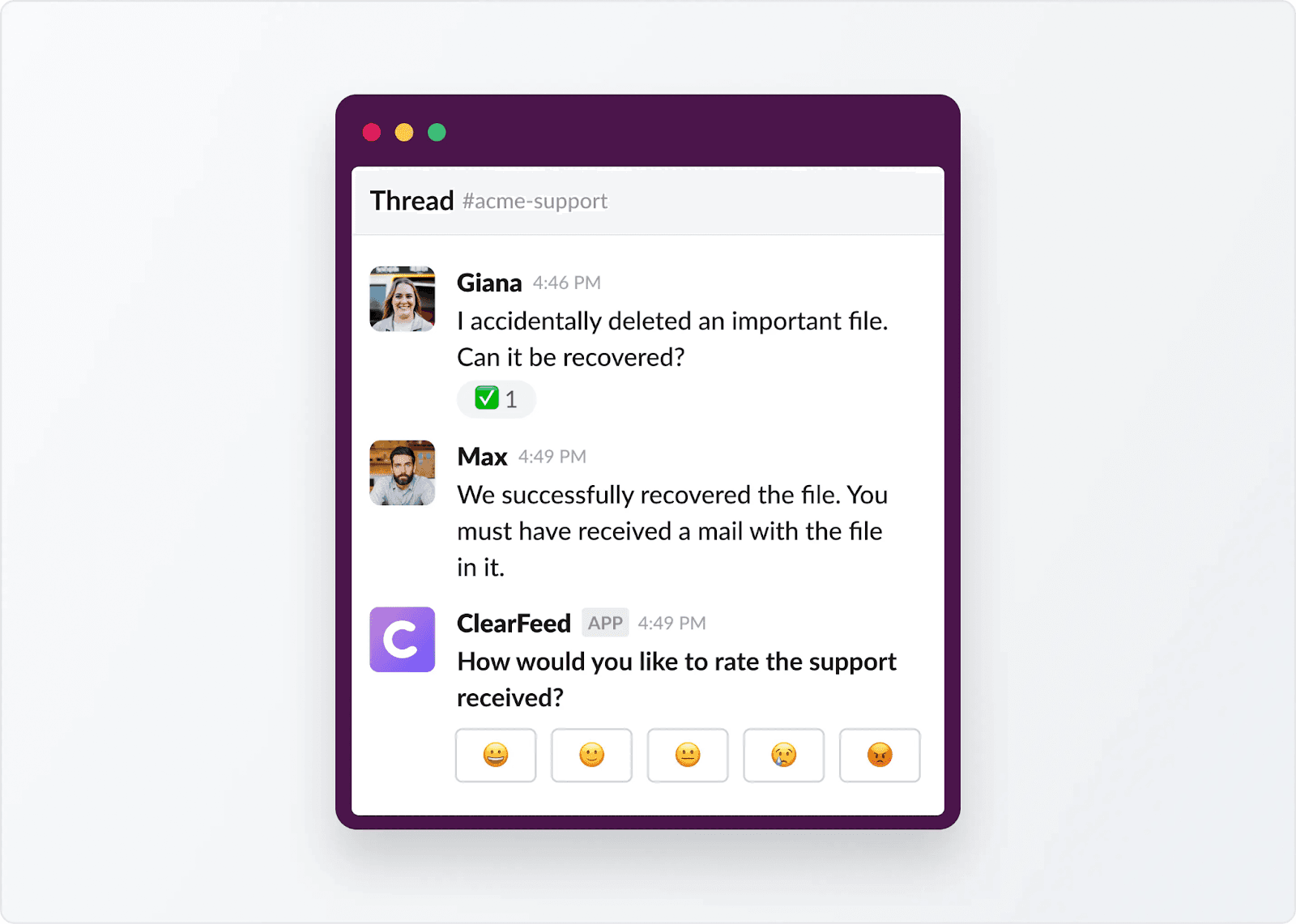
- Slack sends out generic CSAT polls on a regular basis to get users to talk about their thoughts and problems with the product.
- Miro's survey is always on because it's part of the UI and is meant to be passively collected input. The user can choose when to fill it out.
- The Jira app's customer satisfaction survey gets answers right away, after the exchange.
Conclusion
If you're building a product that truly puts users first, you need to be listening all the time—not just when things go wrong.
Mobile surveys give you that edge. They help you understand users in the moment, spot patterns fast, and take action before it’s too late.
But the key isn’t just asking questions—it’s asking the right questions, at the right time, in the right format.
That’s exactly what PLG OS helps you do. From targeting and delivery to analysis and action, PLG OS gives you the full toolkit to turn user feedback into meaningful product decisions. Book a call with us to learn more!!
FAQs
1. How many questions should a mobile survey have?
Ideally 1–3 questions to keep it short and user-friendly.
2. When should I trigger a mobile survey?
After key actions like purchases, feature use, or app exit.
3. Can I target different users with different surveys?
Yes, use tools like PLG OS to personalize surveys by behavior or user type.
4. What types of questions work best on mobile?
Use multiple choice, sliders, or yes/no for quicker responses.
5. Do I need coding skills to create mobile surveys?
No, platforms like PLG OS let you create and launch surveys without code.