Steps to Create Great User Onboarding Surveys

Ever signed up for a new tool, only to feel lost within minutes? You’re not alone. Most SaaS users drop off because they don’t get an experience tailored to their needs.
That’s where user onboarding surveys come in. Instead of throwing users into the deep end, these surveys ask the right questions to personalize their journey. The result? Happier users, faster activation, and lower churn.
But here’s the catch: bad surveys do more harm than good. If they’re too long, boring, or irrelevant, users will click away faster than you can say "unsubscribe."
So, how do you create an engaging, insightful, and (most importantly) effective survey? This guide will walk you through the must-ask questions, best practices, and real-world examples from top SaaS companies.
Let’s dive in and make your user onboarding smooth, smart, and seamless!
What is a user onboarding survey?
User onboarding surveys are brief quizzes made to guide new users to an epiphany with your product as quickly as possible.
To identify obstacles and streamline the way to that first "aha" moment, the critical intersection of user engagement and retention, these surveys are vital and are usually given within the initial instant of signup. 70% of customers expect that any brand they engage with will have complete context of their interactions.
The typical length of one of these surveys is less than two minutes, and it consists of five to ten focused questions. Their investigation into the signup process and understanding of the main features and potential problems are thorough. You can personalize the user journey, shorten the time to value, and increase overall satisfaction with each inquiry.
In addition to showing consumers that you care about their opinions, an in-depth onboarding survey can help you create a unique and personalized onboarding experience. Insights gleaned from customer feedback can steer not only little but significant enhancements and even cause revolutionary shifts in the way your product is used right from the start.
Best practices for building a user onboarding survey
When it comes to creating a user onboarding survey, the approach you choose has a big impact on the quality of the insights you collect. Here are some best practices that will help you succeed.
Create intriguing and unbiased questions.
Questions are at the heart of any survey. To create questions that engage:
- Focus on clarity: To respect the user's time, keep them simple and succinct; less is more regarding customer surveys.
- Use neutral wording: Use neutral language to avoid asking leading questions that could influence the outcomes.
- Balanced question types: To acquire statistics and personal insights, balance quantitative and qualitative inquiries. Consider using the Net Promoter Score (NPS) structure to gather both sentiments.
- Conclude with open-ended questions: Include an open-ended question at the end of your survey to get any further feedback.
Choose the proper format and timing
The medium is just as vital as the message; with the correct format, you can keep your clients captivated from beginning to end. Some tips include:
- Choose the appropriate medium: Choose an email survey, in-app prompts, or pop-ups based on where users are most engaged.
- Strategic timing: Schedule your survey to correspond with crucial onboarding milestones, such as the initial login or the completion of a critical job.
- Check mobile compatibility: Ensure that the survey is mobile-friendly, as many users will access it via their devices.
Optimize response rates and actionable insights
To make the most of your customer onboarding survey, consider include the following:
- Encourage user participation by offering incentives such as a discount code or entrance into a prize draw.
- Incorporate progress indicators: For longer surveys, display a progress bar to show users how close they are to finishing.
- Engage your users after the survey: Follow up with a thank-you note that informs users that their feedback is significant and will be considered.
- The goal of applying these best practices is to create a user onboarding survey that attracts people and provides you with important insights for constantly improving the user experience. Ensure that you carefully assess the replies to uncover trends and opportunities for improvement.
5 survey templates for your next survey
1. Typeform
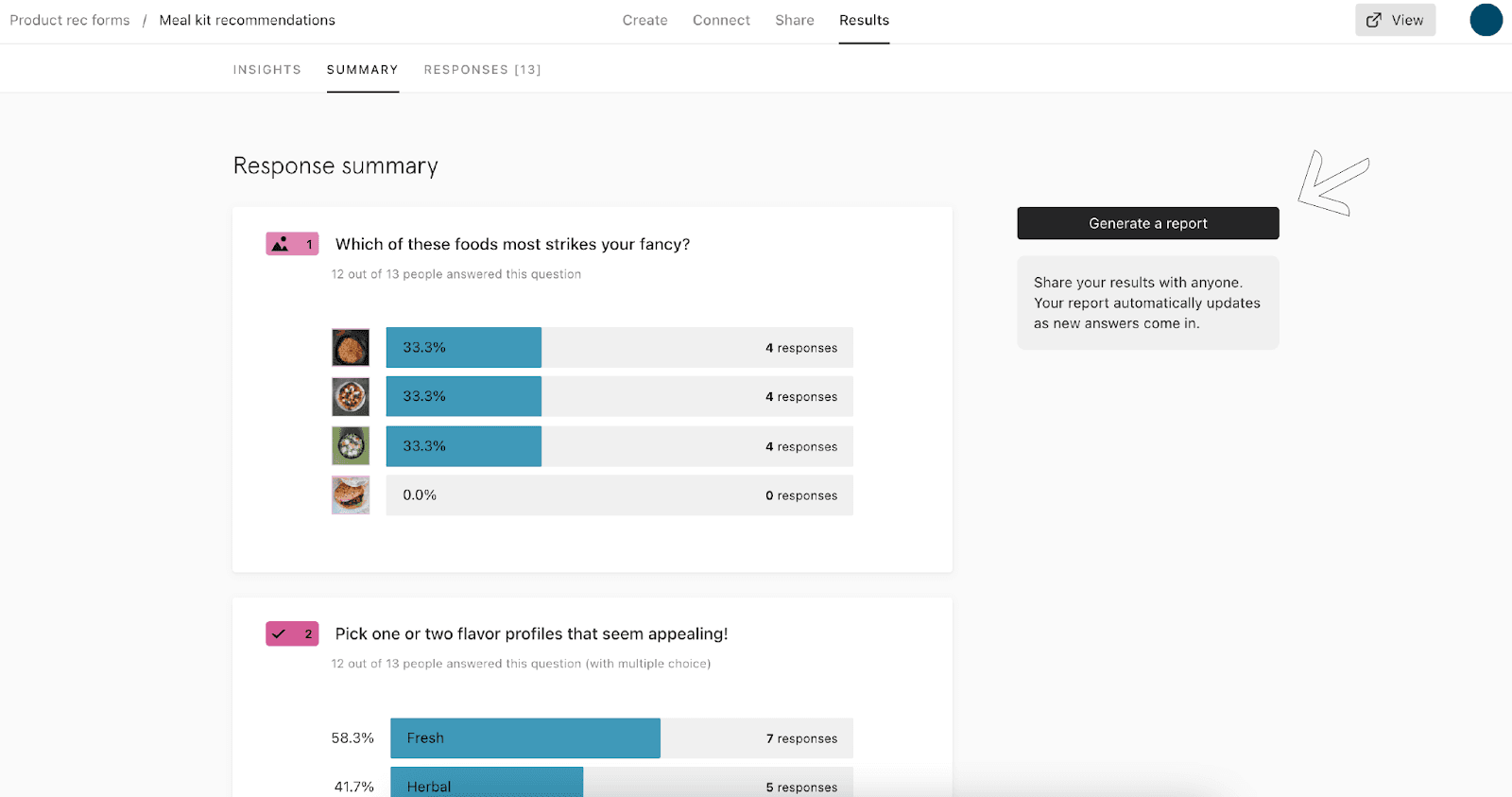
The user-friendly interface and focus on the user make Typeform's template stand out. Some important points to keep in mind are:
What We Love:
- Layout customization: Gives you the freedom to create a look that is unique to your brand.
- Question forms that pique participants' interest: A variety of questions are used to make the survey feel fresh and exciting.
- Facilitates a seamless experience for respondents, leading to increased completion rates; designed with user-friendliness in mind.
Important Considerations:
- Useful only for individuals already familiar with the Typeform platform; prior knowledge is insufficient.
- The free version has limited logic jumps: paid plans offer better access to advanced features like logic jumps and branching.
- Components of integration: Think about how it works with the tools you already have so you can collect data without any hitches.
If you want your onboarding surveys to have a touch of class while still being practical and engaging for users, Typeform is a great option.
2. PLG OS
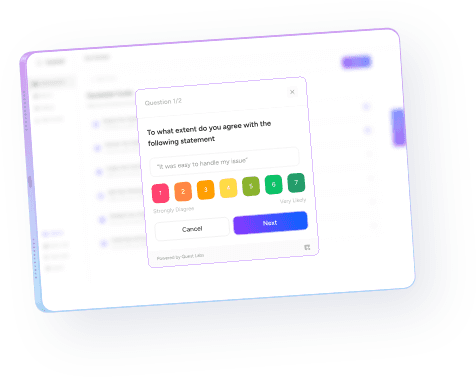
Best for SaaS companies focused on data-driven user onboarding and retention.
What We Love:
- PLG-driven survey automation - PLG OS automatically adapts onboarding surveys based on user’s occupation.
- Seamless integrations - Works with your CRM, analytics tools, and marketing stack.
- Smart insights - Uses AI to predict user engagement and churn risks.
- Actionable product recommendations - Helps you fine-tune onboarding for better activation.
Important Considerations:
- Requires setup & integration—works best when fully embedded into your SaaS workflow.
- Best suited for PLG-focused SaaS teams—ideal for companies leveraging self-serve user acquisition models.
If you’re looking for a next-level approach to user onboarding surveys that automates insights and drives real growth, PLG OS is a game-changer.
3. Maze
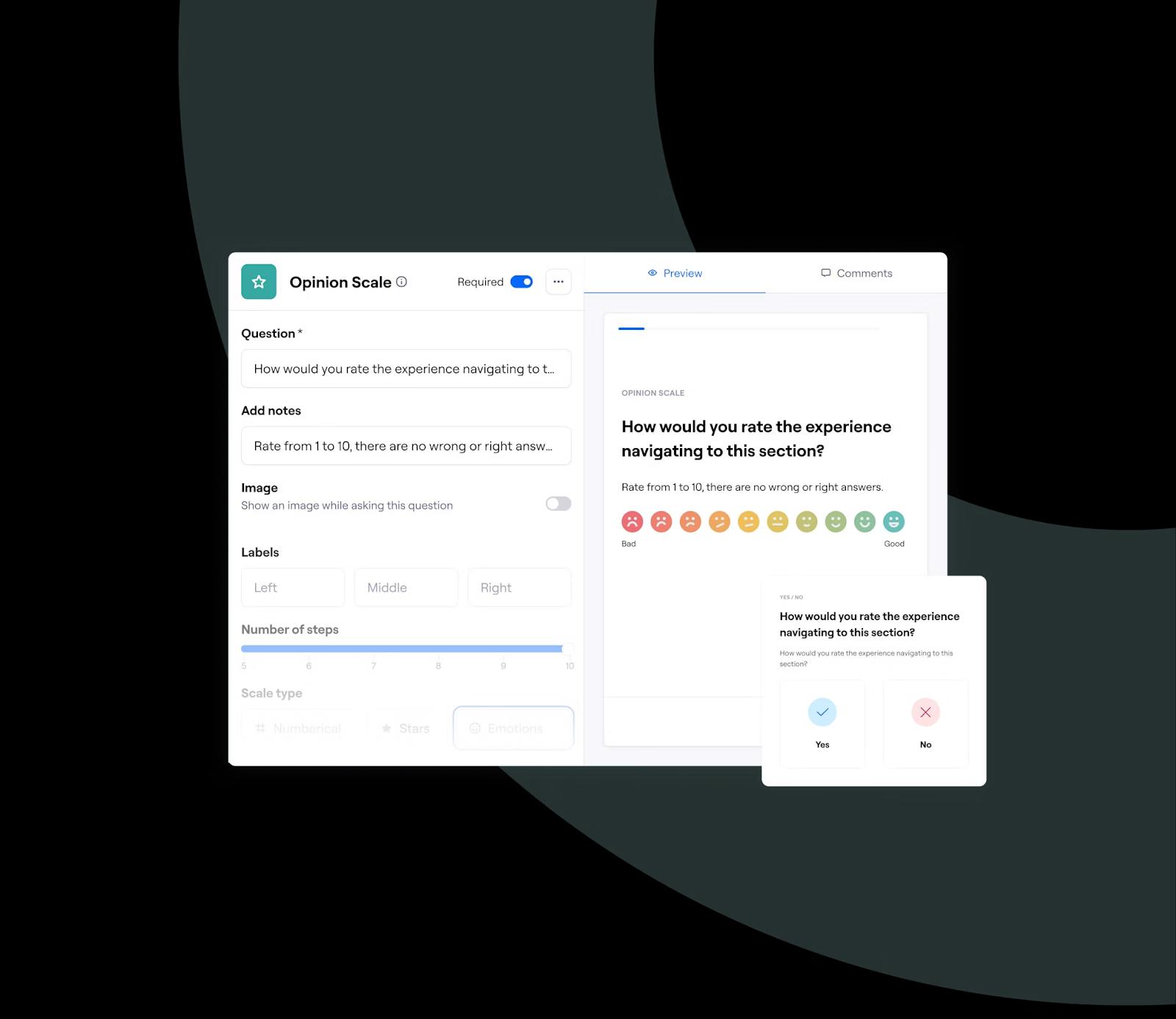
The goal of Maze's template is to provide detailed information regarding the onboarding process for users. Things to remember and things that stick out are as follows:
What We Love:
- Thoroughly gathering feedback: Gathers detailed information on the onboarding process for users.
- Features for interactive testing: Permits monitoring of user journeys and real-time interaction.
- Smart insights - Uses AI to predict user engagement and churn risks.
- Presents data visually: Provides metrics that are easy to understand, allowing for speedy evaluation.
Important Considerations:
- Put your energy into thorough testing; surveys aren't cut out for in-depth research.
- Learning curve: To get the most out of Maze, you need to be familiar with its platform.
- It is best to integrate design prototypes with design tools to examine the user journey thoroughly.
Maze's template is a great choice if you're working on a project that focuses on user experience or design and want to analyse onboarding feedback comprehensively.
4. Appcues
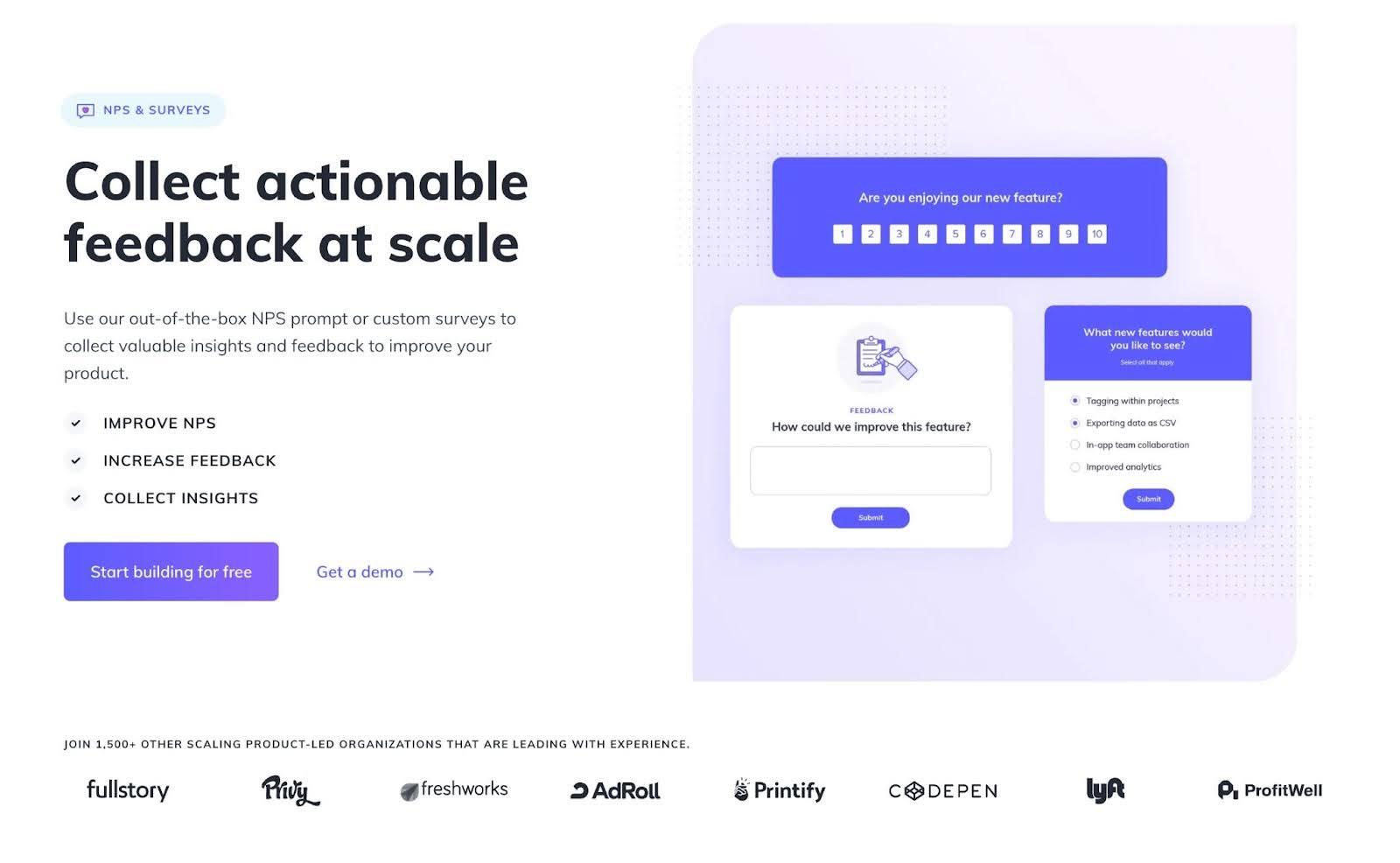
One reliable way to measure client happiness and loyalty is via Appcues' Net Promoter Score (NPS) surveys. The following is a synopsis of its salient features and benefits:
What We Love:
- Integrates without a hitch with your product, allowing for a frictionless user experience.
- Personalization options: Allows you to personalize surveys to match your company's look.
- Practical insights: Offers transparent indicators for comprehending consumer sentiment.
Important Considerations:
- Concentrated on Net Promoter Score: Mainly designed to measure the Net Promoter Score.
- Needs the use of Appcues: For optimal results, use it inside the Appcues ecosystem.
- A subscription plan may be necessary to access all features.
In conclusion, businesses looking to measure and improve customer loyalty in an integrated environment have Appcues' NPS Surveys to choose from.
5. Tally
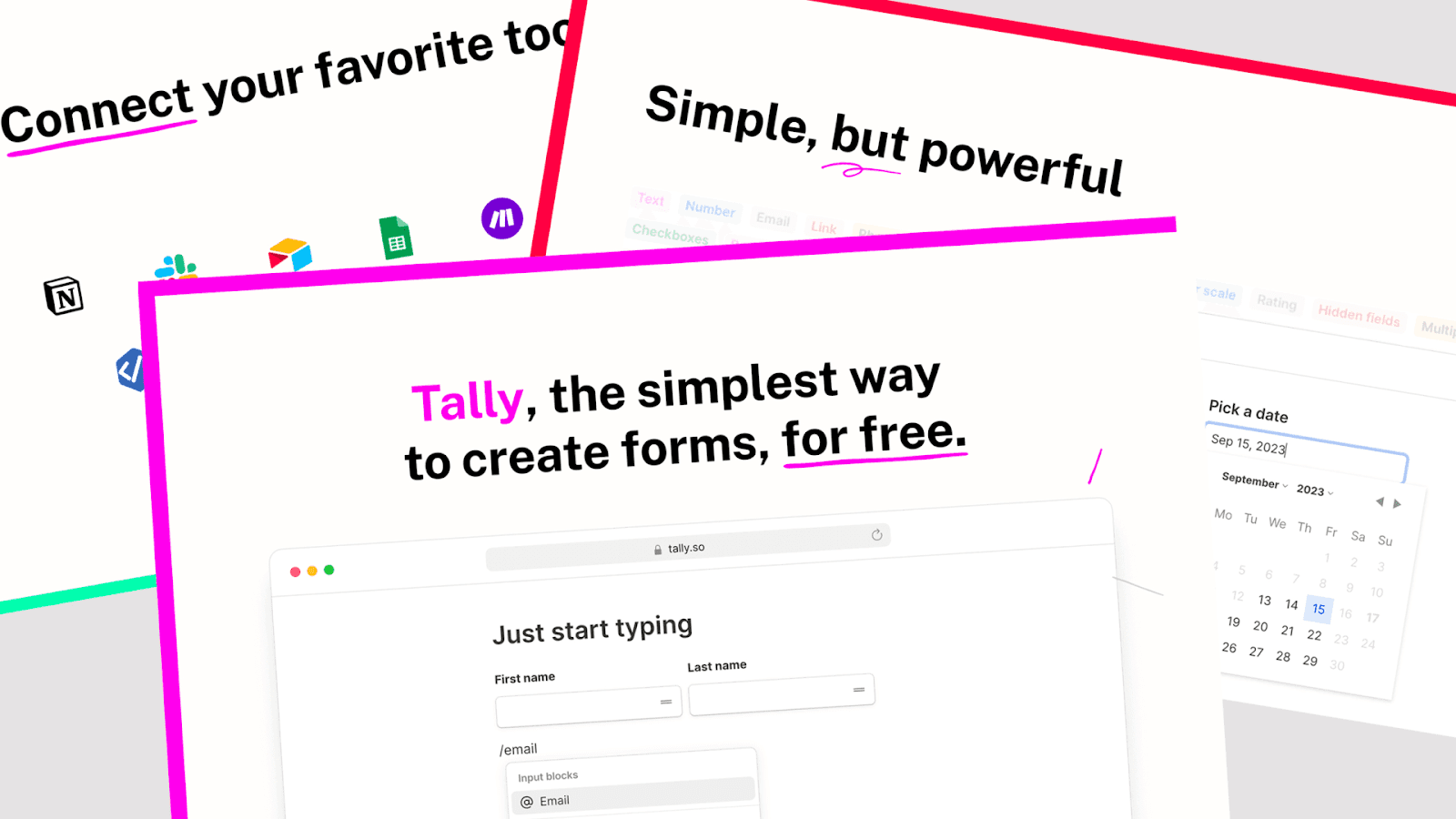
The Tally template is designed to facilitate collecting customer feedback in a clear and informative manner. The following is an outline of its salient characteristics:
What We Love:
- Clean style: Easy response thanks to clean and intuitive design.
- Questions that are clear and concise: Designed to gather important user feedback efficiently.
- Straightforward method There are no complexities involved, just a straightforward process for creating surveys.
Important Considerations:
- Fundamental features: Emphasizes ease of use, which may restrict extensive personalization.
- Weak analytical capabilities: You might need to look into other options for thorough data analysis.
- Test its interoperability with your current user data systems to see if it has the ability to integrate.
- Overall, Tally's template is a great pick for companies looking for a straightforward, user-friendly way to gather first-time user feedback during onboarding.
How to Analyze & Act on Survey Responses
Collecting data is only valuable if you take action. Here’s how to make the most of your onboarding survey responses:
1. Segment Users Based on Responses
Use survey answers to categorize users into meaningful groups:
- Beginners vs. Advanced Users → Adjust onboarding difficulty.
- Marketing vs. Sales vs. Development → Recommend relevant features.
- Small Business vs. Enterprise → Tailor pricing plans and feature access.
2. Personalize Emails & Onboarding Flows
Example: If a user selects “SEO” as their main goal, send them:
- Email 1: "Getting Started with SEO Using ‘Your Tool’
- Email 2: "Advanced SEO Automation Tips"
3. Track Drop-Off Rates
Monitor where users abandon the survey. If 70% drop off at a specific question, reword or remove it to improve completion rates. On average, organizations use just 49% of their SaaS licenses, leaving 51% wasted.
4. Use AI & Automation
- PLG OS or Make → Automate workflows based on survey responses.
- Chatbots → Trigger different onboarding messages based on user preferences.
5. Continuously Optimize
Run A/B tests on different survey formats, wording, and question order to improve response rates and overall effectiveness.
Key Takeaway
An excellent survey has the potential to be the icing on the cake for an onboarding process that is second to none. On average, organizations use 275 SaaS products in 2025, a 2.2% increase compared to 2023. Making a decent one is largely a matter of common sense. Minimalist, welcoming, and open to user feedback is key. If you follow those steps, your organisation will get the results of the onboarding surveys sooner than you think.
Book a call with us to start your feedback automation journey today.
FAQs
1. What are the key steps to creating an effective user onboarding survey?
Start by defining your goals, selecting the right question types, keeping the survey short and engaging, using logical flow, and analyzing responses for actionable insights.
2. How many questions should an onboarding survey have?
Keep it between 5-10 questions to balance collecting useful insights without overwhelming users.
3. What types of questions should be included?
Include demographic questions, user goals, initial impressions, feature preferences, and feedback on the onboarding experience.
4. When should the survey be sent?
Ideally, send it immediately after signup or after users have interacted with the product for a short period.
5. How can I increase survey completion rates?
Use simple language, keep it short, offer incentives if possible, and integrate it seamlessly into the onboarding flow.