11 Best Customer Support Automation Hacks to Boost Efficiency
Ever wondered why some companies seem to deliver lightning-fast, personalized customer service without breaking a sweat? It’s not magic, it’s automation done right.
In 2025, customer support automation isn’t just a nice-to-have. It’s the difference between customers who stick around and customers who leave after one bad experience. And here’s the truth: you don’t need a huge budget or a massive team to pull it off.
With the right customer service automation tools and a few smart strategies, you can save hours of manual work, keep your team sane, and make your customers feel like VIPs.
Let’s check out 11 customer support automation hacks that are fresh, creative, and proven to work. And yes, we’ll talk about how a game-changer like PLG OS can help you pull this off without writing a single line of code.
What is customer support automation?
Customer support automation is the use of technology such as AI, chatbots, workflow rules, and self-service tools to handle repetitive support tasks without constant human intervention. It streamlines processes like ticket routing, answering FAQs, sending follow-ups, and providing in-app assistance.
The goal is to deliver faster, consistent, and more efficient service while reducing agent workload. By automating routine interactions, support teams can focus on complex, high-value issues that require empathy and problem-solving. Done right, customer support automation improves response times, boosts customer satisfaction, and scales support operations without proportionally increasing costs or staff.
Why is Automating Customer Support Beneficial
In today’s on-demand world, speed isn’t just appreciated it’s expected. According to SuperOffice’s Customer Service Benchmark Report, 75% of customers expect help within five minutes of making contact. Any delay risks frustration, churn, and lost loyalty. Any delay risks frustration, churn, and lost loyalty.
Automation transforms customer support by delivering:
1. Round-the-Clock Availability
- AI chatbots and self-service portals ensure customers get instant answers 24/7, even during off-hours or holidays.
2. Consistency in Tone & Accuracy
- Automated replies are pre-approved, ensuring every customer receives accurate, brand-aligned responses.
- Reduces discrepancies between agents and prevents misinformation.
3. Scalability Without Huge Hiring Costs
- Handles thousands of tickets or chats simultaneously.
- Allows businesses to grow without proportionally increasing headcount.
4. Faster Response & Resolution Times
- Instant ticket routing and automated FAQs mean customers aren’t stuck waiting for basic answers.
- Issues get resolved faster, boosting CSAT and retention.
1. Smart Triage with Chatbot Automation
Imagine this:
A customer lands on your site at 2 a.m. with an urgent question. Instead of waiting for office hours, a smart chatbot greets them, asks a few key questions, and instantly sends them to the right resource or person.Consistency can improve trust—86% of buyers are willing to pay more for a great customer experience.
That’s chatbot automation for customer service in action. It:
- Filters tickets by urgency
- Routes them to the right team
- Gives instant responses for FAQs
The result?
Your team wakes up to a neatly prioritized queue instead of an inbox full of chaos.
2. Proactive In-App Guidance with PLG OS
Reactive support is good. Proactive support is unforgettable.
With PLG OS, you can create in-app guidance, onboarding flows, and personalized nudges that appear exactly when a user needs them. No developer bottlenecks, no weeks of coding—just quick, targeted help.
Picture this:
A new user is trying to set up their account but pauses for 30 seconds on the “Add Payment Method” step. PLG OS detects the delay and instantly displays a quick tip or short video. That’s a frustrated support ticket avoided—and a happy customer made.
3. Automated Workflow Routing
One of the most underrated customer support workflow automation hacks is simply making sure queries land in the right hands instantly.
By setting up routing rules, you can ensure:
- Technical bugs go directly to the dev support queue
- Billing questions head to finance
- VIP clients are routed to senior agents
No more “forwarding to the right department” delays.
4. AI-Powered Self-Service Portals
Old-school FAQs are static and boring. The new breed of AI-powered knowledge bases can detect the context of a customer’s query and present the most relevant articles—sometimes even before they finish typing.
Example: A user types “reset password” into chat, and the system instantly offers a clickable guide that walks them through the process. Problem solved in 30 seconds, no agent required.
5. Sentiment Detection and Instant Escalation
Automation isn’t just about speed—it’s also about empathy.
By using sentiment analysis, your system can flag messages that carry frustration, urgency, or negative emotions. Those tickets can be:
- Escalated to senior agents
- Assigned a faster SLA
- Trigger a proactive goodwill gesture (like a discount or free month)
This single hack can turn a potential churn risk into a lifelong fan.
6. Automated Follow-Up Sequences
Ever had a customer vanish mid-conversation? They may have gotten distracted, solved the issue themselves, or simply forgotten to reply.
Automation can send gentle follow-ups: “Hi, just checking if you still need help with your order. If not, I’ll close this ticket for you.”
These sequences keep conversations moving, show customers you care, and prevent open-ticket clutter.
7. Real-Time Feedback Loops
If you’re waiting until the end of the quarter to run a satisfaction survey, you’re already behind.
The smarter move? Trigger quick CSAT or NPS surveys right after a customer interaction. PLG OS makes it ridiculously easy to drop these micro-surveys inside your app, right where the user is already engaged.
Immediate feedback means you can fix problems before they snowball—and double down on what’s working.
8. AI-Generated Reply Suggestions
Your agents spend a huge chunk of their day typing the same answers over and over. AI can listen in, recognize the question, and generate a polished, on-brand draft reply. The agent simply tweaks it if needed and hits send. Faster responses can increase customer satisfaction by 33%.
It’s like giving every support rep a personal assistant who never gets tired or makes typos.
9. Live KPI Dashboards
Support leaders need real-time insight, not yesterday’s spreadsheet.
Automated dashboards can pull in ticket volumes, average response times, backlog numbers, and sentiment scores from every channel you use. With one glance, you know where your team needs to focus today.
Integrate these dashboards with behavioral insights from PLG OS, and you’ll have the most complete view of your customer experience yet.
10. Cross-Team Bug Alerts
Nothing’s worse than answering the same question 50 times in a day because of a recurring bug.
Automation can fix that.
Set rules so that if a certain issue appears X times in an hour, an alert is sent to your product team—complete with details and user reports. That way, you can squash bugs fast and update affected customers proactively.
11. Personalized In-App Nudges
This is where automation becomes almost invisible—but incredibly powerful. Companies using automation save up to 30% in support costs.
Let’s say a user hasn’t completed an important setup step. Instead of sending a generic
“Need help?” email days later, automation can trigger a small in-app nudge in real time:
“Looks like you haven’t uploaded your first file yet. Here’s a quick guide to get started.”
It feels personal and timely—because it is. PLG OS makes this kind of personalization a breeze.
Why These Hacks Work Together
Each of these hacks is powerful on its own, but the real magic happens when they work together.
A customer might first meet your chatbot automation for customer service, get routed via workflow automation, solve part of their issue via AI-powered self-service, and receive a perfectly timed in-app nudge all without talking to a single human until it’s truly necessary.
The result?
- Faster resolutions
- Happier customers
- Less burnout for your team
- More space for your support staff to handle complex, high-value interactions
How PLG OS helps in customer support automation
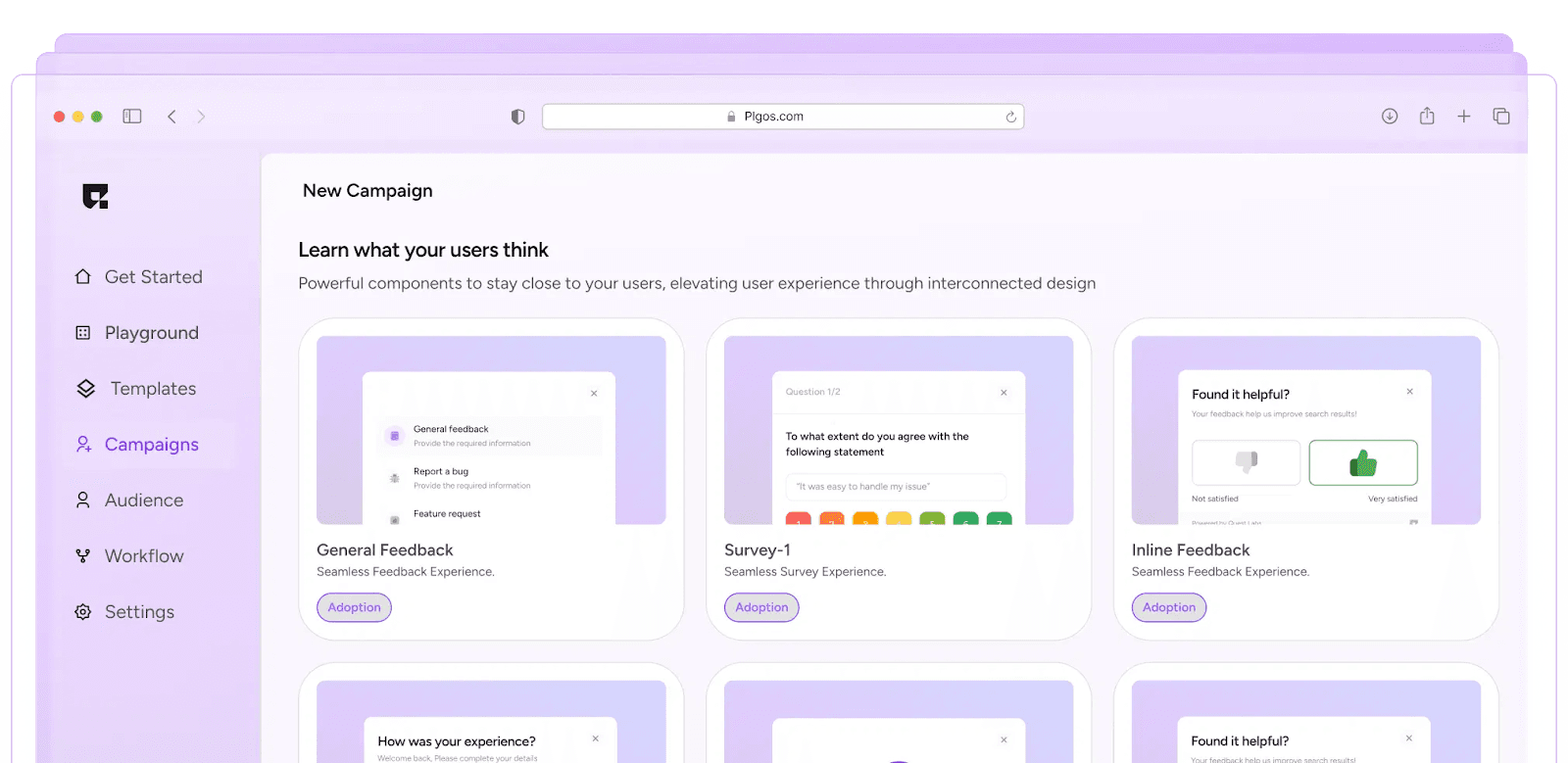
Most companies want to improve customer support with AI and automation, but the roadblock is usually development bandwidth. PLG OS removes that barrier.
In minutes, you can:
- Deploy personalized onboarding flows
- Add contextual tooltips and walkthroughs
- Trigger behavioral nudges
- Launch real-time surveys
- Integrate feedback into your support process
All without engineering sprints or code releases.
It’s the perfect companion for scaling support without scaling headcount.
Final Thoughts
Automation isn’t about replacing the human touch—it’s about removing the repetitive, time-consuming parts so your team can focus on moments that matter.
When you automate customer support thoughtfully, you’re not making it impersonal—you’re actually making it more personal by freeing up humans to do what only humans can do: empathize, problem-solve, and build trust.
Start small. Pick one or two of these hacks, roll them out, measure the impact, and then layer on more. Before long, your customer support will feel less like a reactive cost center and more like a proactive growth engine.
FAQs
1. What is customer support automation?
It’s the use of technology to handle repetitive customer service tasks like ticket routing, FAQs, and follow-ups without manual effort.
2. How does customer support automation help?
It speeds up responses, reduces agent workload, and ensures consistent service quality.
3. Can automation replace human support agents?
No, it complements them by handling routine tasks, leaving humans to solve complex issues.
4. What tools are used for automation?
Chatbots, AI-driven help desks, workflow automation tools, and in-app guidance platforms.
5. Is it suitable for small businesses?
Yes, automation can save time, cut costs, and scale support for any business size.