7 Best SaaS Help Centre Designs for SaaS + (How to Build Yours with PLG OS)
If you're running a SaaS business and still treating your help center as a dusty storage closet for FAQs, you're missing out on a massive opportunity.
Today, the help centre is no longer just “support.” It’s the front line of your product’s experience. It’s your 24/7 support rep, your retention machine, and your best bet at building a self-sustaining, product-led business.
In fact, great SaaS help center design doesn’t just solve problems — it prevents churn, improves feature adoption, and scales your support without adding headcount.
So the big question is: what does a great help center look like?
We’ve curated 7 of the best help centre examples in SaaS. Let’s get started.
What is SaaS Help Center?
A SaaS help center is an online resource that provides users with self-service support for software-as-a-service products. It typically includes a knowledge base, FAQs, tutorials, and troubleshooting guides to help users solve issues independently. The help center may also feature live chat or AI-powered assistance for more complex queries. Its primary goal is to improve customer support UX, reduce support costs, and enhance user satisfaction by offering accessible, on-demand help.
Why Your SaaS Help Center Design Matters More Than Ever
67% of customers prefer using self-service options like help centers or knowledge bases over contacting support. We’re living in the era of instant answers. Customers expect on-demand support that’s intuitive, elegant, and actually helpful.
That’s where SaaS help center UX design comes in. Done right, your help center should:
- Reduce support ticket volume by 30–60%
- Improve onboarding and feature adoption
- Turn casual users into power users
- Lower churn through faster resolutions
- Enable true self-service support
The common thread across the best SaaS support designs? They're not afterthoughts — they’re strategic growth levers.
What Makes a Great SaaS Help Center?
A great SaaS help center serves as the cornerstone of a strong customer support strategy. 50% of customers expect a response within 10 minutes of submitting a support ticket. Here are the key elements that define an outstanding help center:
1. Clear and Organized Structure
- Logical Categorization: Group articles and FAQs by topics (e.g., Account Setup, Billing, Technical Support) for easy navigation.
- Search Functionality: A robust search bar that returns relevant results instantly, helping users find what they need without scrolling.
2. Self-Service Empowerment
- Comprehensive Knowledge Base: Offer detailed articles, guides, and troubleshooting steps to enable users to resolve issues independently.
- Video Tutorials: Provide engaging videos that visually guide users through complex processes.
3. Personalized Support Options
- AI and Chatbots: Implement AI-driven assistants that guide users to relevant resources or provide instant responses for common questions.
- Live Chat Integration: For complex issues, integrate live chat support, offering real-time assistance.
4. User-Centric Design
- Easy-to-Navigate Interface: Prioritize clean, intuitive layouts that allow users to find help without frustration.
- Mobile-Friendly: Ensure the help center is responsive and easily accessible on mobile devices
5. Continuous Improvement
- Feedback Loop: Encourage user feedback on articles to improve content and resolve knowledge gaps.
- Analytics: Monitor user behavior to identify common pain points and optimize the help center accordingly.
7 Best SaaS Help Centre Designs
Let’s explore some real-world support centre examples that absolutely nailed the brief.
1. Notion
Why it works:
Notion’s help center feels like an extension of their app — clean, minimalist, and hyper-intuitive.
Standout Features:
- A powerful, fuzzy search bar as the main entry point
- Category-based navigation with visual tiles
- Seamless in-app help widget with live content
- Smart use of gifs and product walkthroughs
💡 Steal this: Design your help center to match your product’s look and feel. Consistency breeds confidence.
2. Linear
Why it works:
Linear’s SaaS help center UX is built for speed. No fluff. Just precise documentation, clean interfaces, and blazing-fast navigation.
Standout Features:
- Keyboard-shortcut-based navigation
- Markdown-style docs that feel like code snippets
- Elegant, dark-mode-friendly visuals
💡 Steal this: Know your audience. Dev-focused SaaS? Don’t write like a marketer. Write like an engineer.
3. Intercom
Why it works:
Intercom’s help center is more than a knowledge base — it’s a smart assistant
Standout Features:
- Smart chatbot triages questions before surfacing articles
- In-product tooltips and custom journeys
- Dynamic personalization based on user role and plan
💡 Steal this: Use AI and automation to guide users to answers — don’t just dump content on them.
4. Webflow
Why it works:
Webflow turns support into a learning journey. With high-quality videos, tutorials, and product deep dives, it feels like a masterclass.
Standout Features:
- Mix of written articles, video walkthroughs, and interactive tutorials
- Clear segmentation for beginners vs pros
- SEO-optimized structure and search
💡 Steal this: Blend education with support. Turn passive users into product pros.
5. Slack
Why it works:
Slack’s help center shows how embedded help can reduce friction. Users can find answers without ever leaving the product.
Standout Features:
- Contextual help within Slack UI
- Keyboard shortcuts + command-based assistance
- Great use of gifs and visual indicators
💡 Steal this: Embed answers directly in the product experience. Don’t force users to hunt.
6. Airtable
Why it works:
Airtable’s support hub dynamically adapts based on user goals and experience levels. It’s a masterclass in customer support UX.
Standout Features:
- Suggested articles based on user behavior
- Separate tracks for creators, developers, and enterprise admins
- Feedback loops to refine content quality
💡 Steal this: Personalize the experience. One-size-fits-all content never wins.
7. Figma
Why it works:
Figma integrates community content right into its help center — leveraging power users to scale support.
Standout Features:
- Hybrid of official docs + user-generated tutorials
- Clear separation of design/dev/enterprise content
- Forum threads and live comments
💡 Steal this: Let your community help each other. It’s scalable and authentic.
How to Build a SaaS Help Center with PLG OS
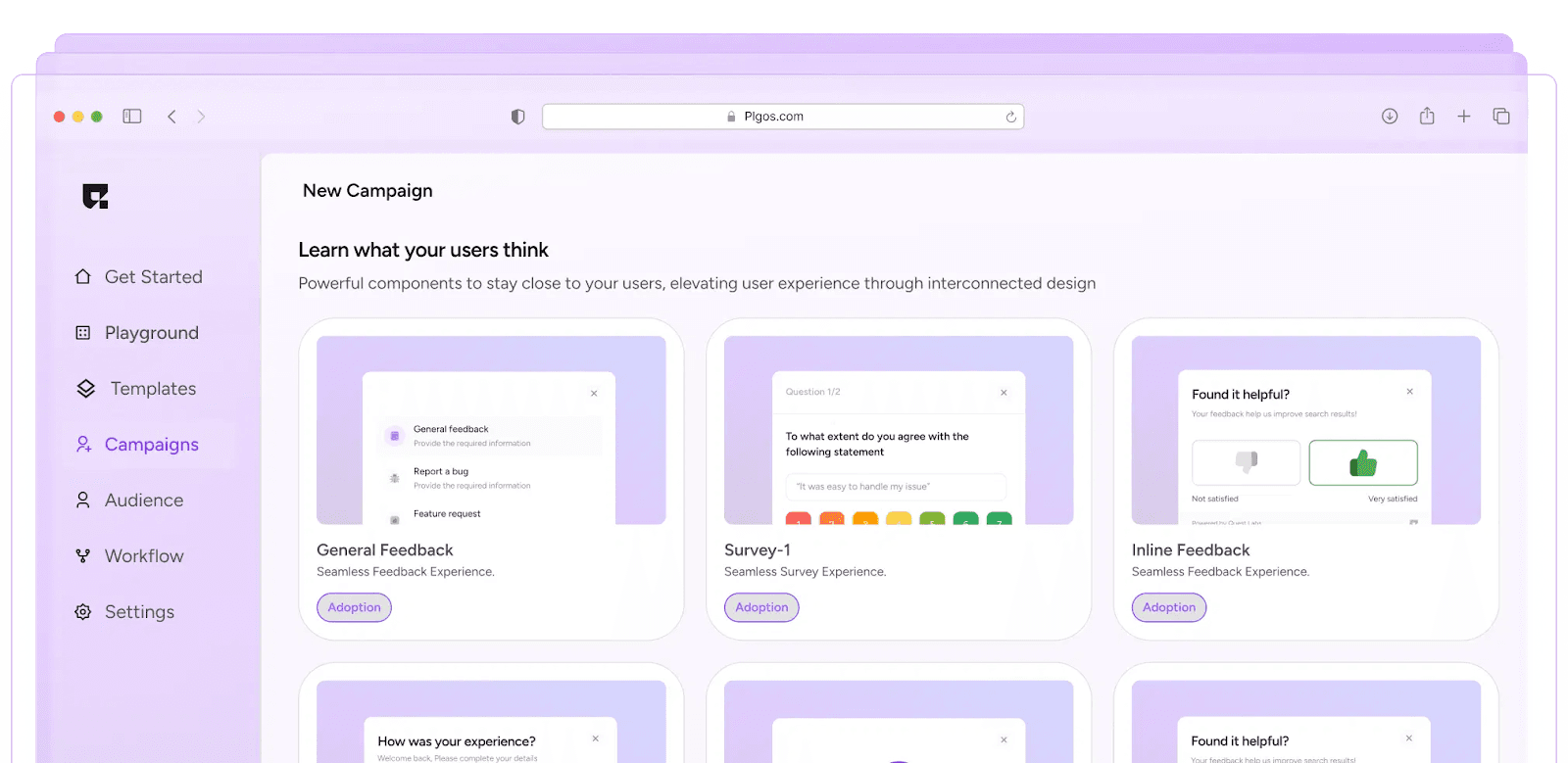
PLG OS is a product-led growth operating system built for modern SaaS teams. It’s not just a tool — it’s a complete framework that ties product, support, onboarding, and growth together.
Let’s break down how PLG OS helps you design and scale your help center like a pro.
1. Unified Knowledge Base Design
PLG OS gives you a central hub to house all your documentation, FAQs, onboarding flows, and support content. You can:
- Create searchable, taggable articles fast
- Design with customizable layouts (no code needed)
- Embed media, gifs, product tours, and more
Whether you want a developer-style doc library or a visual knowledge base for non-tech users — PLG OS adapts.
2. Embed Anywhere: In-App, Emails, Chat
No more clunky redirects or opening 6 tabs. PLG OS enables:
- In-app contextual help widgets
- Tooltips inside your product UI
- Email embeds and chatbot integrations
This brings help content closer to the user’s moment of need, which is the golden rule of modern SaaS support design.
3. Analytics-Driven Iteration
What are users searching for but not finding? What content leads to resolution? PLG OS tracks it all.
You get:
- Search query insights
- Drop-off and dwell time analytics
- Article performance by customer segment
Which means you’re not guessing—you’re evolving your help center with real data.
4. Personalized Self-Service Portals
PLG OS lets you create dynamic support centers personalized by user role, plan, or lifecycle stage.
So your:
- Enterprise admin sees SSO guides
- New user sees onboarding checklists
- Developer sees API docs first
This kind of targeted self-service boosts satisfaction and reduces your support burden dramatically
5. Built-in Feedback & Loops
Every article on PLG OS can capture:
- Thumbs up/down ratings
- User comments
- Content suggestions
This builds a continuous feedback loop so your support content never goes stale.
6. Seamless Collaboration Across Teams
Support, product, marketing, and success teams can all collaborate on content — right within PLG OS.
- Assign article owners
- Set update cadences
- Cross-link between onboarding, docs, and UI guides
It’s how cross-functional SaaS teams build self-service that scales.
Ready to Rethink Your SaaS Help Center UX Design?
Let’s recap.
A great SaaS help center is not just a cost center — it’s a growth engine.
By studying the best help center examples and using tools like PLG OS, you can design a support experience that is:
- Seamless
- Personalized
- Scalable
- On-brand
- Insight-driven
Whether you're revamping your knowledge base design, improving yourcustomer support UX, or building a self-service portal design from scratch — the future of SaaS support is clear:
Smarter. Faster. Product-led.
And PLG OS is how you get there.
Final Words
Leverage templates, frameworks, and existing journeys inside PLG OS to jumpstart your help center and customize it as your product evolves.
Because great support isn’t about answering questions, it’s about empowering users to succeed on their own.
And in a PLG world, that’s the ultimate win.
FAQs
1. What is SaaS help center design?
SaaS help center design refers to the structure, layout, and user experience of a company’s self-service support portal, including FAQs, knowledge base, tutorials, and in-app help.
2. Why is UX important in a SaaS help center?
Good UX ensures users can quickly find answers, reducing frustration, ticket volume, and churn — while improving onboarding, product adoption, and overall customer satisfaction.
3. What are some examples of great help centers?
Top help center designs include Notion, Linear, Intercom, Webflow, and Slack — all offering clean layouts, smart search, and personalized support experiences.
4. How does PLG OS help improve my help center?
PLG OS lets you build, personalize, and analyze your help center with no-code tools, in-app widgets, dynamic content, and real-time insights to drive better self-service support.
5. Can I integrate PLG OS into my existing SaaS product?
Yes. PLG OS is built to integrate seamlessly with your product, support workflows, and customer lifecycle — helping you scale product-led growth with powerful support design.