8 SaaS Solutions for Embedded Analytics Dashboards to Boost User Insights

Today’s SaaS users expect more than just great features; they expect clear, real-time insights right inside the product. If your platform makes them switch tabs or export data just to understand what’s going on, you’re adding friction where there should be flow.
That’s where embedded analytics comes in. It helps you bring powerful dashboards and real-time user insights directly into your app, helping users see value faster and stay engaged longer. In this blog, we’ll explore 8 top SaaS analytics tools that make it easy to embed dashboards into your product, from trusted platforms to newer solutions like PLG OS that go beyond reporting and help drive real product-led growth.
Whether you're a startup or scaling fast, these tools will help you turn your data into a smarter, more intuitive experience for your users.
What Is Embedded Analytics?
Embedded analytics is the integration of data visualizations, reports, and interactive dashboards directly into a software application, such as a SaaS platform, so users can access relevant insights without leaving the product. 67% of software providers say embedded analytics is critical to their users and product strategy.
Instead of exporting data or switching to external BI tools, users get real-time, actionable insights right where they work inside the application itself.
Why Embedded Analytics Is the Backbone of Modern SaaS
By 2026, 60% of analytics capabilities will be embedded in enterprise applications, up from 30% in 2023. Let’s face it: if your users can't measure what matters to them, they won’t see value. And if they don’t see value, they churn.
That’s where embedded dashboard software steps in. It empowers your users to:
- Visualize their own data in real time
- Track performance and progress
- Discover usage patterns and bottlenecks
- Make data-driven decisions—without leaving your app
For SaaS founders, PMs, and growth teams, it's also about seeing how users engage and where they drop off—aka user insights analytics.
So what makes a solution the best embedded analytics platform for your product?
Here’s what to look for:
- Fast and seamless analytics dashboard integration
- Customizable in-app analytics tools
- Scalability to match your growth
- Powerful visualizations no clutter, just clarity
8 SaaS Solutions for Embedded Analytics Dashboards
1. PLG OS
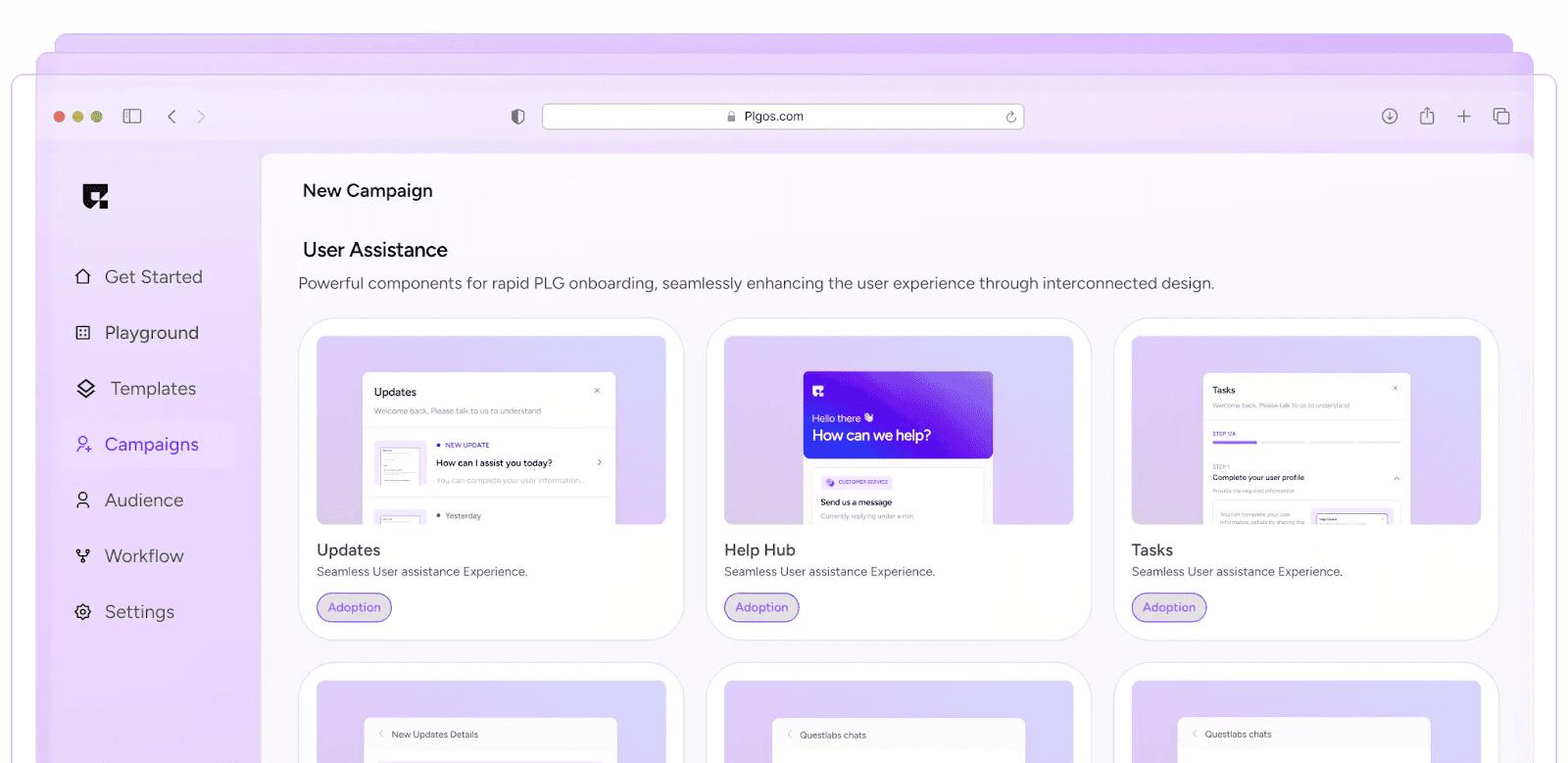
Best for: PLG-focused teams who want more than just visual dashboards—they want action.
You probably haven’t heard of PLG OS, and that’s a good thing. It’s not mainstream. It’s for teams who actually care about deep user insights, analytics, and building a smarter product loop. Product-led companies grow 2x faster and are more capital-efficient compared to sales-led companies.
What is PLG OS?
PLG OS is a product-led growth operating system that turns user behaviour, product usage, and event data into embedded, actionable insights all within your SaaS platform.
But it’s not just a tool for integrating analytics dashboards. It’s an end-to-end system that fuels:
- User activation paths
- Feature adoption metrics
- Usage cohort analysis
- Data-backed onboarding experiments
- Embedded dashboards that guide what to do next
Why PLG OS is Different
Most SaaS dashboard solutions stop at reporting. PLG OS gives you recommended actions based on data. Think of it as Mixpanel meets Notion meets strategy.
You can:
- Embed customized dashboards directly into your product or internal tools
- Set up cohort-specific analytics flows
- Track success metrics for specific PLG experiments
- Power user-facing dashboards with insightful, real-time metrics
If you’re serious about building a growth machine, this is it.
2. Looker
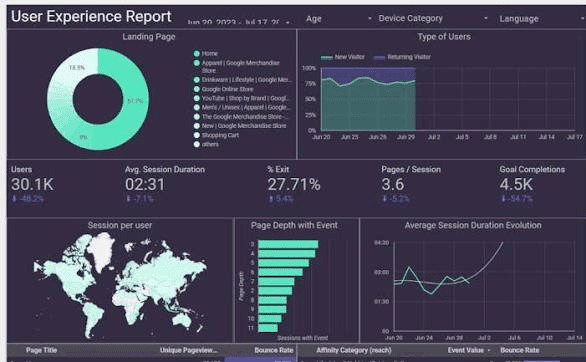
Best for: Companies needing complex data modeling + sleek visuals.
Looker is the OG when it comes to embedded analytics but don’t confuse it with old-school BI tools. Backed by Google, it’s enterprise-ready, but flexible enough to serve modern SaaS.
Why Choose Looker?
- Fully customizable dashboards
- Advanced permissions for multi-tenant environments
- Deep integration into data warehouses (BigQuery, Snowflake, etc.)
It’s best if you already have a robust data pipeline and want to bring those insights in-app for your users or ops teams.
Bonus: It supports multi-language embedding, making it great for global products.
3. Metabase
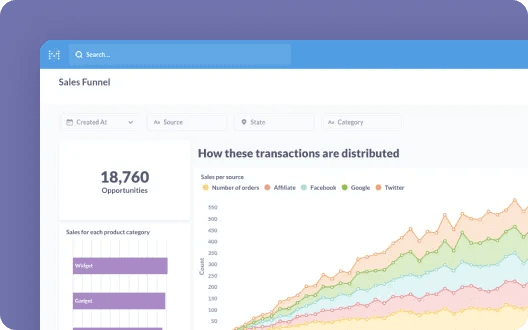
Best for: Startups and dev teams who want control and flexibility.
Need embedded dashboards on a budget? Enter Metabase, the open-source analytics powerhouse. 62% of SaaS developers prefer tools that offer easy-to-integrate embedded dashboards over building them from scratch.
Where Metabase Wins
- Embed charts and dashboards with just an iframe
- Open-source means total customization
- Quick to spin up and intuitive even for non-tech users
Use it when you need to roll out fast, test hypotheses, or just need a lightweight SaaS analytics tool that works.
4. Chartio
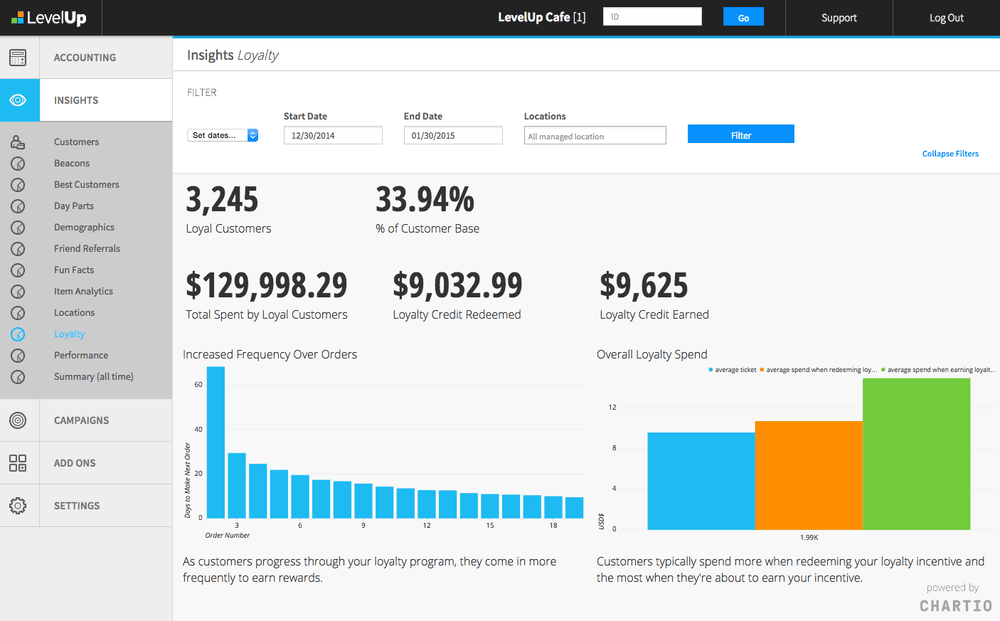
Best for: Agile teams who love visual workflow-style dashboards.
Before being acquired by Atlassian, Chartio built a name for its drag-and-drop interface and easy-to-embed analytics.
Now integrated with Atlassian products, it’s great if your stack includes Jira, Confluence, or Trello making your data play nicely across tools.
Think of it as user insights analytics meets team collaboration.
5. Mode Analytics
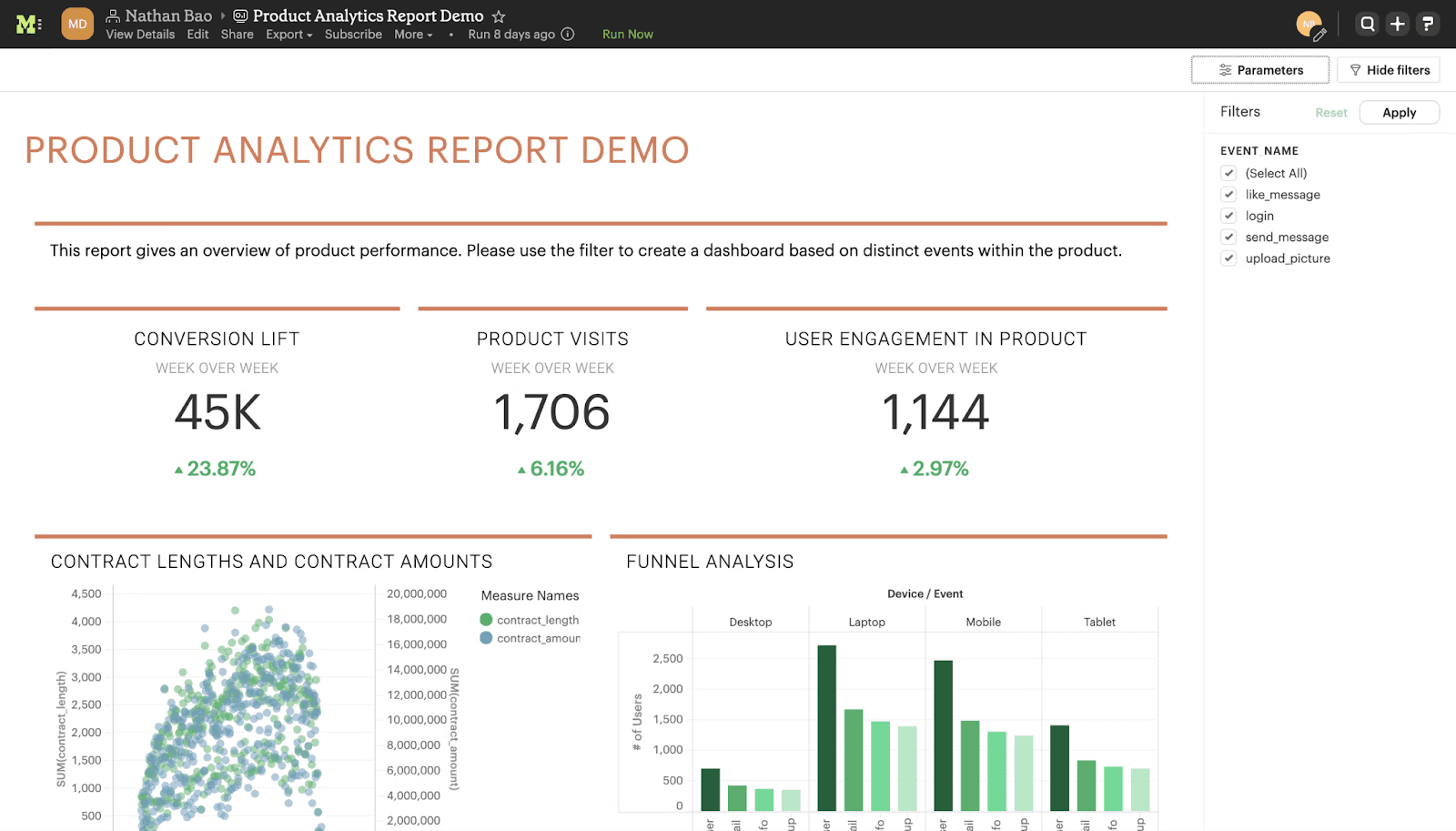
Best for: Data teams who love SQL + visualization in one place.
Mode is unique because it doesn’t just cater to business users it’s built for analysts and scientists who need to query fast, visualize beautifully, and then embed seamlessly.
Features That Stand Out
- SQL, Python, and R integrations
- Shareable reports + embed-ready dashboards
- Real-time collaboration on queries and charts
Ideal for SaaS companies with strong data teams who want full control over the data storytelling layer.
6. Sisense
Best for: SaaS products wanting to embed dashboards that look native.
With Sisense, you’re not just embedding charts — you’re embedding experiences.
Why Use Sisense?
- Deep white-labeling for embedded analytics
- Powerful APIs for full customization
- Scales well across large user bases
If brand cohesion is critical and you want SaaS dashboard solutions that blend invisibly into your UI, Sisense delivers.
7. Klipfolio
Best for: SaaS platforms that need external client-facing dashboards.
Klipfolio makes it easy to create visually appealing, client-friendly dashboards with easy-to-use editors and real-time connectivity.
Highlights
- 100+ data connectors
- Fast-loading, mobile-ready dashboards
- Great for marketing and performance tracking
It's an excellent embedded dashboard software choice for agencies, B2B SaaS, or service platforms that offer reporting as a feature.
8. Cumul.io
Best for: Product managers and SaaS builders who don’t want to deal with the BI jargon.
Cumul.io offers fast, lightweight in-app analytics tools that can be set up without heavy engineering.
What Makes It Unique?
- No-code and low-code support
- Real-time data updates
- Modular embedding in different parts of the app
It’s a good fit when you need simple, insightful dashboards for users without overwhelming them.
Choosing the Right Embedded Dashboard Software: Ask These 5 Questions
Before you pick any tool (even from this list), pause and ask:
- Who will see this dashboard? (End users, internal teams, executives?)
- What insights actually matter? Vanity metrics kill value.
- How much dev time do we want to spend on integration?
- Do we need real-time data or batch is fine?
- Can it grow with us? What works at 100 users may choke at 10,000
Match your choice to your data maturity, team capabilities, and user expectations.
For a current side-by-side of Luzmo, Embeddable, Metabase, Sisense, ThoughtSpot, GoodData, Looker, Power BI Embedded, Qrvey and Cube, with pricing checked in October 2026, see our comparison of the best embedded analytics platforms for SaaS.
Embedded Analytics Isn’t Just a Feature It’s a Growth Lever
We’ve seen it over and over: the products that win are the ones that show value instantly
With embedded analytics:
- You reduce user drop-offs
- Increase engagement and activation
- Create sticky, data-powered user experiences
- Turn your app into a decision-making engine
And with tools like PLG OS, you don’t just embed charts you embed growth loops. That’s the real edge.
Final Thoughts: Build Smarter, Not Just Prettier
If your embedded analytics is just a pretty chart, you're missing the point.
You want dashboard integration that becomes part of the user journey a moment of clarity, not just another tab.
Whether you’re just starting out with Metabase, scaling up with Looker, white-labeling with Sisense, or going full-throttle with PLG OS, the future belongs to SaaS products that don’t just collect data they deliver user insights that drive action.
Choose the right tool, embed wisely, and make your dashboard your user’s new favorite feature.
TL;DR – 8 SaaS Tools That Let You Embed Analytics Dashboards Effortlessly
| Tool | Best For | Key Strengths |
|---|---|---|
| PLG OS | PLG teams wanting insights + action | Growth loops, experiments, deep user analytics |
| Looker | Enterprise SaaS | Powerful modeling + seamless embedding |
| Metabase | Startups + dev teams | Open-source, fast, simple |
| Chartio | Visual, agile teams | Drag-drop dashboards, collaboration |
| Mode | Data-first teams | SQL + Python + embedded reports |
| Sisense | White-label SaaS apps | Fully customizable UI embedding |
| Klipfolio | Client-facing dashboards | Marketing-ready visuals, real-time updates |
| Cumul.io | Non-tech builders | Fast, no-code embedding |
FAQs
1. What is embedded analytics in SaaS?
Embedded analytics refers to integrating interactive dashboards, reports, and data visualizations directly into your SaaS product, allowing users to access insights without leaving your platform.
2. Why is embedded analytics important for SaaS platforms?
It improves user experience, increases engagement, and helps users make informed decisions faster all within your product. It also supports Product-Led Growth (PLG) by showcasing value instantly.
3. How do embedded dashboard software tools work?
They typically connect to your data sources and allow you to design, customize, and embed dashboards inside your app using APIs, iframes, or SDKs.
4. What’s the difference between in-app analytics tools and external reporting tools?
In-app analytics tools are embedded within your platform for real-time, user-facing insights. External tools are used for internal analysis and may require switching platforms.
5. What is PLG OS, and how is it different from other tools?
PLG OS is a product-led growth operating system that goes beyond dashboards. It helps you embed actionable insights, track feature adoption, and run experiments to optimize user journeys all inside your app.