Top 8 FAQ Product Walkthrough Tools for SaaS Success
In the era of Product-Led Growth (PLG), users expect instant value. They don’t want to sit through 30-minute demos, attend training sessions, or skim endless help articles. They want to self-serve, explore, and experience your product on their terms. But here’s the catch: they won’t stick around if your product isn’t easy to understand.
That’s where interactive product walkthrough software comes in, tools designed to create intuitive, self-guided user journeys that answer questions before users even ask them.
Whether you're a startup striving for retention or a scaling SaaS seeking to enhance feature adoption, this blog will provide you with an in-depth understanding of 8 SaaS platforms that assist in creating intelligent FAQ walkthroughs, onboarding guides, and in-app tours.
What is a product walkthrough?
A product walkthrough is a step-by-step, guided experience inside a digital product that helps users understand how to use it effectively, often during onboarding, feature discovery, or support.
Think of it as a virtual tour guide inside your app, showing users exactly what to do, where to click, and how to get value without needing outside help. 63% of customers consider a company’s onboarding program when making a purchase decision.
Key Characteristics of a Product Walkthrough:
- Interactive: Users click, hover, or take specific actions to move forward.
- In-App: Happens within the product interface — not through external documents or videos.
- Contextual: Tailored to the user’s role, actions, or stage in the journey.
- Goal-Oriented: Designed to help users achieve a specific outcome (e.g., set up a profile, use a feature, complete a task).
Why You Need Interactive FAQ Walkthroughs in SaaS Today
Before we break down the top platforms, let’s address the why.
Most SaaS users drop off due to friction:
- They don’t understand how to use a feature.
- They can’t find what they’re looking for.
- They get stuck and churn silently.
The solution? Combine product walkthrough tools with FAQ automation, delivering the right answers inside your product, exactly when needed. Companies that invest in digital adoption platforms see a 30–50% drop in support tickets.
You move from static help docs to dynamic, contextual onboarding, and that’s where magic happens.
- Higher activation rates
- Lower support load
- Better feature adoption
- Real-time customer delight
8 FAQ Product Walkthroughs Tools for SaaS Platforms
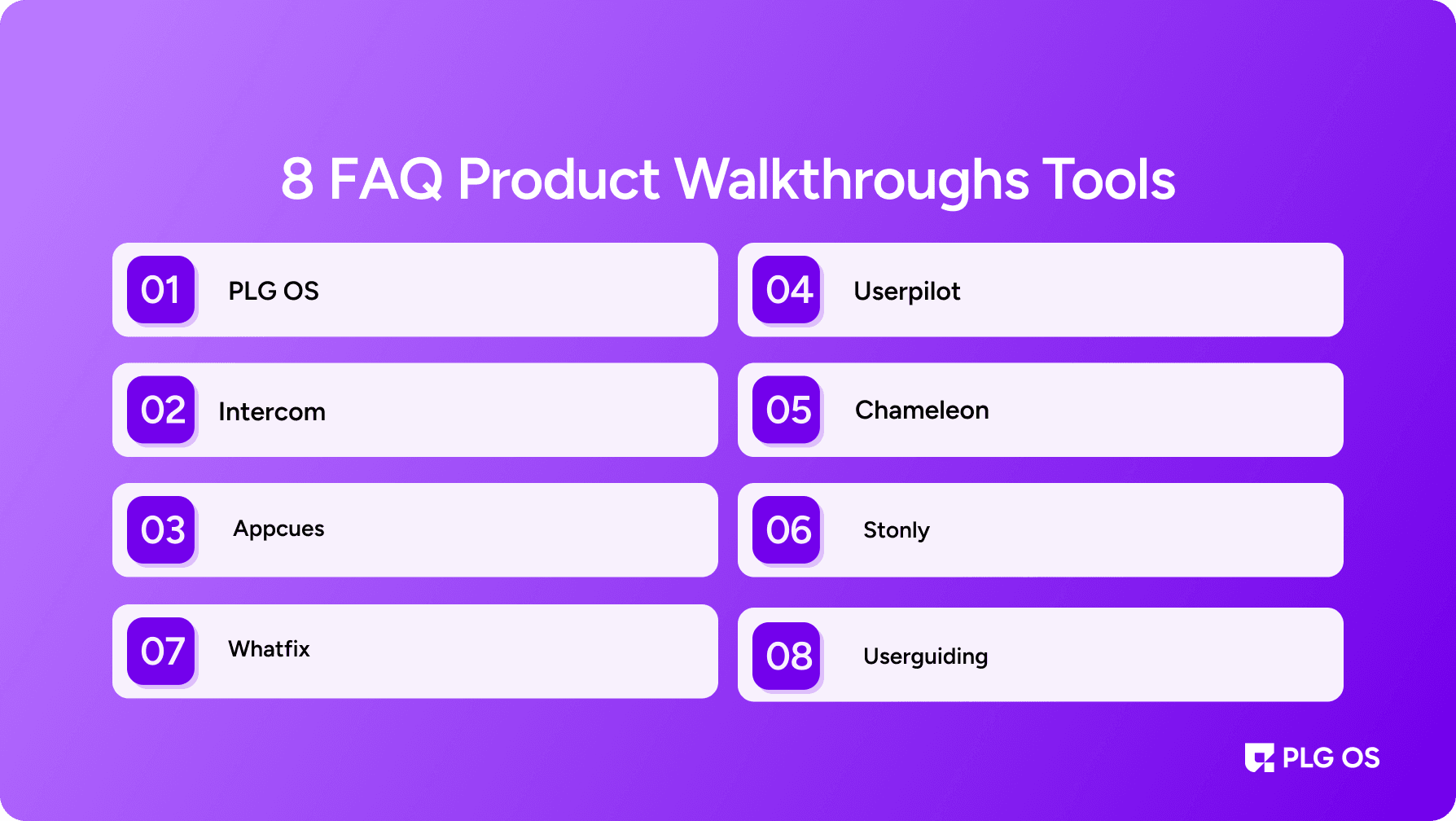
1. PLG OS
Let’s start with something you haven’t seen on every other list: PLG OS.
PLG OS isn’t just another product tour software — it’s a modular framework designed specifically for SaaS companies adopting a PLG motion.
What Makes PLG OS Different?
- FAQ-Driven Product Walkthroughs: PLG OS transforms traditional FAQs into in-app, actionable walkthroughs. Your support articles become part of your product experience. Only 12% of users say they’re “very satisfied” with current onboarding experiences.
- Modular PLG Components: Use ready-to-integrate onboarding elements — nudges, tooltips, checklists, and product walkthroughs — without relying on engineering.
- No-Code Meets Contextual Delivery: Marketing and customer success teams can build interactive flows based on user persona, feature usage, and stage of journey.
- Beyond Onboarding: PLG OS supports post-onboarding growth — upsell nudges, feature discovery, feedback loops.
PLG OS is perfect for B2B SaaS teams that want more than just onboarding. It acts as your complete digital adoption platform, driving engagement across the full customer lifecycle.
💡 Pro Tip: If you want your FAQs to be more than links at the bottom of your site, PLG OS helps you embed answers into the journey itself.
2. Userpilot
Userpilot is one of the most well-known user onboarding software platforms — and for good reason. It's easy to use, data-rich, and built for product teams that want fast results without writing code.
Why Userpilot Stands Out:
- In-App Product Guides: Create tooltips, slideouts, modals, and checklists.
- Behavior-Based Targeting: Trigger flows based on user actions or inactions.
- A/B Testing and Analytics: Optimize walkthroughs based on real user data.
- Onboarding Templates: Save time with industry-tested frameworks.
If you're looking for a mature, robust solution that scales with your product, Userpilot is a great choice. It’s not just about onboarding — it’s a data-driven product adoption tool.
3. Appcues
Appcues is one of the pioneers in the space and a favorite among product designers. It lets you design beautiful, branded walkthroughs that feel native to your product.
What You’ll Love:
- Drag-and-Drop Builder: No need to code anything.
- Event Tracking: Monitor how users engage with each step.
- Segmentation: Create flows tailored to new users, power users, or trial customers.
- Surveys and Feedback: Combine product tours with real-time feedback collection.
Appcues also integrates well with your tech stack — from HubSpot to Segment — making it an ideal choice for growth marketing and product teams.
4. Whatfix
If you're an enterprise SaaS with complex workflows, Whatfix offers a scalable, powerful solution.
What Makes Whatfix Enterprise-Ready:
- Multi-Channel Support: Web, mobile, and desktop applications.
- Role-Based Personalization: Customize guides for different user roles.
- Analytics Dashboards: See how users interact with your walkthroughs.
- Self-Service Support: Convert walkthroughs into searchable FAQs and help widgets.
Whatfix excels in regulated industries like FinTech, EdTech, and Healthcare, where user education and compliance go hand-in-hand.
5. Chameleon
Chameleon stands out as the most customizable platform on this list. It blends the power of code with the ease of no-code ideal for technical product teams.
Key Features:
- Deep Styling Options: Match your brand perfectly.
- Targeting & Triggers: Build hyper-contextual onboarding based on user data.
- Launcher Widget: Offer self-serve product guides like a mini help center.
- Micro-Surveys: Get insights during onboarding, not after.
Chameleon is ideal for growth-stage SaaS products where onboarding needs to be flexible, beautiful, and data-driven.
6. Stonly
Stonly’s focus is on combining interactive product walkthrough software with step-by-step support that’s smarter than your average FAQ.
Why Stonly is Great for FAQ Automation:
- Decision Trees: Walk users through complex support flows.
- Embed Anywhere: Website, app, chat widget, or help center.
- Live Data Hooks: Tailor guides based on product usage or metadata.
- Agent Assist: Support reps can use interactive guides in live chats.
If you’re trying to scale support without losing quality, Stonly turns your support center into a self-serve powerhouse.
7. Intercom Product Tours
Intercom is known for conversational support, but its Product Tours feature deserves a spotlight of its own.
What You Get:
- In-App Tutorials: Use banners, modals, and tooltips to walk users through key flows.
- Seamless Messaging Integration: Combine onboarding with proactive support.
- Customer Segmentation: Show the right tour to the right person at the right time.
If you’re already using Intercom for chat or knowledge base, this is a natural extension that adds massive value.
8. UserGuiding
UserGuiding is the most startup-friendly platform on this list. It’s affordable, intuitive, and perfect for early-stage SaaS founders who want quick wins.
Highlights:
- No-Code Builder: Launch your first guide in minutes.
- Resource Center Widget: Offer FAQs, videos, and product guides on-demand.
- Progress Tracking: Help users track their onboarding journey.
- Multi-Language Support: Great for global products.
If you're just getting started with in-app walkthrough tools, UserGuiding is your go-to. Simple, effective, and built for scale.
How to Choose the Right Tool for You
Let’s be honest all these tools sound amazing. But how do you choose the best one?
Ask Yourself:
- Are we looking for code-free deployment or developer control?
- Do we need basic onboarding or complex digital adoption?
- Will the platform scale with our team and product complexity?
- Does it offer FAQ automation, analytics, and segmentation?
Final Thoughts
In 2025 and beyond, static help content isn’t enough. Your users expect answers embedded in their experience, not hidden in a help centre.
These 8 tools from PLG OS to Userpilot and Appcues gives you the power to create smart, interactive product walkthroughs that educate, onboard, and convert.
By adopting these tools, you can:
- Boost trial-to-paid conversions
- Decrease support tickets
- Accelerate time to value
- Build a product experience that users love to use
And remember, onboarding doesn’t end after signup, it’s a continuous loop of discovery, activation, and adoption.
Choose your stack wisely. Make every click count.
FAQs
1. What is a product walkthrough?
A product walkthrough is a step-by-step, in-app guide that helps users understand how to use a product or specific feature. It walks users through key actions, reducing confusion and boosting engagement.
2. Why are product walkthroughs important?
They improve onboarding, reduce support queries, increase product adoption, and help users see value faster especially in self-serve SaaS environments.
3. How is a product walkthrough different from a tutorial?
While tutorials are often passive (like videos or articles), product walkthroughs are interactive and embedded directly within the product, allowing users to learn by doing.
4. Who creates product walkthroughs?
Typically, product managers, UX designers, or growth teams use no-code product walkthrough tools to build and deploy these flows without needing developers.
5. Can product walkthroughs be personalized?
Yes. Modern in-app walkthrough tools let you personalize walkthroughs based on user role, behavior, or journey stage to make the experience more relevant.