12 Best Tools to Create User Guides Faster
The quick answer
Quick answer: the right user guide tool depends on where the guide will live. For a searchable customer help center, use a knowledge base such as Document360, Helpjuice or Zendesk Knowledge. For long technical manuals that also ship as PDF, use a help authoring tool such as MadCap Flare or ClickHelp. GitBook suits developer docs, Scribe turns a process you record on screen into a step-by-step guide, Confluence and Notion work for internal guides, and PLG OS and UserGuiding put the guide inside your product. All 12 were checked against their vendors’ sites, and prices are as of October 2026.
Have you ever opened a user manual and felt like you needed one just to understand it? You’re not alone. For decades, user guides have been the part of a product nobody wants to read: long, confusing, and often outdated the moment they’re published.
But here’s the thing: users don’t want “more instructions.” They want clear answers, fast. That’s why companies are moving away from clunky PDFs and static help docs toward faster, more interactive ways to guide their users.
The good news? You don't have to start from scratch. The right tools can help you create better user guides in less time, whether you’re writing a full manual, building an onboarding flow, or just showing someone how to click through a feature. Let’s check out 12 of the best tools to create user guides faster.
What Is a User Guide Tool?
A user guide tool (also called user manual software or a help authoring tool) is a platform or application designed to help businesses create, manage, and publish user guides, manuals, and documentation quickly and efficiently.
Instead of building long, static PDFs from scratch, these tools allow teams to create structured, interactive, and easily searchable guides that customers (or employees) can rely on to understand a product or process.
Why User Guides Matter More Than Ever
Before we get into the user manual software list, let’s pause for a second. Why are user guides critical today?
- Self-serve support is the norm. Customers want answers without waiting for support.
- Complex products demand clarity. Whether it’s SaaS or hardware, users expect step-by-step instructions.
- Retention depends on guidance. A poor onboarding experience often leads to churn.
The right user manual creation tools let you turn complex product knowledge into digestible, searchable, and update-friendly guides. And the faster you can produce them, the faster your users get answers. Research published in Harvard Business Review found that 81% of all customers attempt to take care of matters themselves before reaching out to a live representative, so the guide is often the first support they get.
What Makes a Great User Guide Tool?
Not all help authoring tools are created equal. The best platforms share some key traits:
Speed:
Reduce time-to-publish with templates, AI, or automation.
Collaboration:
Allow multiple teams (product, support, marketing) to contribute.
Searchability:
Users should find answers instantly.
Multi-format support:
From PDFs to web-based guides to in-app tooltips.
Analytics:
Insights into what users are reading or struggling with.
Searches that return nothing are a useful analytics signal: they show the guide you haven’t written yet. Our guide on how to reduce support ticket volume for SaaS covers how documentation fits with the rest of your self-service.
The 12 tools at a glance
1. PLG OS
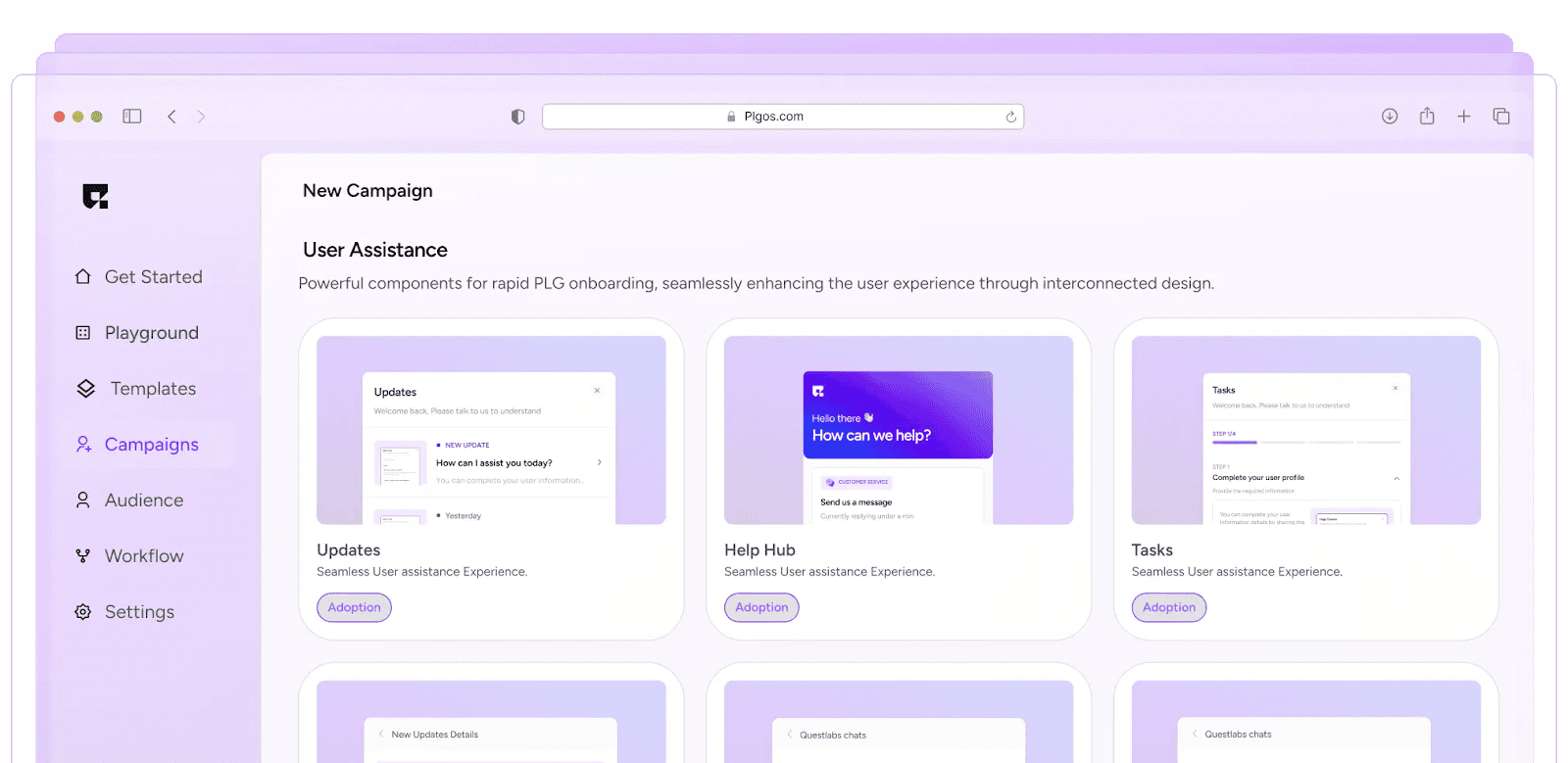
PLG OS is built for teams that want user guides to live inside the product instead of buried in a PDF. Its Help Hub component is an in-app help center with AI chat support, searchable documentation and article recommendations, and its onboarding components guide users through the product step by step. Full disclosure: PLG OS is our product.
Key Features:
Help Hub:
AI chat support, searchable documentation and article recommendations inside your app.
In-App Guides:
Walkthroughs, a get-started guide and embedded onboarding tips show steps where users are.
No-Code Edits:
Change text from the PLG OS dashboard without a release.
User Data:
Help Hub data is added to each user’s Customer 360 profile and can be sent to your CRM.
Personalization:
A/B testing and personalization are listed on the component pages.
Best For: SaaS teams focused on product-led growth who want help and onboarding inside the product. Pricing (as of October 2026): a free tier covers 100 monthly tracked users and one component; Starter is $49 a month and Growth $149 a month on monthly billing.
2. Document360
Document360 is an AI-powered knowledge base platform for internal and external documentation. It’s all about organization and giving users a library of easy-to-navigate articles.
Key Features:
Category Manager:
Helps organize content in a way users can find instantly.
Markdown Editor:
One of three editor options, for simple, clean formatting.
AI Search:
Conversational search grounded in your own articles.
Analytics:
Shows searches that returned no results, so you know what to write next.
Private or Public Docs:
Run an internal or an external knowledge base.
Best For: Teams that need a searchable, well-structured help center rather than in-app guidance. Pricing (as of October 2026): quote only, configured per project; 14-day free trial.
3. Helpjuice
Helpjuice is an AI-powered knowledge base platform for companies with large teams or big customer bases. It balances flexibility and control while keeping the user experience clean.
Key Features:
Custom Branding:
Make your manual look like an extension of your product.
Permissions & Roles:
Control who can edit, approve, or publish.
Search:
Find answers across the whole knowledge base.
Collaboration:
Live collaboration so several people can work on articles.
Analytics:
Find out which articles are most useful.
Best For: Larger companies that need secure, customized manuals. Pricing (as of October 2026): the Knowledge Base plan is $249 a month for 30 users; 14-day free trial.
4. Confluence
Atlassian’s Confluence is known as a team wiki, but it doubles as a user manual creation tool, especially for internal use.
Key Features:
Collaboration-Friendly:
Multiple team members can write and edit at the same time.
Integrates with Jira:
Useful for product and engineering teams already in Atlassian.
Templates:
Kickstart guides with ready-to-use documentation templates.
Version History:
Compare versions and revert changes if needed.
Best For: Teams already using Jira who want all their documentation in one place. Pricing (as of October 2026): free for up to 10 users; Standard from $5.42 per user a month.
5. GitBook
If your product is technical, GitBook is one of the best tools to create user guides for developers. Its editor is block-based, and Git Sync keeps docs in step with a repository of Markdown files.
Key Features:
Git Sync:
Two-way sync with GitHub and GitLab, on every plan.
Docs as Code:
Turn a repo of Markdown files into published docs.
Open-Source Friendly:
Free plans for open-source projects.
Best For: Developer documentation, API references, and technical onboarding. Pricing (as of October 2026): free plan; Premium is $65 per site a month billed annually, plus $12 per user a month.
6. Scribe
Scribe (now at scribe.com) is one of the most time-saving user manual creation tools. It automatically creates guides by recording your actions on screen.
Key Features:
Instant Guides:
Record a process once, and Scribe turns it into a step-by-step guide with text, annotated screenshots and clicks.
Sharing Options:
Share with a link or embed it, on the free plan too.
Export:
PDF, HTML, Markdown and Word export on the paid Pro plans.
Best For: Quick setup guides, employee training, or fast-growing teams that want speed. Pricing (as of October 2026): free Basic plan; Pro Personal is $25 per seat a month billed yearly ($35 monthly), and Pro Team $13 per seat a month billed yearly, with a five-seat minimum.
7. MadCap Flare
MadCap Flare has been around for years and is still one of the most complete help authoring tools available. It’s powerful, though it has a steeper learning curve.
Key Features:
Multi-Format Publishing:
Publish one source as HTML5, PDF, Word, PowerPoint, SCORM and more.
Conditional Content:
Condition tags include or exclude content for each output.
Single-Sourcing:
Write once and reuse the content across manuals.
Best For: Enterprises with dedicated technical writers and complex products. Pricing (as of October 2026): Flare Desktop is $3,150 per author a year; Flare Online is priced by sales. 30-day free trial.
8. Notion
Notion wasn’t built specifically for user guides, but many teams use it because it’s simple, good-looking, and collaborative.
Key Features:
Blocks:
Add text, images, videos, or embeds as content blocks.
Collaboration:
Teams can comment, edit, and share live.
Templates:
Pre-made layouts for SOPs, onboarding, or product docs.
Publishing:
Publish pages to the web on a free notion.site domain; a custom domain is a paid add-on.
Best For: Startups and small teams that want quick, good-looking guides without technical complexity. Pricing (as of October 2026): free plan; Plus is $10 per member a month billed yearly.
9. Zendesk Knowledge (formerly Zendesk Guide)
Zendesk’s knowledge base, now called Zendesk Knowledge, connects directly with your customer support system. If you already use Zendesk, it keeps your help center and your tickets in one place.
Key Features:
Knowledge Builder:
Drafts help articles from the last 90 days of your tickets.
Integrated Workflows:
Ties directly into messaging and support tickets.
Customizable Themes:
Match your brand style.
Reporting:
A self-service dashboard shows confirmed and assumed ticket deflections.
Best For: Customer-facing teams who want documentation and support under one roof. Pricing (as of October 2026): the knowledge builder is listed from Suite Team, $55 per agent a month billed annually ($69 monthly); 14-day free trial.
10. ClickHelp
ClickHelp is an online documentation tool for writing and publishing user manuals without heavy software installs.
Key Features:
Browser-Based:
Write anywhere, no installation required.
Multi-Format Publishing:
Export to HTML5 web help, PDF, DOCX, CHM, EPUB and more.
Built-In Translation:
Localize guides on every plan.
Review Workflow:
Multi-author editing with review, comments and history.
Best For: Teams that want a straightforward, cloud-based documentation tool. Pricing (as of October 2026): Starter is $194 a month on yearly billing, with two contributors included.
11. UserGuiding
UserGuiding focuses on interactive, in-app guides. Instead of sending users to a manual, you guide them through your product step by step.
Key Features:
No-Code Builder:
Create onboarding flows without coding.
Segmentation:
Show the right guides to the right users.
Surveys & Checklists:
Collect feedback and track completion.
Analytics:
See how users interact with walkthroughs.
Best For: SaaS products that want onboarding to happen in the product, not outside it. Pricing (as of October 2026): Starter from $174 a month billed yearly, from 2,000 MAUs; 14-day free trial.
12. Tettra
Tettra is an AI-powered internal knowledge base. Think of it as a way to create manuals for your team’s daily processes.
Key Features:
Slack Integration:
AI answers from your knowledge base in Slack DMs and channels.
Easy Verification:
Experts regularly verify the accuracy of important pages.
Simple UI:
Anyone on the team can add content.
Best For: Internal guides, employee onboarding, or company process documentation. Pricing (as of October 2026): Scaling is $8 per user a month with a 10-user minimum (20% off yearly); 30-day free trial.
User guide tools compared
Prices are the lowest published entry points as of October 2026.
| Tool | Type | Free plan | Paid from (as of October 2026) |
|---|---|---|---|
| PLG OS | In-app help hub and guides | Yes, 100 MTUs and 1 component | Starter $49/mo |
| Document360 | Knowledge base | No (14-day trial) | Quote only |
| Helpjuice | Knowledge base | No (14-day trial) | $249/mo (30 users) |
| Confluence | Team wiki | Yes, up to 10 users | $5.42/user/mo (Standard) |
| GitBook | Developer docs | Yes | $65/site/mo billed annually + $12/user |
| Scribe | Screen-capture guides | Yes (Basic) | $13/seat/mo billed yearly (Pro Team, 5 seats) |
| MadCap Flare | Help authoring tool | No (30-day trial) | $3,150/author/year (Desktop) |
| Notion | Workspace and wiki | Yes | $10/member/mo billed yearly (Plus) |
| Zendesk Knowledge | Help center in a support suite | No (14-day trial) | $55/agent/mo billed annually (Suite Team) |
| ClickHelp | Help authoring tool | No (free trial) | $194/mo billed yearly (Starter) |
| UserGuiding | In-app guides | No (14-day trial) | $174/mo billed yearly |
| Tettra | Internal knowledge base | No (30-day trial) | $8/user/mo (10-user minimum) |
Knowledge base, help authoring tool or in-app guide?
“User guide tool” covers several kinds of software, and picking the kind first narrows the list quickly:
- Knowledge base (Document360, Helpjuice, Zendesk Knowledge): a searchable help center of short articles. Best for customer self-service.
- Help authoring tool (MadCap Flare, ClickHelp): long-form manuals written once and published as a web help site, PDF and Word. Best for complex or regulated products.
- Docs as code (GitBook): documentation kept next to the code. Best for APIs and SDKs.
- Capture tools (Scribe): record a process and get a step-by-step guide. Best for internal how-tos.
- Wikis (Confluence, Notion, Tettra): internal knowledge your team edits together.
- In-app guides (PLG OS, UserGuiding): help shown inside your product, at the moment it is needed. Best for SaaS onboarding.
Many SaaS teams combine a knowledge base with in-app help, so the same answer shows up in the help center and on the screen where the question comes up. Our comparison of the best in-app support tools covers that side, and our list of help hub software for SaaS compares embeddable help centers.
How to Create User Manuals Faster (Without Cutting Quality)
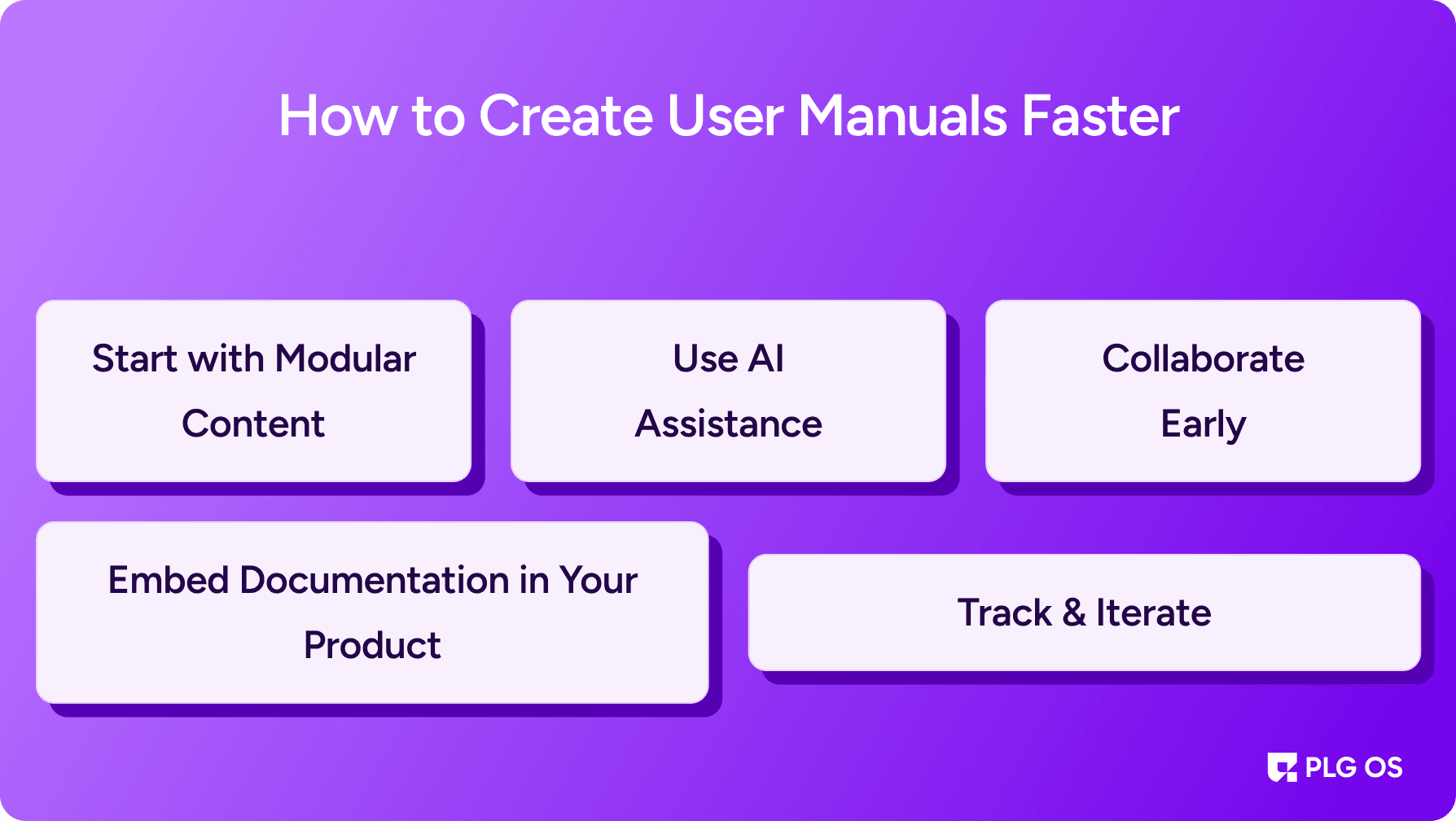
Even the best tools to create user guides won’t save you if your process is broken. Here’s how to speed things up:
1. Start with Modular Content
Break instructions into reusable chunks. This way, you don’t rewrite the same step across multiple guides. Tools like Paligo, a component content management system, and MadCap Flare are built for this kind of reuse.
2. Embed Documentation in Your Product
Why make users leave your app to read a manual? Tools like PLG OS let you build in-app guides that appear at the exact moment of need.
3. Use AI Assistance
Many user manual software platforms now include AI. For example, Zendesk’s knowledge builder drafts articles from your tickets, and Document360 and Helpjuice add AI search.
4. Collaborate Early
Involve support, product, and success teams. Platforms like Notion and Confluence make this easy.
5. Track & Iterate
Don’t treat guides as “done.” Use analytics from PLG OS or Helpjuice to refine content based on user behavior.
Final Thoughts
The reality is this: there’s no single “perfect” tool. Your choice depends on whether you’re building customer-facing guides, internal manuals, developer docs, or in-app walkthroughs.
- If you’re SaaS-first and want help inside the product → PLG OS or UserGuiding.
- If you’re enterprise-scale with technical writers → MadCap Flare is worth it.
- If you’re startup-lean → Notion, GitBook, or Scribe’s free plan will do the job.
The winners will be the companies that deliver guidance where users need it most: fast, clear, and contextual. With the right user manual creation tools, you can turn documentation from a chore into a strategic advantage.
FAQs
1. What is the best user manual software?
It depends on the guide. For a searchable customer help center, Document360, Helpjuice or Zendesk Knowledge; for long technical manuals with PDF output and content reuse, a help authoring tool such as MadCap Flare or ClickHelp; for developer docs, GitBook; for quick step-by-step guides captured from your screen, Scribe; and for guidance inside your product, PLG OS or UserGuiding.
2. What is the difference between a user guide and a user manual?
A user guide is usually a step-by-step resource to help users operate a product, while a user manual often includes more detailed technical documentation.
3. What is a help authoring tool?
A help authoring tool is software for writing documentation once and publishing it in several formats, such as an HTML5 help site, PDF and Word. MadCap Flare and ClickHelp are examples; they add conditional content and reuse so one source can produce several manuals.
4. Are PDFs still relevant for user guides?
Yes, PDFs are still used, but most companies now prefer online, searchable knowledge bases and in-app guides for faster access. Help authoring tools let you publish both from the same source.
5. Can I create user guides without technical writing skills?
Yes. Knowledge base tools have visual editors and templates, and capture tools such as Scribe turn a process you record on screen into a step-by-step guide with annotated screenshots.
6. Why should I use a user guide tool instead of writing in Word or Google Docs?
User guide tools provide search, collaboration, analytics and multi-format publishing that word processors lack.